6/10
2. Replacement and adjustment of parts
26820
26820
Zigzag adjustment
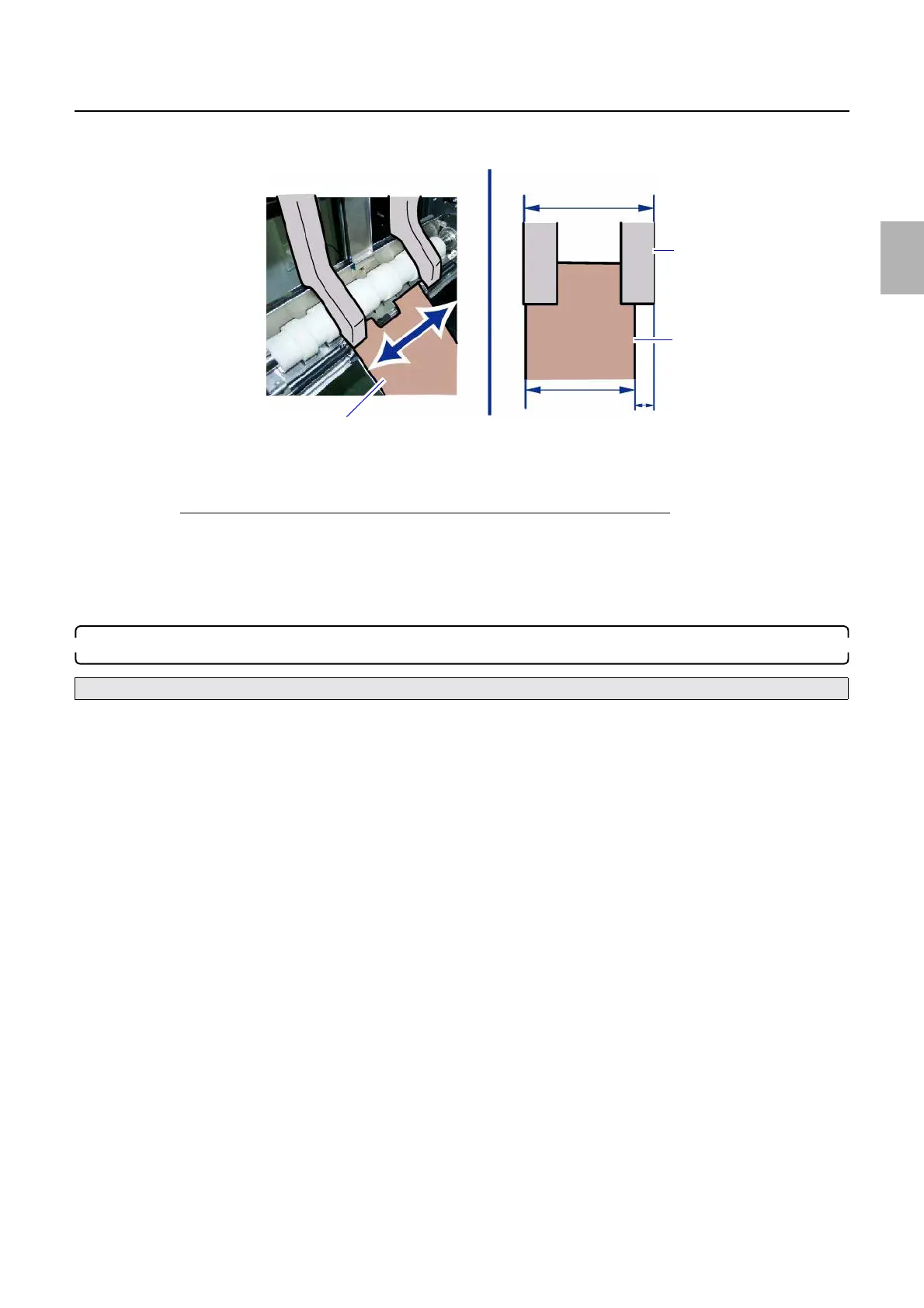
1. Move paper as far as it will go to the right and left of the paper guide with paper loaded to the paper guide, and
check if there is a gap between the paper guide and paper.
2. Remove paper from the paper guide, and restore paper supply unit A2.
3. Close printer doors 3 and 4.
If there is no space (about 0.2 mm) between the paper guide and paper
1. On the Paper Guide Width Adjustment (for each Paper Width) display, enter the paper width correction value
for the paper to use.
The larger the correction value is, the wider the space is.
2. Adjust the paper guide width so that the space between the paper guide and paper becomes 0.2 mm.
3. Click Enter.
6. Adjusting zigzag of magazine mount A2
(1) Make test prints with paper whose width is 89 mm or 305 mm by clicking Test Print 1 in Arm Unit 1
Zigzagging Correction.
Bringing up the display
On the Maintenance Application display, click Maintenance. → Extension → Maintenance → Various Adjustment
→ Printer Mechanical Adjustment → Arm Unit 1 Zigzagging Correction
• When adjusting zigzag of paper magazine mount A2, use paper whose width is about 89 mm or 305 mm.
Move paper to the right and left.
Paper width
Guide width
Gap (0.2 mm)
Paper guide
Paper
G086290
Distributed by: minilablaser.com



 To Next Page