6. Electrical parts
68100
7/7
68100
Cables
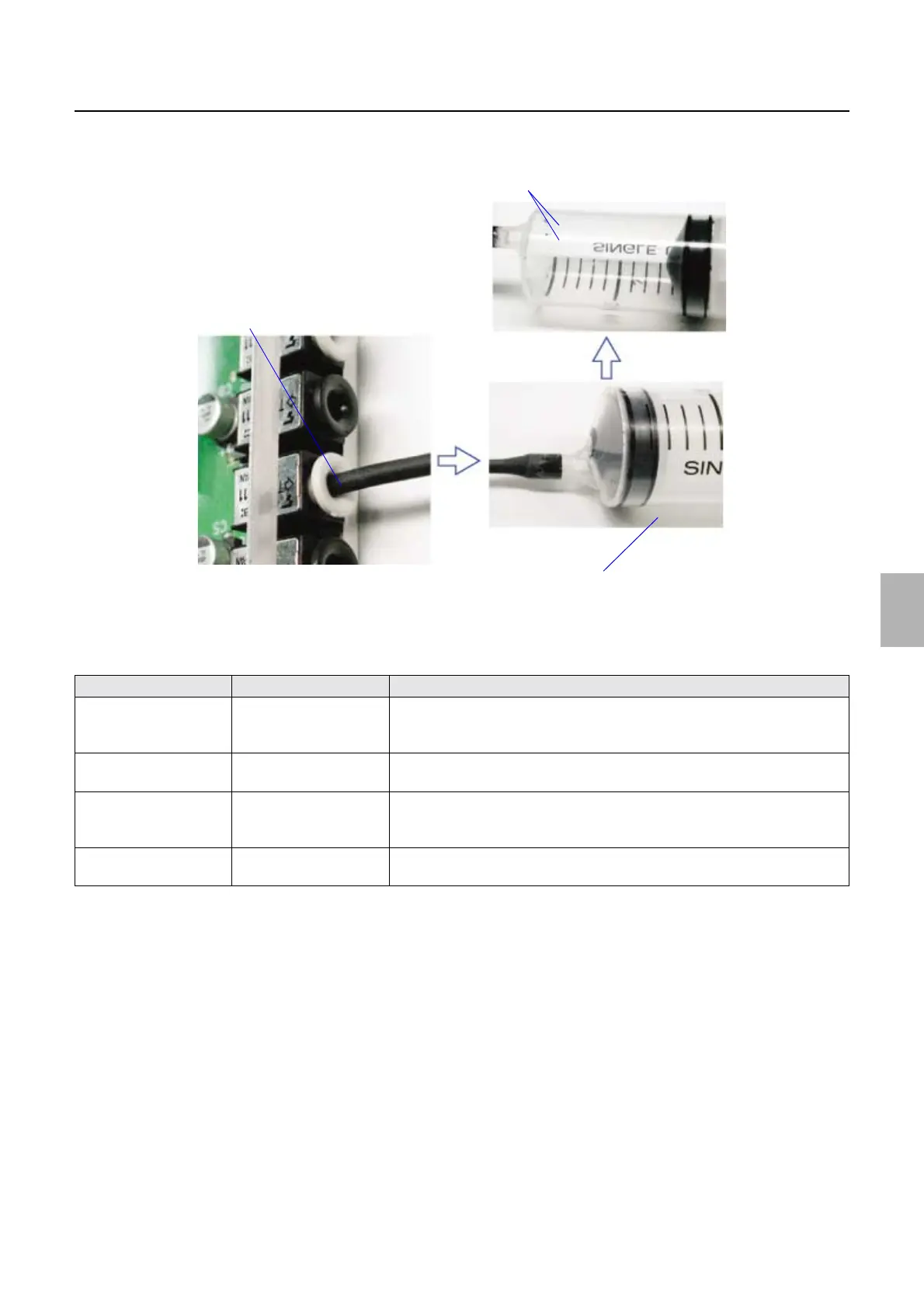
2. Attach the front end of aspirator to the connector on ARCNET PCB to suck out the dust.
3. Connect the ARCNET cable.
List of ARCNET tools
*1. The ARCNET cable used here is the ARCNET cable that is included in the External PC connecting kit.
Tool Part No. Explanation
Optical fiber cable
pushing bar
A073143-01 Used to pull out the optical fiber cable.
For details about how to use the optical fiber cable pushing bar, see
☞How to
use the optical fiber cable pushing bar.
Fiber cutter L003100-00 Used to cut the end of ARCNET cable when it is abnormal.
For details about how to use the fiber cutter, see
☞How to use the fiber cutter.
Aspirator H103007-00 To suck out the dust in the connector on the PCB connected to the ARCNET
cable.
For details about how to use the aspirator, see ☞How to use the aspirator.
Cable unit
*1
W406859-01 To use the ARCNET cable to diagnose the ARCNET PCB (cable length: four
meters)
Dust
Front end of aspirator
Aspirator
G081992
Distributed by: minilablaser.com



 To Next Page