85
────────────────────────────────────────────────────
6.5 Changing Settings
────────────────────────────────────────────────────
NOTE
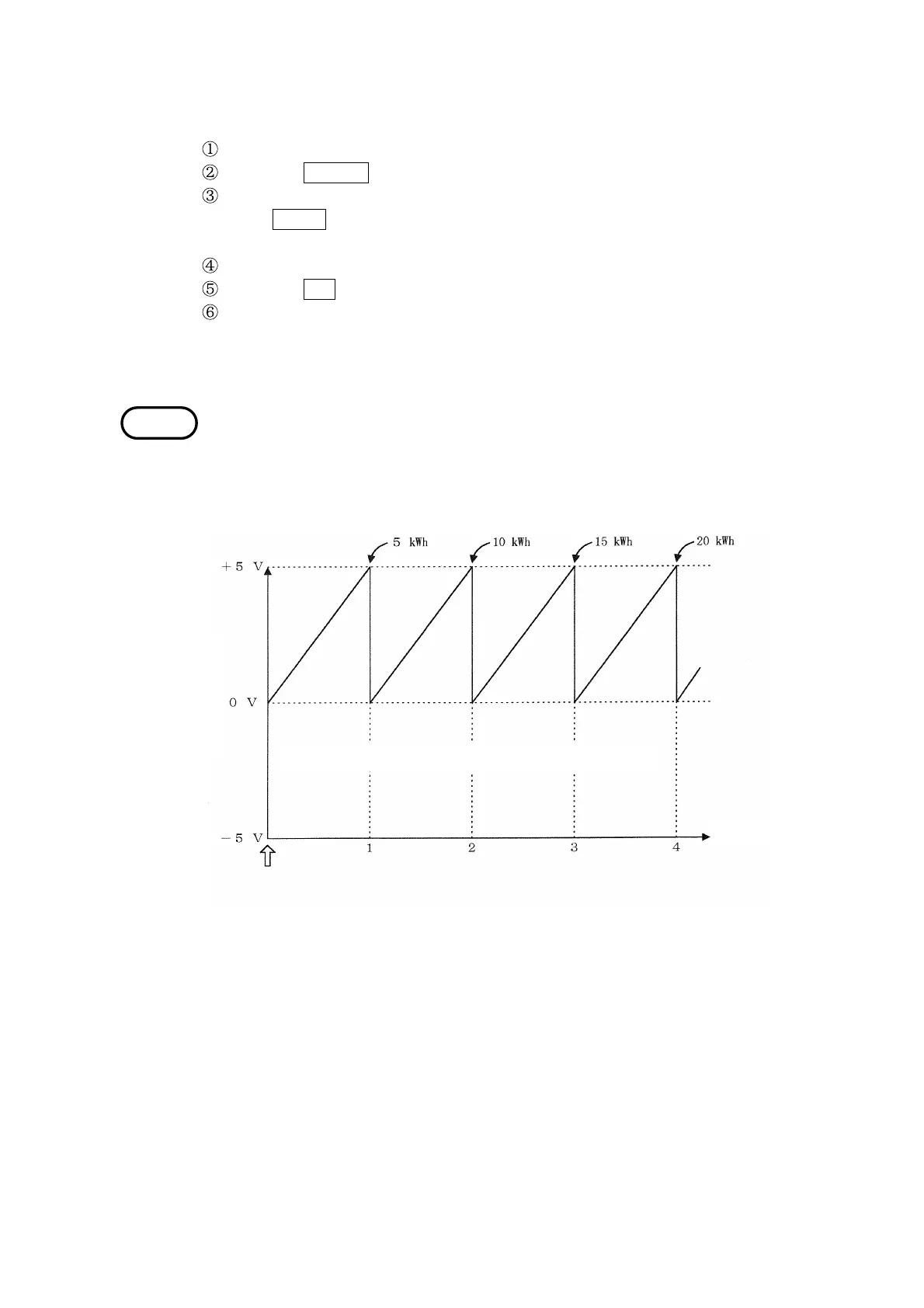
Elapsed time
Integrated powe
* When active power is 5 kW with a uniform increas
Integration start
Integrated Output Waveform Example
Example Setting the output rate to 5 V/50 kWh
Position the cursor at "Integrated output rate (INTEG. OUT RATE)."
Press the CHANGE function key.
The "Integrated Output Rate" window is displayed.
If the
CLOSE key is pressed, the display returns to the "Integrated
Measurement Settings" screen (page 1/2).
Position the cursor at "5 V/50 kW".
Press the SET function key.
The "Integrated Output Rate" window closes, and "5 V/50 kWh" is set and is
displayed in the integrated output rate field on the "Integrated Measurement
Settings" screen (page 1/2).
・Select a suitable integration output rate based on expected power levels. In
order to see changes in detail, a small full-scale value should be selected.
・If the power level increases uniformly, once it reaches the full-scale setting
the output voltage returns 0 V once and then increases again. (The level is
recorded as a sawtooth wave.)



 To Next Page