250
────────────────────────────────────────────────────
13.1 Output Connection Method
────────────────────────────────────────────────────
WARNIN
To avoid electrocution, turn off the power to all devices before pluggingor
unplugging any of the interface connectors.
CAUTIO
・In order to prevent damage to the unit and the clamp on sensor, never plug
in or unplug the sensor connector when the power is turned on. (The D/A
output is not insulated from the voltage and current inputs.)
・Although there are four channels, they are not insulated from one another.
・Use the special cables provided (the 9441 CONNECTION CABLE) for
connection to the D/A output.
Cable Connection
NOTE
3.1 Output Connection Method
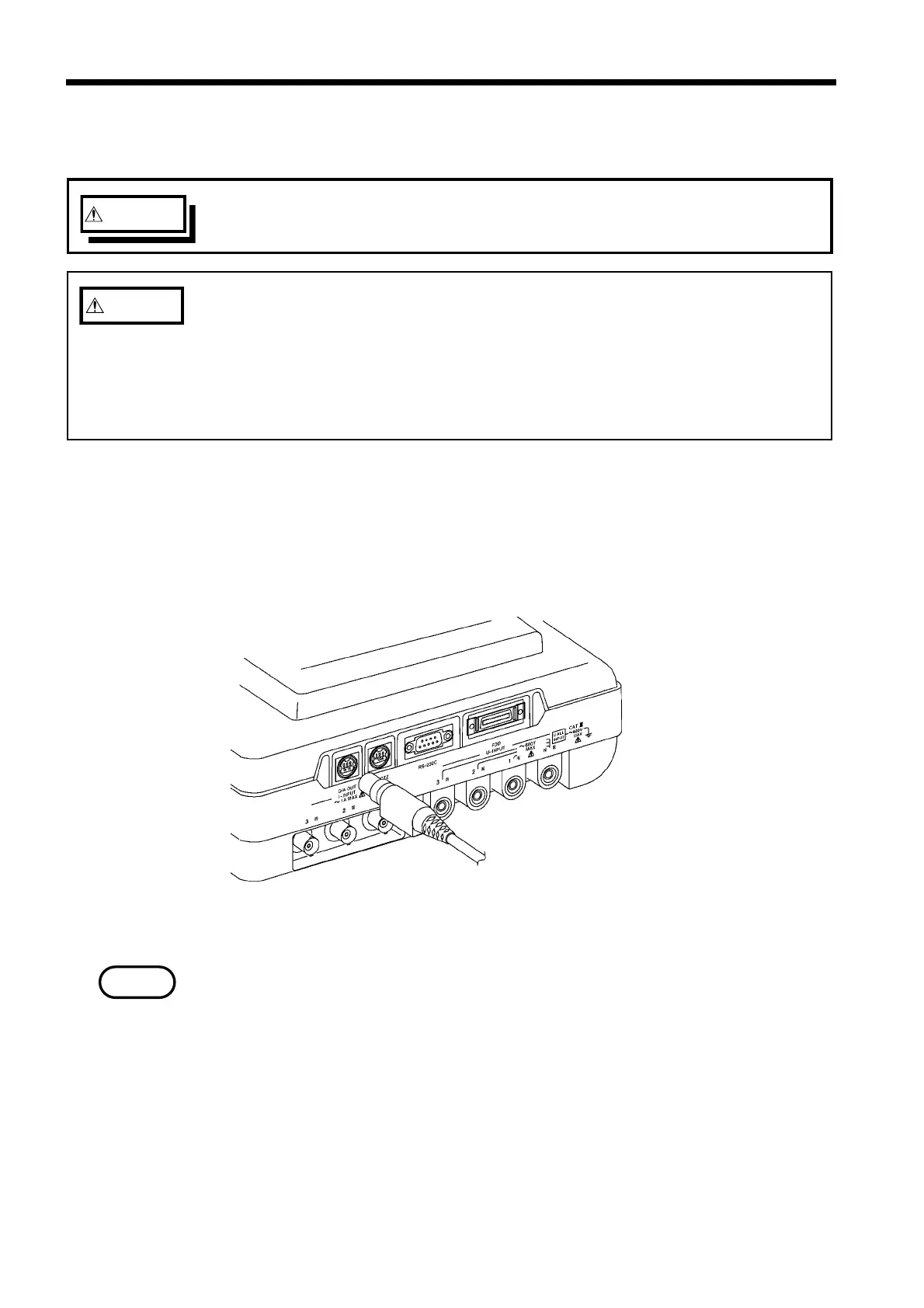
As shown in the diagram, align the special connection cable with the connector
guide notch on the D/A output connector and then plug the cable in. (The
connector has a locking mechanism.)
When disconnecting the cable, grasp the plastic portion of the cable connector
and pull it out of the connector.
Plastic cable connectors are used. Attempting to forcibly push the connector
in without aligning it with the connector guide notch, or forcibly pulling it out
without releasing the lock will damage the connector.



 To Next Page