38
────────────────────────────────────────────────────
4.5 Checking for Incorrect Wiring
────────────────────────────────────────────────────
End Screen
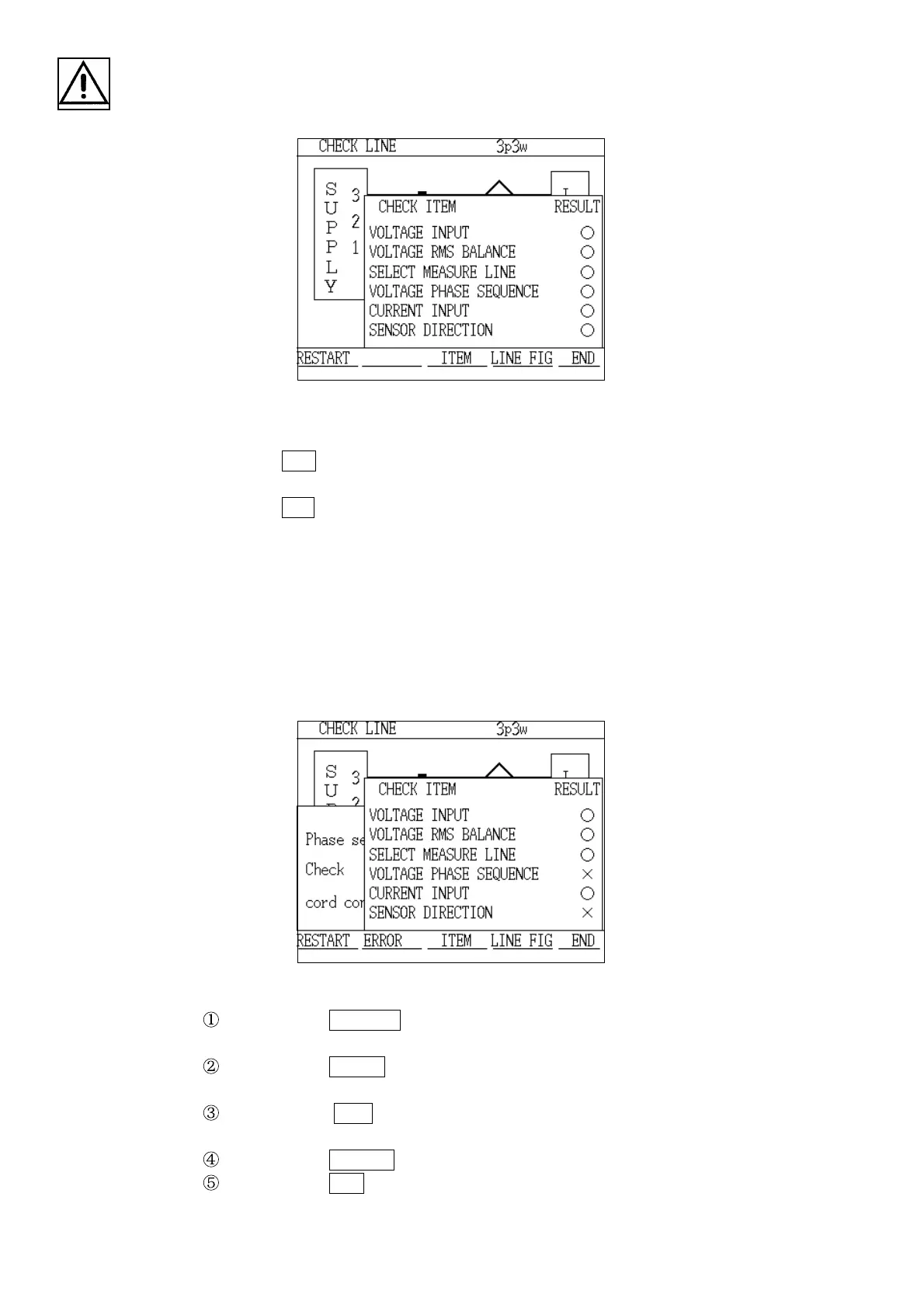
When Incorrect Wiring Was Found
2. If the checking operation ends with the results for all of the items being
"○", the "End" screen is displayed.
3. Press the
END function key.
4. The check is completed and the "Wiring Check" window is displayed.
5. Press the
YES key.
6. The display returns to the "Measurement Value" screen.
(2) Operation if incorrect wiring was found
An "×" is displayed in the field for the item where the incorrect wiring was
found, and the checking operation stops temporarily. The keys that are
available in order to take action in response are displayed in the function
section.
Pressing the RESTART key in order to start the checking operation from the
beginning.
Pressing the ERROR key to displays a description of the wiring error in the
"Description" window.
Pressing the ITEM key displays the incorrect wiring check items and the
results of the check.
Pressing the LINE FIG key to display the wiring diagram screen.
Pressing the END key causes the "Check" window to be displayed, asking
whether or not to stop the checking operation.



 To Next Page