100
────────────────────────────────────────────────────
7.4 Taking Measurements
────────────────────────────────────────────────────
.4.4 Displaying Instantaneous Values
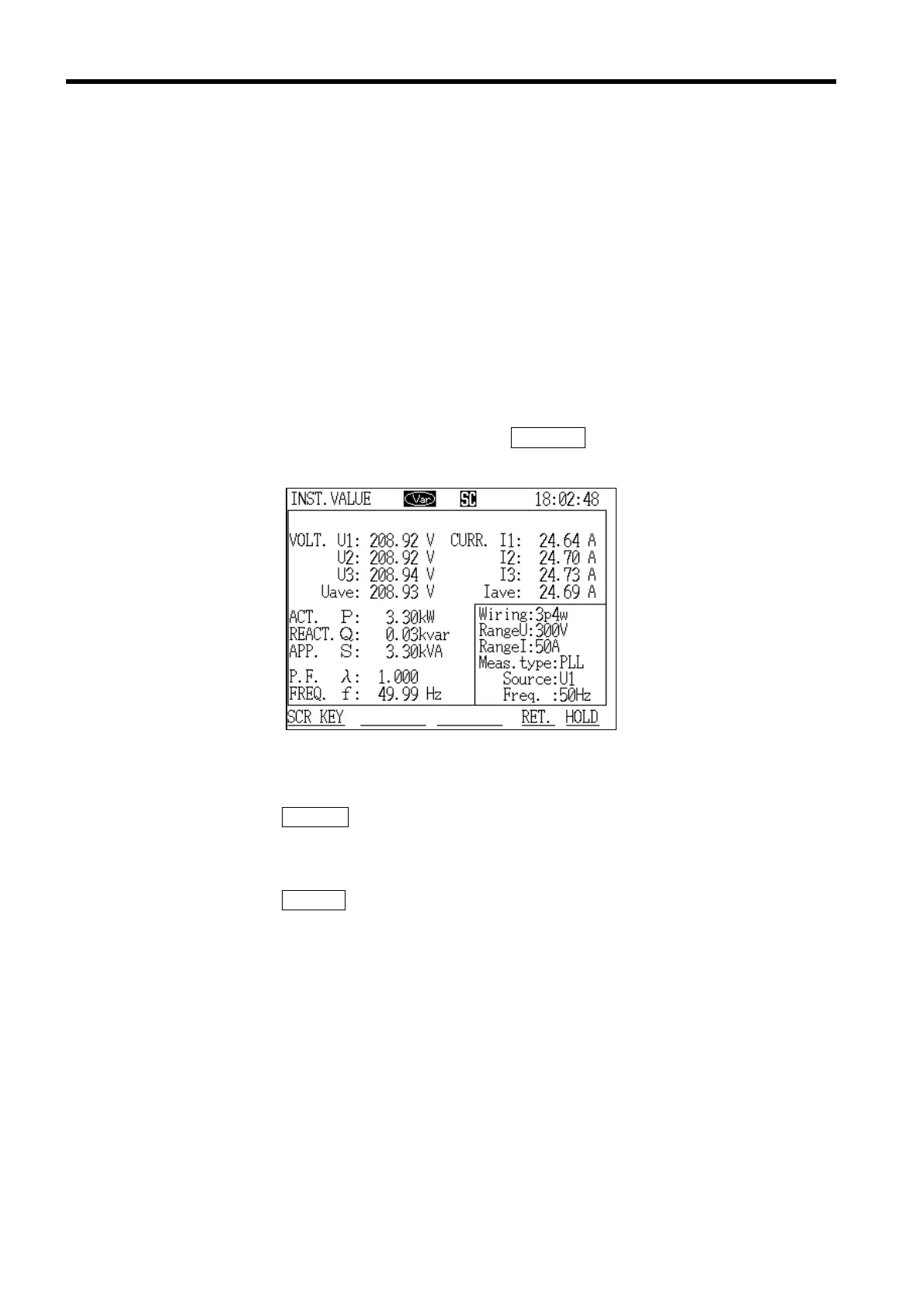
Instantaneous Value Measurement Screen
●Screen configuration in "Demand Measurement" mode
"Demand Measurement" mode uses six screens:
・ Instantaneous values
・ Integrated values
・ Demand values
・ Daily reports
・ Weekly reports
・ Monthly reports
Note that, except for the "Instantaneous values" screen, all screens include
maximum/minimum screens. Use the
PAGE NO. key to select.
(1) In demand measurement mode
1. Press the
SCR.KEY function key.
2. The "Display Selection" window is displayed.
3. Position the cursor at "Instantaneous value (INSTANT)."
4. Press the DETERM function key.
5. The "Instantaneous Value" screen is displayed. Measurement of
instantaneous values starts automatically.



 To Next Page