74
────────────────────────────────────────────────────
6.4 Taking Measurements
────────────────────────────────────────────────────
.4.5 Displaying Minimum/Maximum Values
NOTE
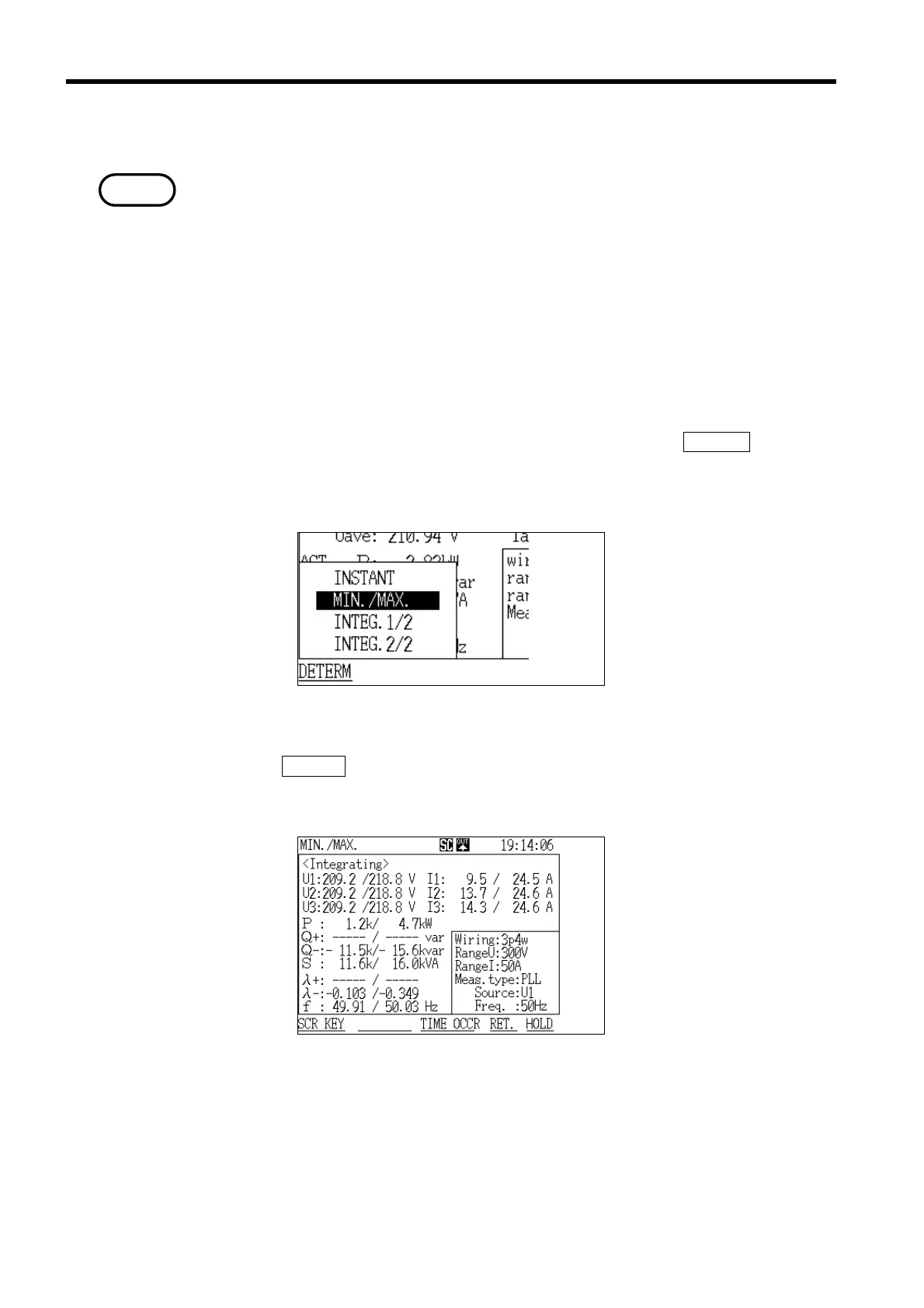
Display Selection Window
Minimum/Maximum Screen
Note on minimum/maximum values
This power meter uses two cycles (when measuring at 50/60 Hz; 16 cycles
when measuring at 400 Hz) as one sample and takes measurements by
continuously performing various calculations on the data (without losing the
waveform). This data is displayed intermittently, depending on the display
update rate, as the instantaneous values. In contrast, the minimum and
maximum values are displayed by finding the minimum and maximum values
in all of the sample values that are being continuously measured.
Therefore, even transient input waveforms generated by a power spike, for
example, will be correctly detected.
1. With the "Instantaneous Value" screen displayed, press the
SCR.KEY function
key.
2. The "Display Selection" window appears.
3. Position the cursor at "Minimum/Maximum (MIN./MAX.)."
4. Press the
DETERM function key.
5 .The "Minimum/Maximum" screen is displayed.



 To Next Page