244
────────────────────────────────────────────────────
12.2 Functions That Use the Modem (1)
────────────────────────────────────────────────────
2.2.3 Setting the 3166
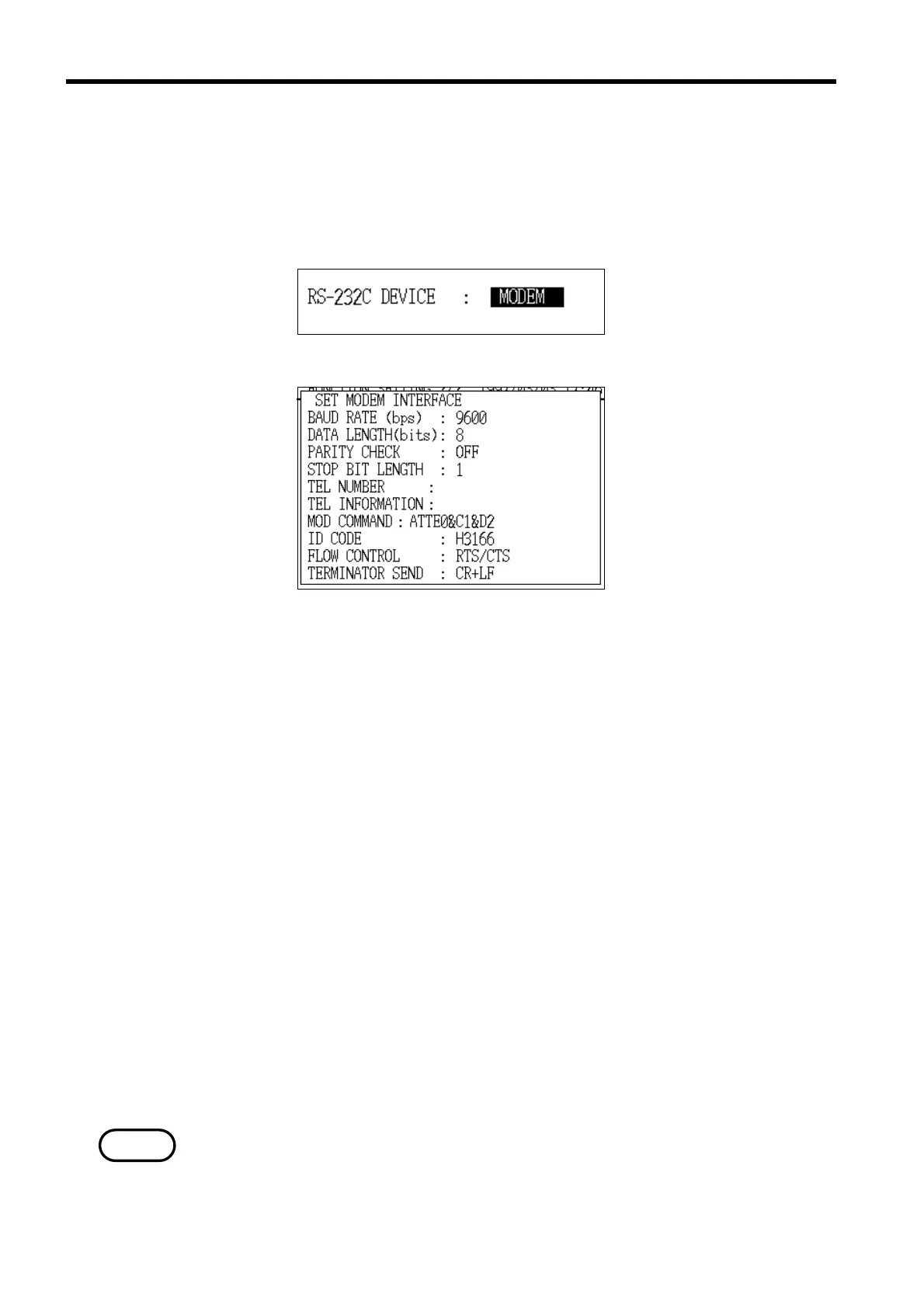
RS-232C Device Setting
Modem Setting Window
NOTE
(1) In "Setting" mode, set the "RS-232C device" to "Modem". Then set the modem
interface settings as necessary. Using the initial values is recommended.
For details on how to make these settings, refer to section 8.2.11, "RS-232C
Device."
(2) Setting the destination telephone number
The characters that can be used in the destination telephone setting are
normal-width numerals, "-" (hyphen), and "," (comma). Any other characters
that are input are ignored.
For example, in order to call the number of "0268-28-0575", the following
setting would need to be made: 0268280575 (or 0268-28-0575)
(3) Setting the destination information
This item is used as a comment field. Input any information that might be
necessary. This field may be left empty.
(4) Setting the initialization command
Input the modem initialization command in this item.
The initial value set for this command is "ATTE0&C1&D2". (Tone dialing;
dial tone detection; CD signal follows carrier signal of other modem;
disconnect when ER signal goes from ON to OFF)
This command may need to be altered for your particular modem; consult your
modem’s operating manual.
・If the initialization command is not set correctly, the modem will not function
correctly.
・When using pulse dialing, set the initialization command to either
"ATP2Q1X4&C1&D2" or "ATP1Q1&C1&D2".



 To Next Page