27
────────────────────────────────────────────────────
3.6 Attaching the Stand
────────────────────────────────────────────────────
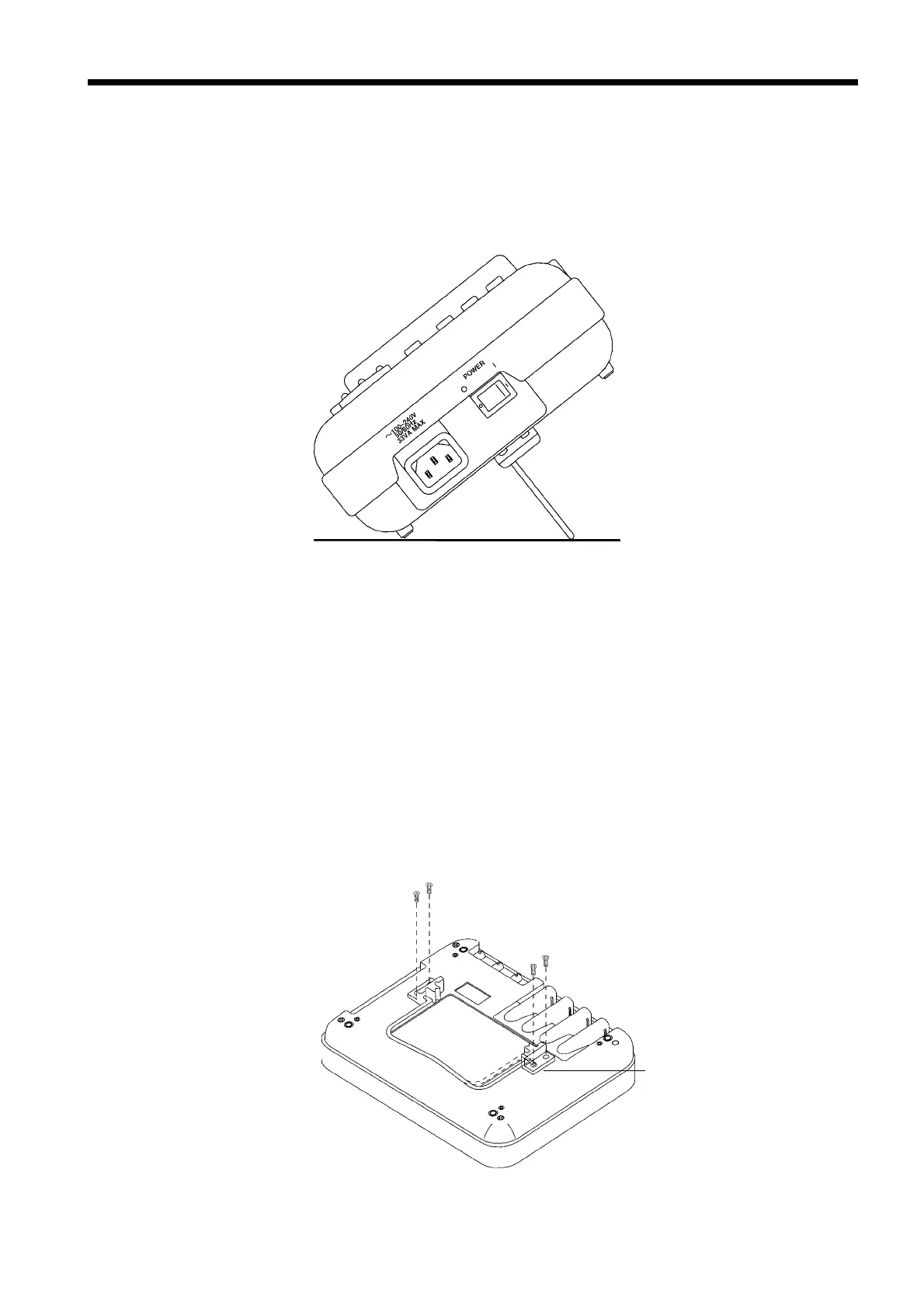
Using a Stand
Stand holde
Attaching the Stand
.6 Attaching the Stand
A stand is included with the 3166 in order to tilt the unit upwards so that it is
easier to view the screen when the unit is to be used on a desktop. Use the
stand when needed.
Reference If the 9595 FDD UNIT is to be connected, the stand cannot be used, so remove
the stand before attempting to connect the floppy disk drive.
(1) Attaching the stand
1. Attach the two stand holders to the back of the 3166’s case, using the four
screws provided. Make sure that the holders are facing the right way when
you attach them.
2. Compress the stand bracket and slide it into the holes in the stand holders.
3. The stand bracket locks into place at a right angle to the 3166 and is ready for
use.



 To Next Page