49
────────────────────────────────────────────────────
5.4 Taking Measurements
────────────────────────────────────────────────────
.4.1 Displaying Instantaneous Values
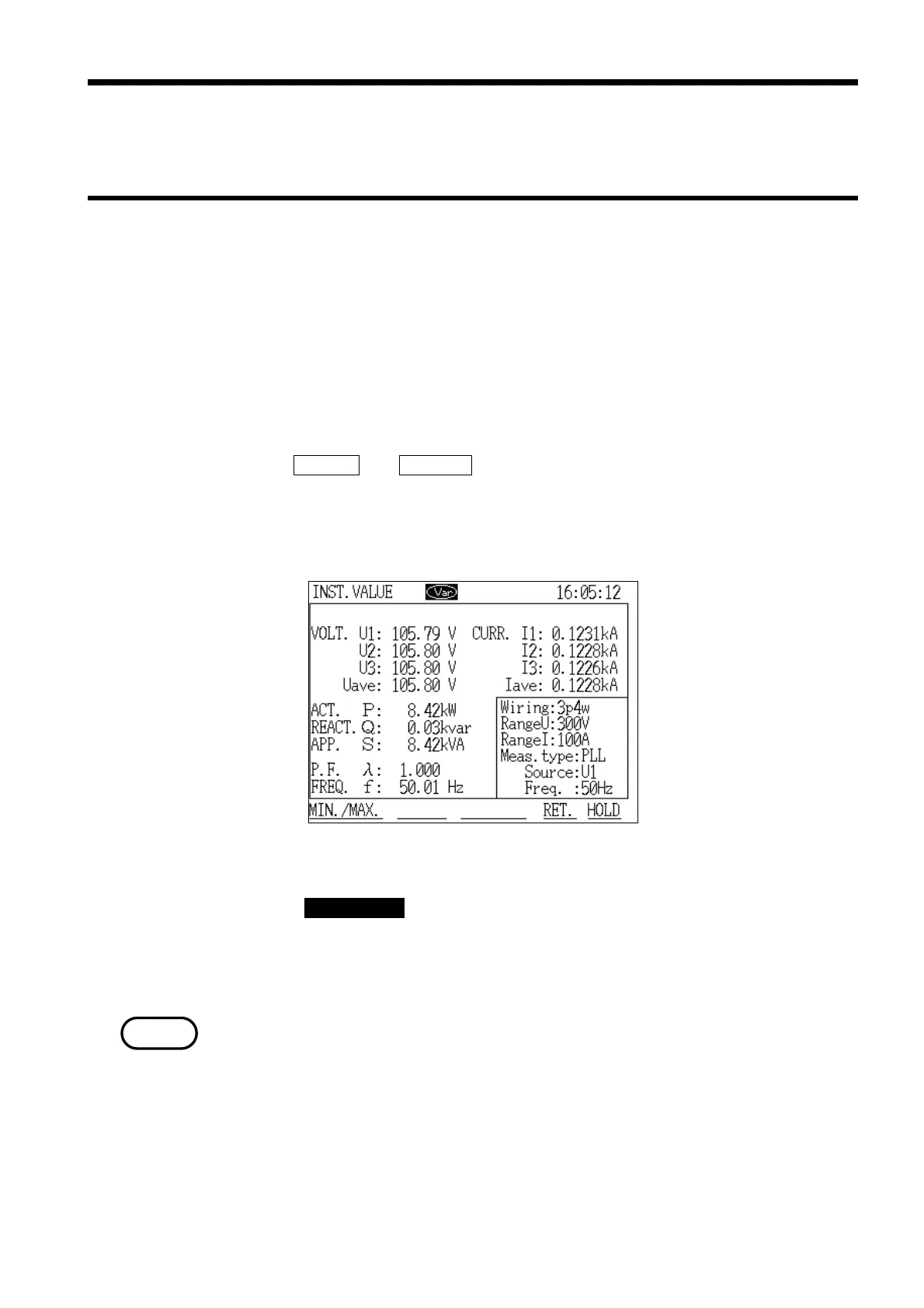
Instantaneous Value Measurement Screen
NOTE
.4 Taking Measurements
●Screen configuration in "Normal Measurement" mode
"Normal Measurement" mode uses two screens:
・Instantaneous values
・Minimum/maximum values
1. Because
INSTANT and MIN./MAX. are displayed in alternation for the function
keys, press the "Instantaneous Value" key.
2. The "Instantaneous Value" screen is displayed. Measurement of
instantaneous values starts immediately.
3. Press the DATA RESET key.
All saved data on the minimum/maximum instantaneous values, and the
times at which those values were generated, is cleared (deleted), and replaced
with new data. Press this key to clear the previous data.
The relationship between the minimum and maximum values is shown in the
following chart. However, if the data reset is not executed, earlier data is also
displayed.



 To Next Page