50
────────────────────────────────────────────────────
5.4 Taking Measurements
────────────────────────────────────────────────────
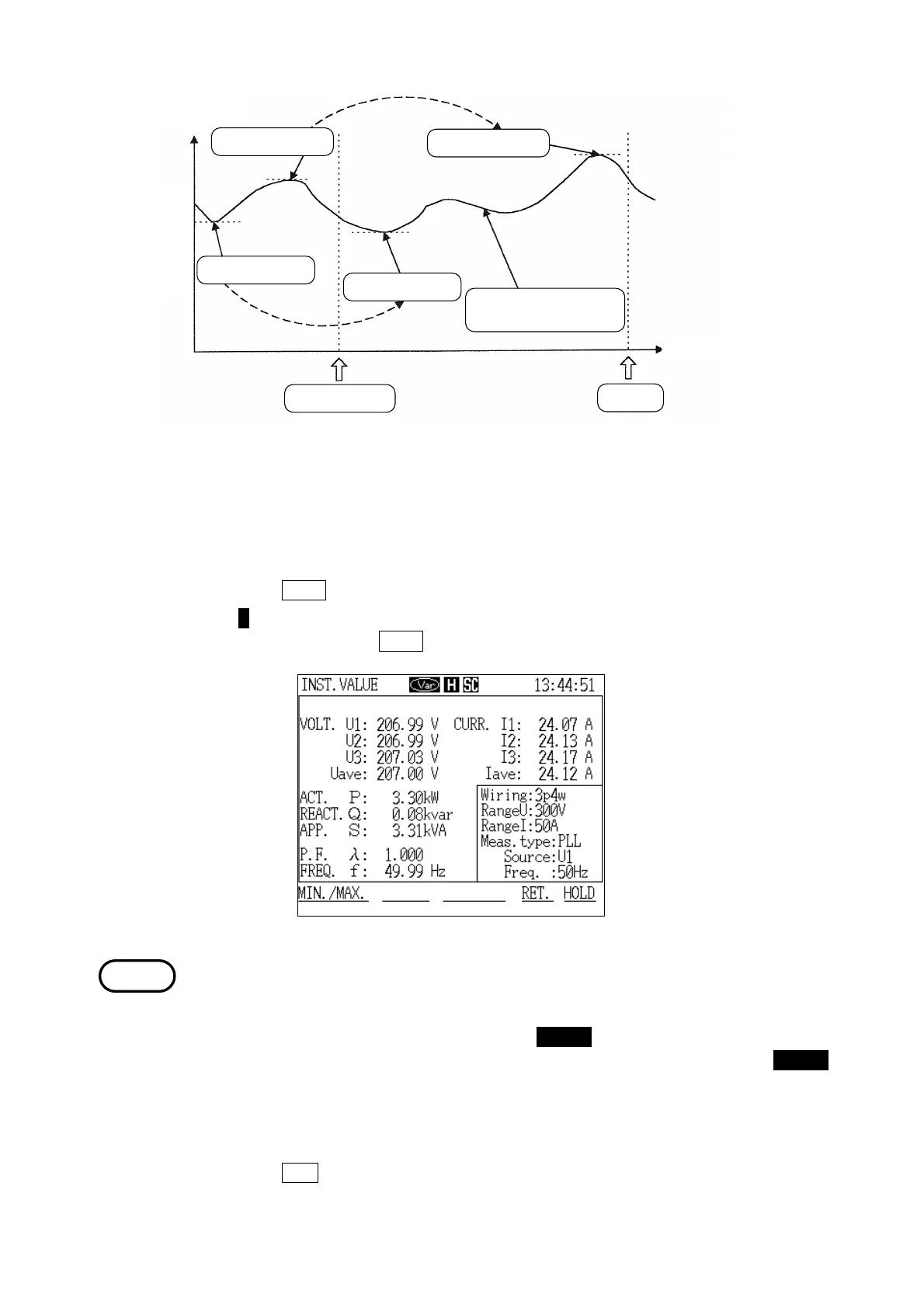
Instantaneous value
Maximum valu
Presen
Maximum valu
Minimum valu
Minimum valu
Change in
instantaneous value
Elapsed tim
DATA RESET
Minimum/Maximum Values During Normal Measurement
Display Hold
NOTE
4. The items that can be measured (in accordance with the wiring setting) are
displayed on the screen.
(1) Holding the display of measured values
1. Press the
HOLD function key.
2. The H mark is displayed on the status line, and the display is held. To release
the display, press the
HOLD key again.
・Even if the displayed values are held, the power meter continues to record
measurements internally.
・The key lock function can be used when necessary to prevent misoperation. To
activate the key lock condition, press the CHECK key and set "Key Lock" to
ON in the "Check" window. To cancel the key lock condition, press the CHECK
key and set "Key Lock" to OFF.
(2) Leaving "Normal Measurement" mode
1. Press the
RET. function key.
2. The "Initial" screen is displayed.



 To Next Page