182
────────────────────────────────────────────────────
11.4 Command Reference
────────────────────────────────────────────────────
■ Demand print/save item setting
Synta
DEMand:DATAout:ITEM data1,data2,data3,data4
dat
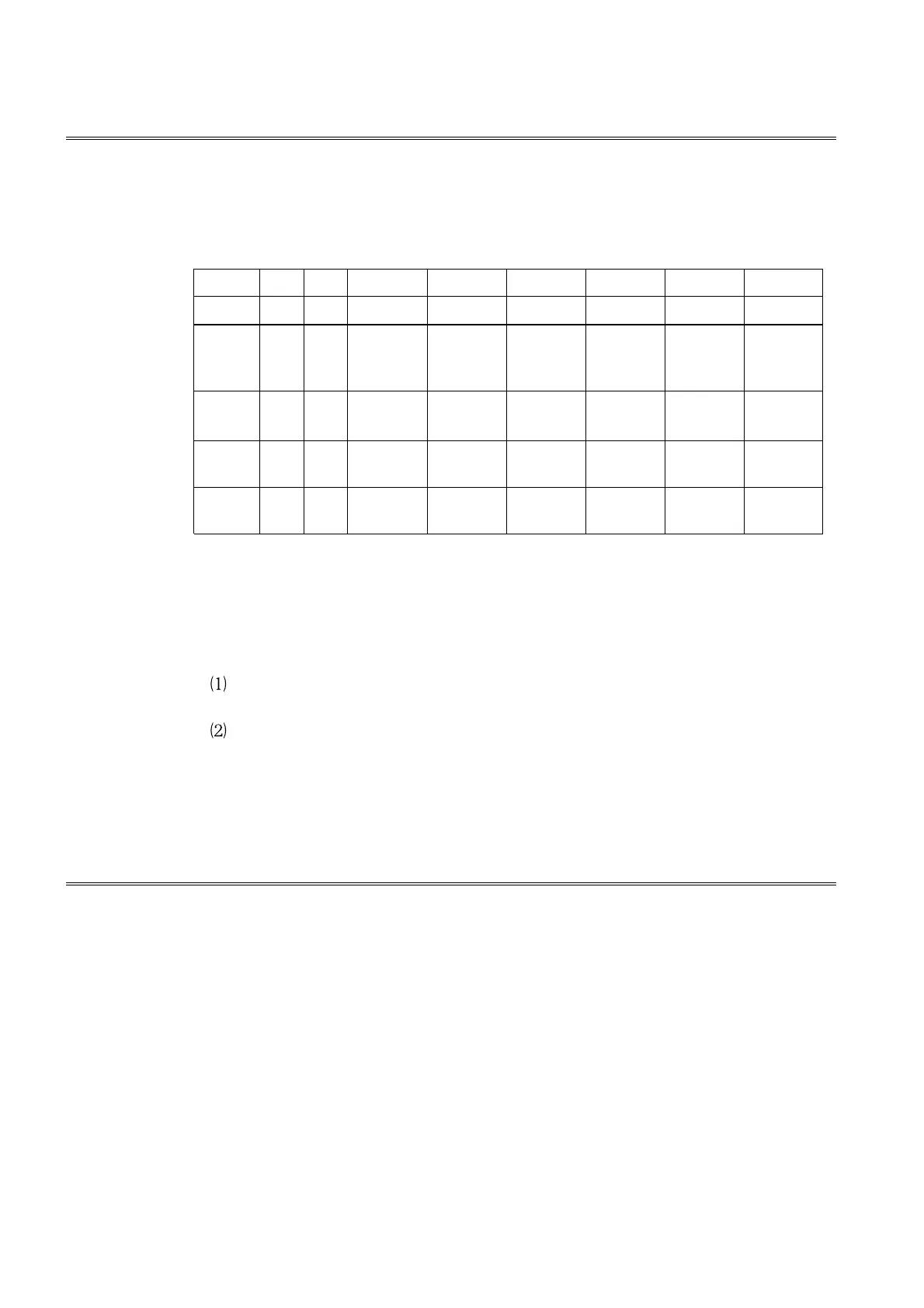
data1, data2, data3,data4 0 to 255 (numerical data in NR 1)
128 64 32 16 8 4 2 1
bit 7 bit 6 bit 5 bit 4 bit 3 bit 2 bit 1 bit 0
data1
Instantan-
eous
power
Instantan-
eous
current
Instantan-
eous
voltage
data2
Minimum
power
Minimum
current
Minimum
voltage
Maximum
power
Maximum
current
Maximum
voltage
data3
Power
integration
Average
value
data4
Integration Monthly
report
Weekly
report
Daily
report
Demand
Functio
・ Sets the print/save items for Demand measurement mode. Send data with
the bits corresponding to the items to be output set.
・ No error results if a bit with no corresponding item is set.
Erro
・ If the value other than setting limit is set, an execution error is generated.
・ In the following circumstances, a device dependent error generated:
If an attempt was made to execute this command while waiting for or
during demand measurement.
In the event of a system error.
Exampl
Transmission
":DEM:DATA:ITEM 7,63,3,31"
Sets the Demand measurement mode print/save items to "all data".
■ Demand print/save item query
Synta
DEMand:DATAout:ITEM?
Functio
Returns the print/save items for Demand measurement mode as a
numerical value (data1, data2, data3, data4) in NR1 format. This value is
one of the set: 0 through 255.
Respons
synta
If headers are ON
If headers are OFF
":DEMAND:DATAOUT:ITEM data1,data2,data3,data4"
"data1,data2,data3,data4"
Exampl
Transmission
Response
":DEM:DATA:ITEM?"
":DEMAND:DATAOUT:ITEM
7,0,0,0"
":DEM:DATA:ITEM?"
"7,0,0,0"
EMand:DATAout:ITEM
EMand:DATAout:ITEM?



 To Next Page