265
────────────────────────────────────────────────────
14.3 Connection Method
────────────────────────────────────────────────────
WARNIN
In order to avoid electric shock, turn off the 3166 and disconnect the
power cord, the voltage cord, and the clamp on sensors before
connecting the 9595 FDD UNIT.
CAUTIO
The above model is the only floppy disk drive unit that can be used with the
3166.
NOTE
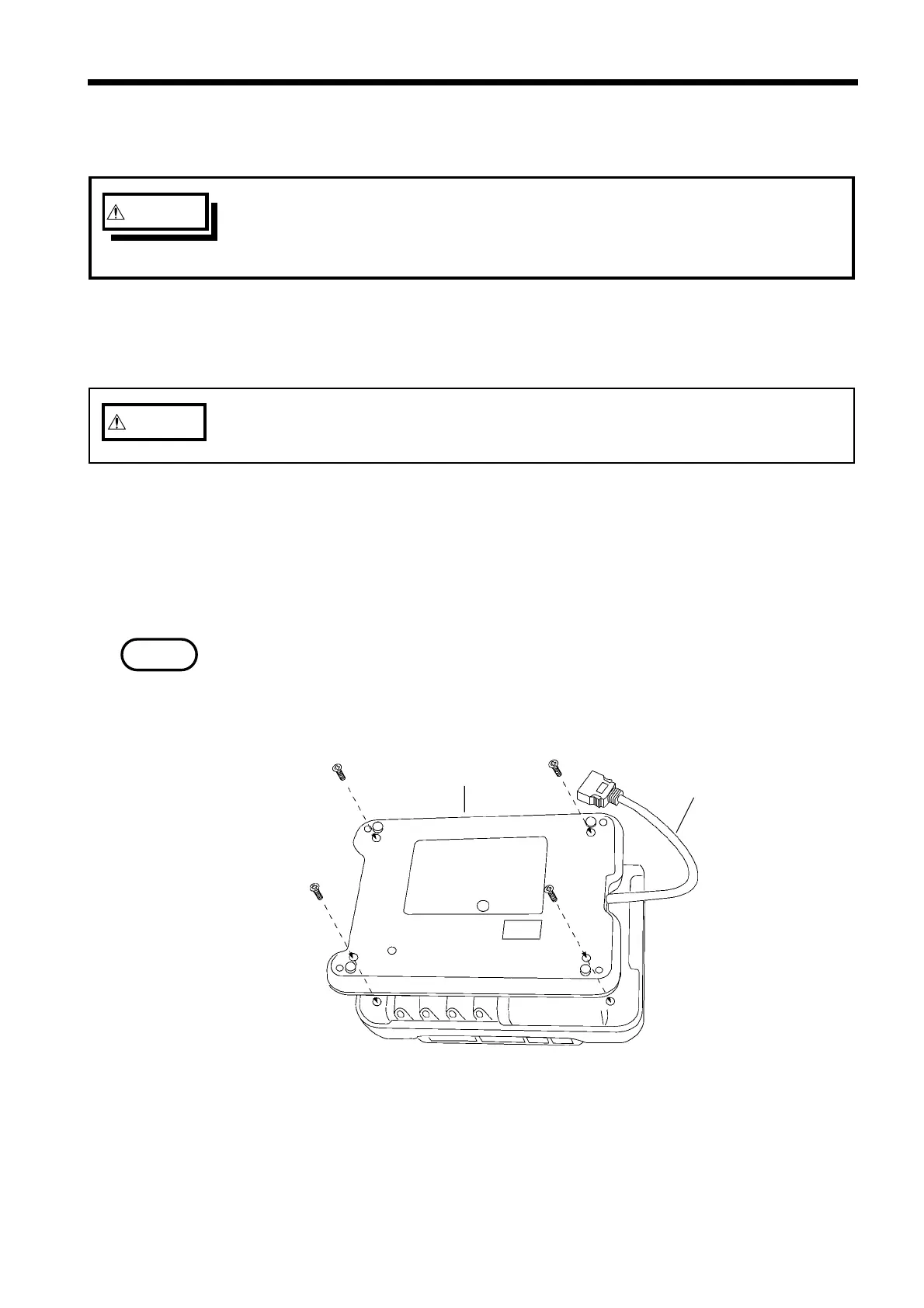
Four screw
9595 FDD UNIT
To FDD unit connecto
on the power meter
Attaching the FDD UNIT
4.3 Connection Method
(1) Floppy disk drive model that can be used:
9595 FDD UNIT manufactured by HIOKI
(2) Connection method
1. Turn the power meter off.
2. Use four screws to attach the 9595 FDD UNIT to the back of the 3166’s case
as shown in the diagram.
If the 9595 FDD UNIT is installed into the 3166 CLAMP ON POWER
HiTESTER with screw tighten too much, the floppy disk slot cover of the 9595
may be fixed. In this case, remove a floppy disk, and loosen the screw so that
the slot cover close.
3. Connect the connecting cable for the 9595 FDD UNIT to the floppy disk drive
connector on the power meter. Make sure that the connector’s locking
mechanism engages securely. When disconnecting the connecting cable, press
in both tabs of the locking mechanism to release it and then disconnect the
connector.



 To Next Page