25
────────────────────────────────────────────────────
3.4 Turning On the Power
────────────────────────────────────────────────────
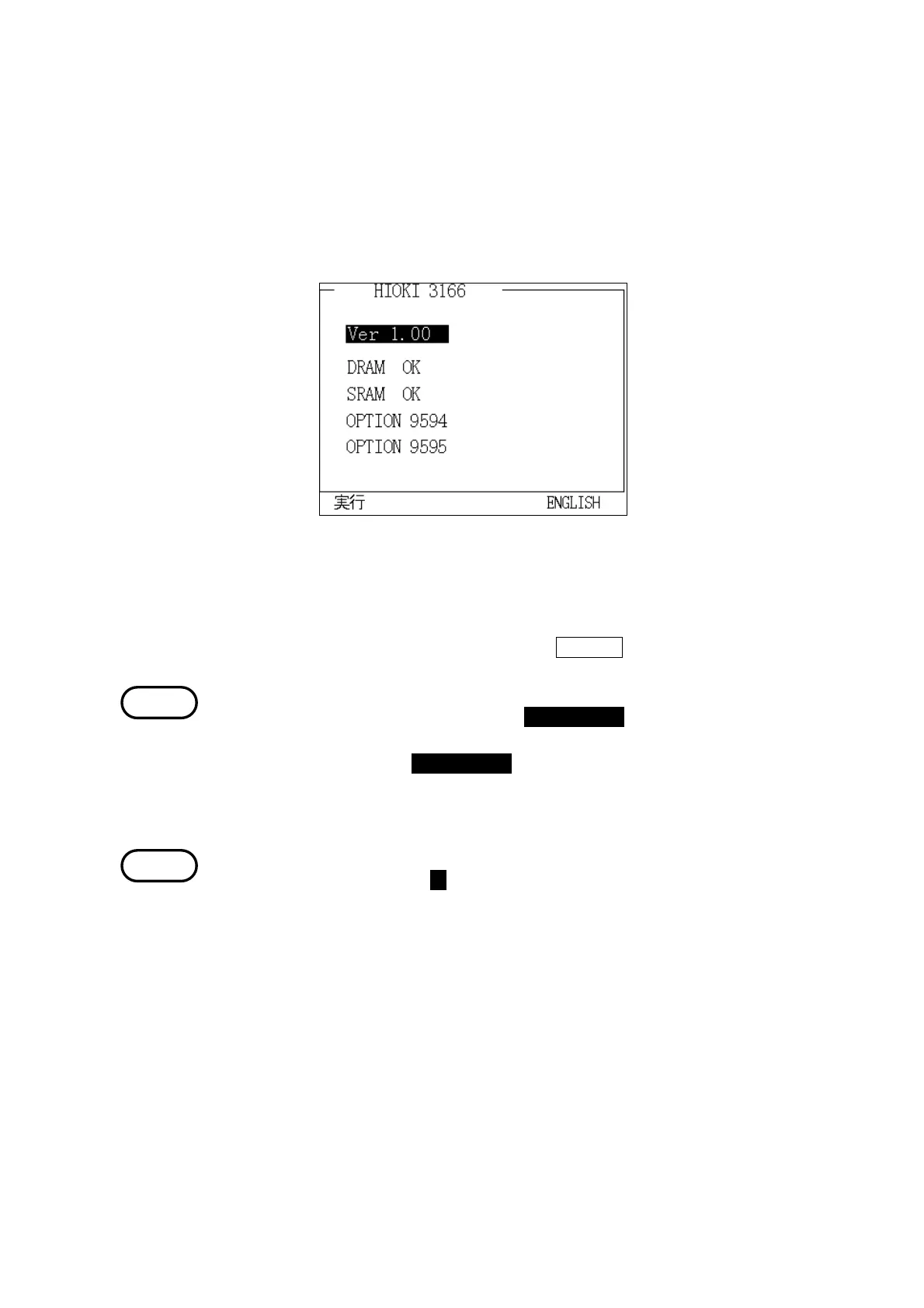
Self-test Screen
NOTE
NOTE
1. Turn the power switch to the "ON" position.
2. As soon as the power is turned on, the power meter executes a self-test, and
displays the title screen.
The title screen displaysthe product model number, the version number, and
the installed optional units.
After the self-test is completed, the "Initial" screen is displayed. However, if
the power switch was turned off in one of the measurement modes, the screen
for that measurement mode is displayed.
3. Set the display language.
When the power meter is shipped from the factory, "Japanese" is set as the
display language.
To set the display to "English," press the
ENGLISH function key.
When a system reset is executed, "Japanese" is set as the display language.
Turn on the power with pressing the DATA RESET key, a system reset is
executed.
(Continue pressing the DATA RESET key until beep.)
4. Allow the power meter to warm up for at least 30 minutes.
If it is difficult to read the display after turning on the power, press the F1 or
F2 key with pressing the ▼ cursor key to adjust the contrast.



 To Next Page