68
────────────────────────────────────────────────────
6.3 Preparations for Measurement
────────────────────────────────────────────────────
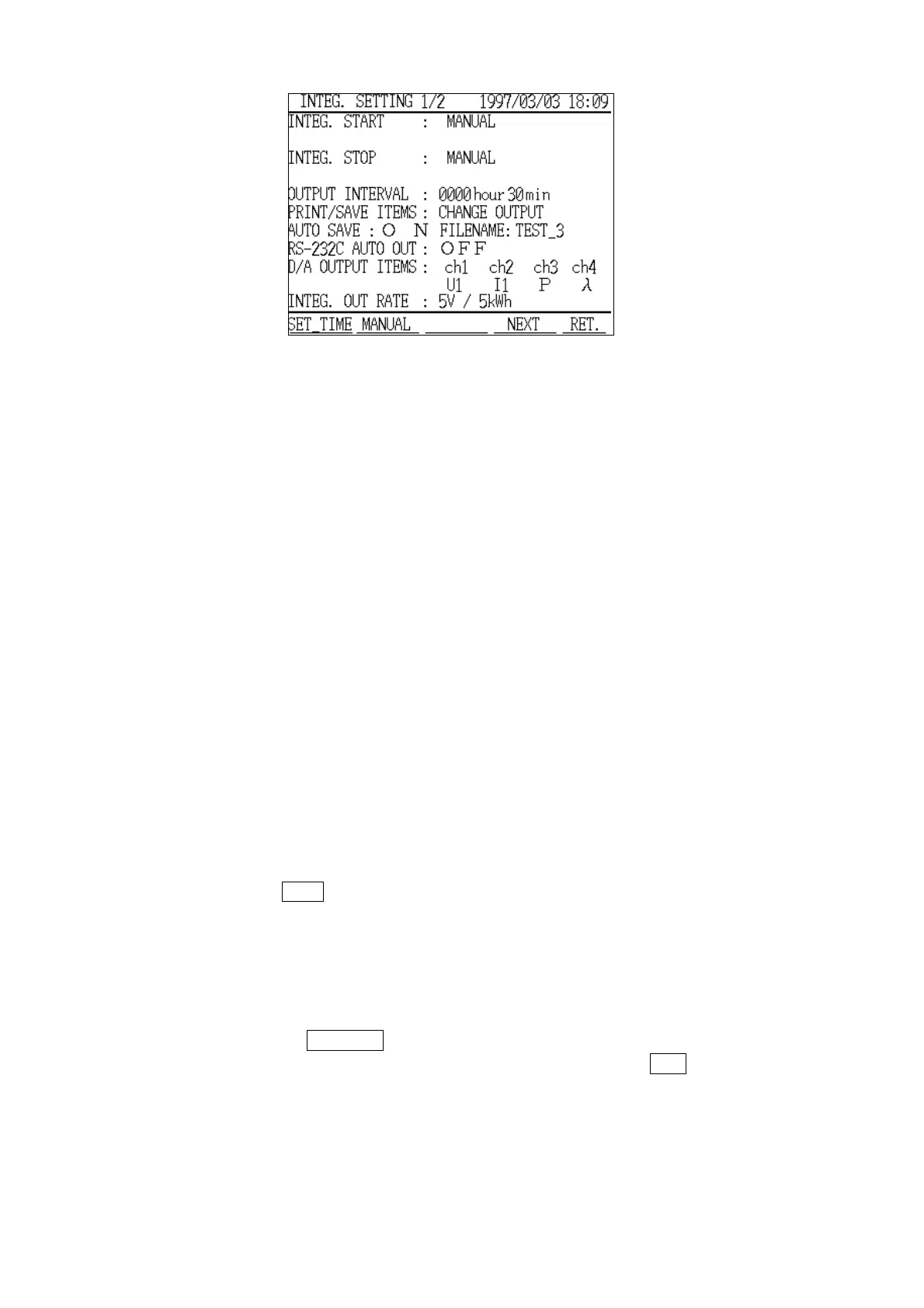
Integrated Measurement Settings Screen
(page 1/2)
(2) Necessary settings for integrated measurement
1. Integration start method
2. Start time
3. Integration stop method
4. Stop time
(3) Setting the functions that can be used
1. Output interval time
2. Print/Save items
3. FD auto output
4. File name
5. RS-232C automatic output
6. D/A output Items
7. Integrated output rate
(4) Basic settings screen
1. Press the
NEXT function key.
2. The "Integrated Measurement Settings" screen (page 2/2) is displayed. The
basic settings required for measurement are displayed on this screen, and can
be set and checked on this screen as well.
Note that the settings on this screen are common to both "Normal
Measurement" mode and "Demand Measurement" mode.
3. Pressing the
PREVIOUS function key returns the display to the "Integrated
Measurement Settings" screen (page 1/2). Pressing the
RET. function key
returns the display to the "Measurement" screen.



 To Next Page