ELECTRICAL SYSTEM / LANDING AND TAXI LIGHTS 6-59
CHANGE C2 ICON A5 / MAINTENANCE MANUAL
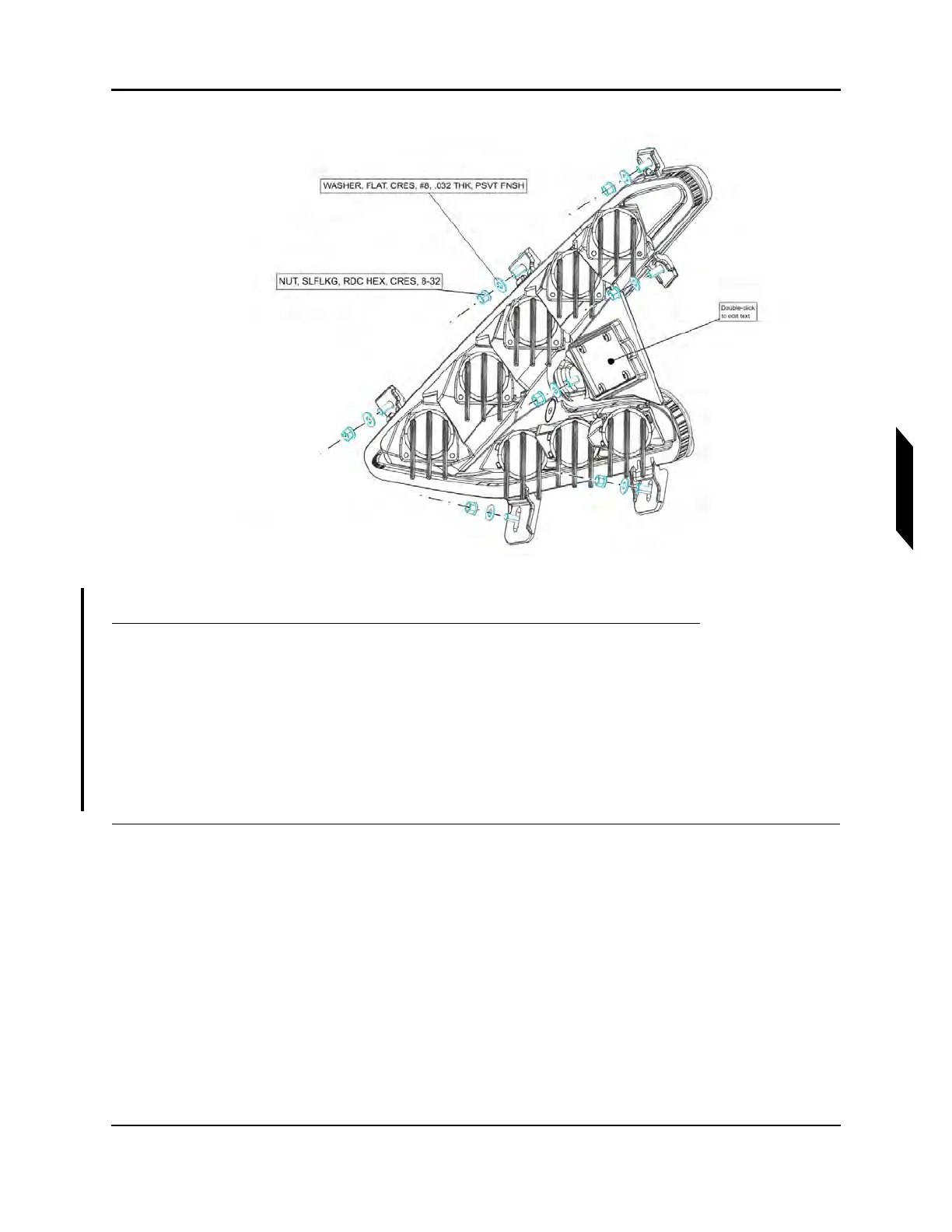
FIGURE 6-16
LANDING AND TAXI LIGHTS INSTALLATION, RH (LH OPPOSITE)
1. Remove top instrument panel. (See “Right Instrument Panel Top Panel Removal” on page
8-17.)(See “Left Instrument Panel Top Panel Removal” on page 8-19.)
2. Unplug D9033P connector on main wire harness from receptacle on LH light.
3. Unplug D9034P connector on main wire harness from receptacle on RH light.
4. Remove 7 8-32 nuts and washers attaching the landing and taxing light to the front fuselage.
Keep for re-installation.
5. Remove the LH and RH landing and taxi lights.
VERIFICATION METHOD:
The task is complete when both landing and taxi lights have been removed.



 To Next Page