9-74 FLIGHT CONTROLS / FLAP CONTROLS
ICON A5 / MAINTENANCE MANUAL CHANGE C3
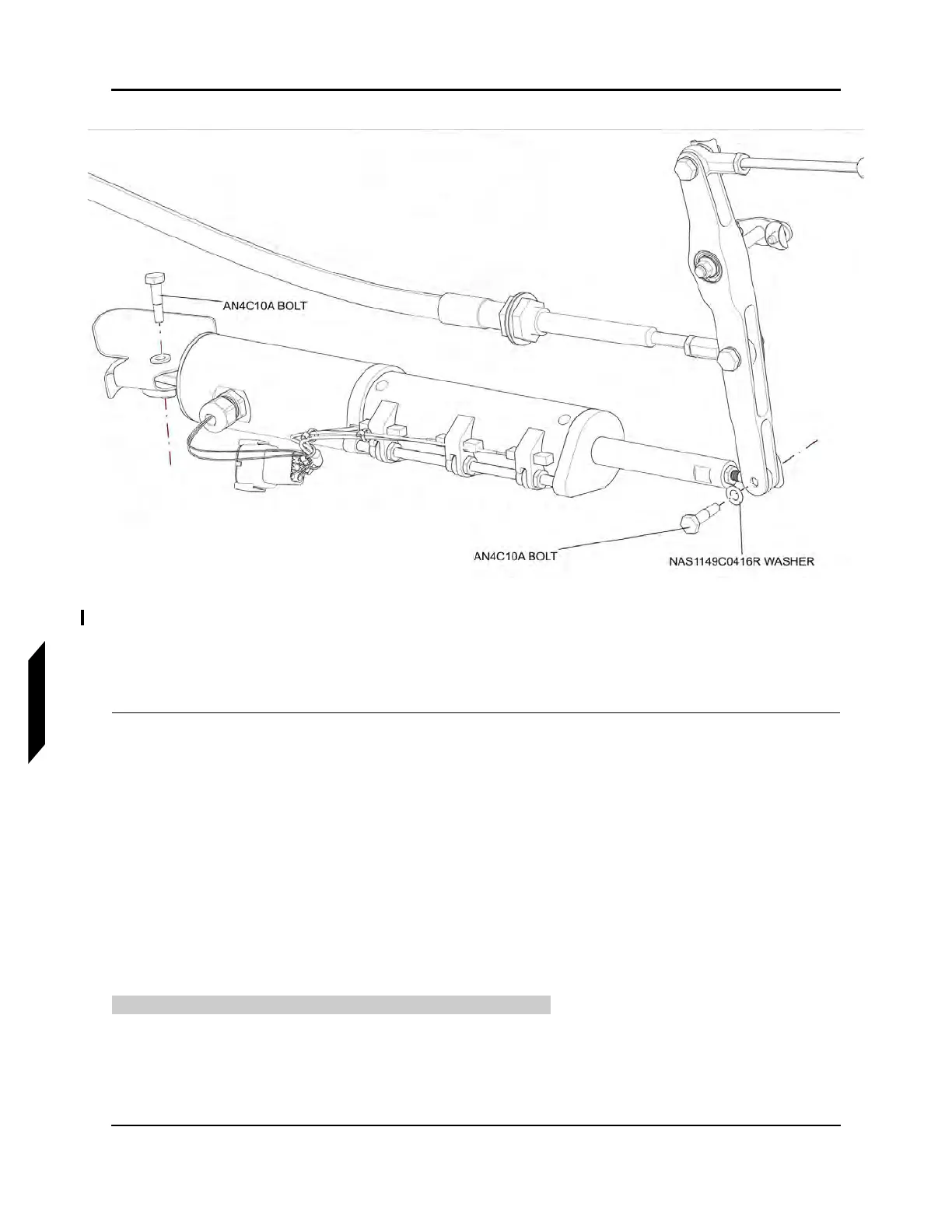
FIGURE 9-48
REMOVE FLAP ACTUATOR
5. Disconnect the flap actuator from the flap actuator bracket by removing the AN4C10A bolt that
fastens them together. Retain hardware for reinstallation.
6. Remove flap actuator.
VERIFICATION METHOD:
This task is considered complete when the flap actuator has been removed.
RELATED INFORMATION:
"Inspect Flap Rigging" on page 9-65
"Removal and Installation of Inspection Panels and Fairings" on page 3-34
"Install Flap Actuator" on page 9-74
9.9.4.2 Install Flap Actuator
These instructions should be used to install the flap actuator.
TASK INFORMATION:
Type of Maintenance



 To Next Page