FLIGHT CONTROLS / ROLL TRIM TAB 9-39
CHANGE C3 ICON A5 / MAINTENANCE MANUAL
None
1. Cut the trim stock to the desired length and record length in the aircraft logbook. (See “Remove
Roll Trim Tab” on page 9-37.)
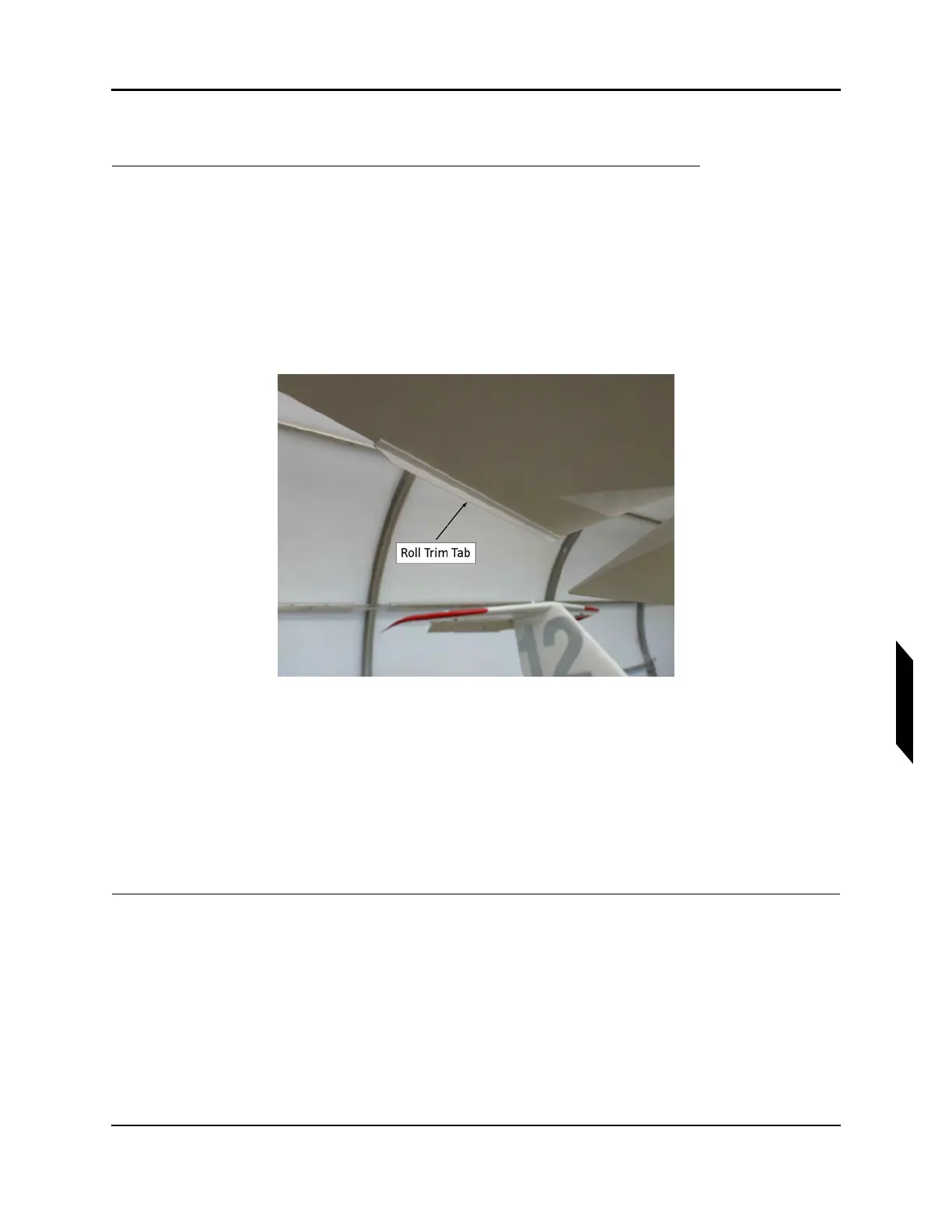
2. The tab is a plastic extruded angle with equal length legs. One leg is adhered to the aileron. The
other leg of the tab hangs down beneath the surface of the aileron, flush with its trailing edge and
also flush with the inboard end of the aileron (the open face of the angle faces down and forward
when installed). Peel off the protective film from one side of the VHB tape and stick it to one leg
of the tab.
FIGURE 9-27
RIGHT AILERON SHOWN
3. Trim the tape flush with the edges of the footprint of the tab.
4. Trim both ends of the leg of the tab without tape off at a 45° angle as viewed looking towards
aircraft forward with tab installed.
5. Stick the tab to bottom of the aileron that is opposite to the direction the aircraft rolls. For
example, if the airplane without a tab tends to roll to the right, the tab should be added to the
bottom of the left aileron. Align the tab as noted above and stick it down with firm pressure along
its length.
VERIFICATION METHOD:
After the tape is fully cured, pull firmly on the component to ensure that it is bonded properly to the
attaching surface.
RELATED INFORMATION:
"Remove Roll Trim Tab" on page 9-37



 To Next Page