14-86 LANDING GEAR / AFT NOSE LANDING GEAR DOOR
ICON A5 / MAINTENANCE MANUAL CHANGE C2
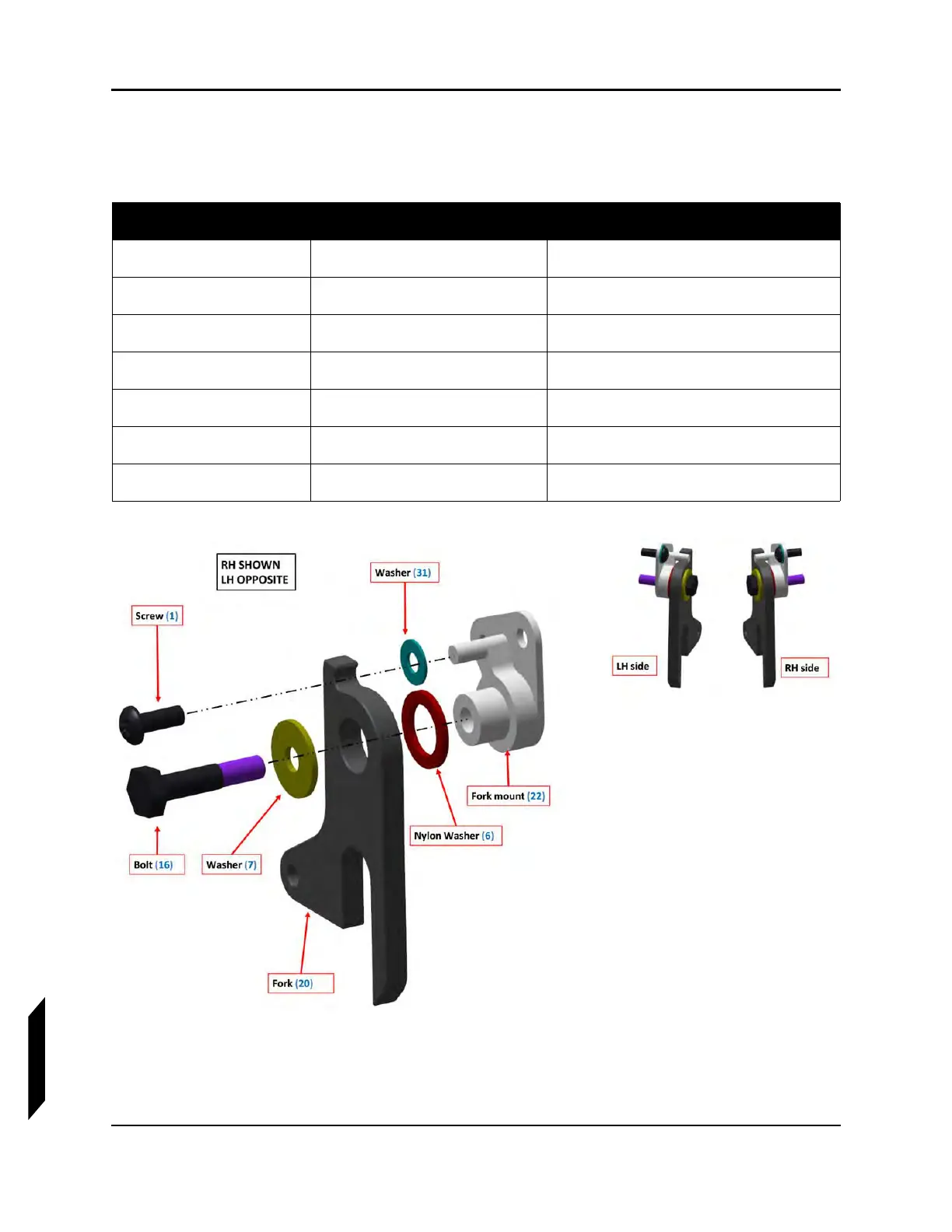
5. Prepare the door forks. Stack up door fork and fork mount with hardware as shown for the RH
side. The LH side is a mirror image. Repeat for the LH side.
6. Install the door forks. Install the RH stack-up of hardware from the previous step into the RH side
of the NLG box as shown with the specified hardware. Torque to the specification identified. The
LH side is a mirror image. Repeat for the LH side.
Qty Item No Part No
1(1) 10F50MTT3
1(6) 90295A492
1(7) 91525A323
1(16) AN4C11A
1 (20) ICA010039
1 (22) ICA010049
1 (31) NAS1149C0332R



 To Next Page