Scanning Documents
2
IC-402 2-82
2
Note
“Scanning Complete” in the “Result” column indicates that the scan data
was transferred to the image controller. This does not indicate that it was
received by the specified recipient.
Select a job, and then touch [Detail] to view the details of the job.
Checking the Box Job List
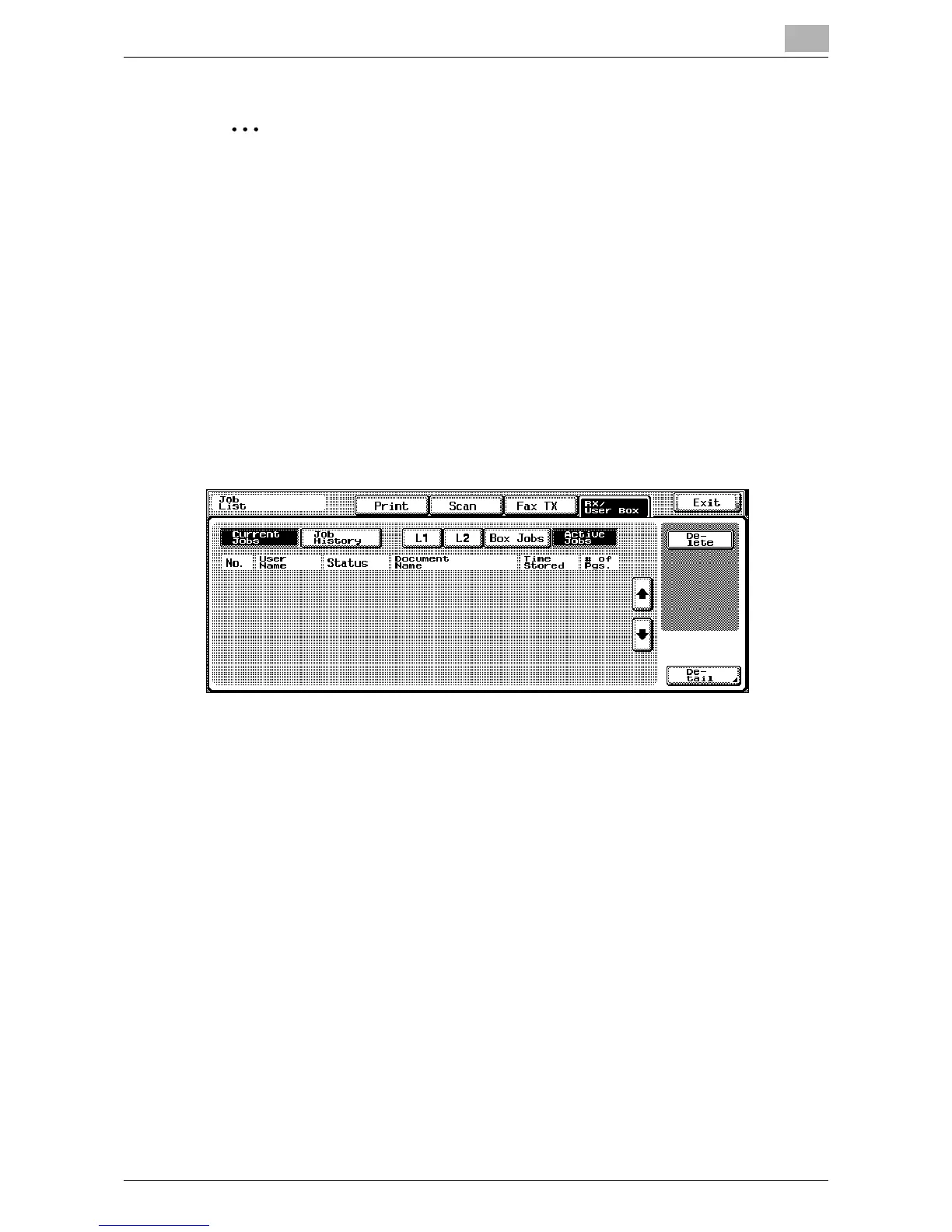
1 Touch [Job List].
The Print tab of the Job List screen appears.
2 Touch [RX/User Box].
The Active Jobs list appears in the Current Jobs list.
3 Touch the button corresponding to the desired list. Although “SCAN”
appears under “User Name”, the jobs that appear are those being
transmitted to the hard disk of the image controller with a Save in User
Box operation.
– Active Jobs: Displays all jobs.
– Box Jobs: Displays all jobs being transmitted to the hard disk of the
image controller or the hard disk of the copier.













 To Next Page