Copier Network Functions
6
IC-402 6-29
POP Detail screen
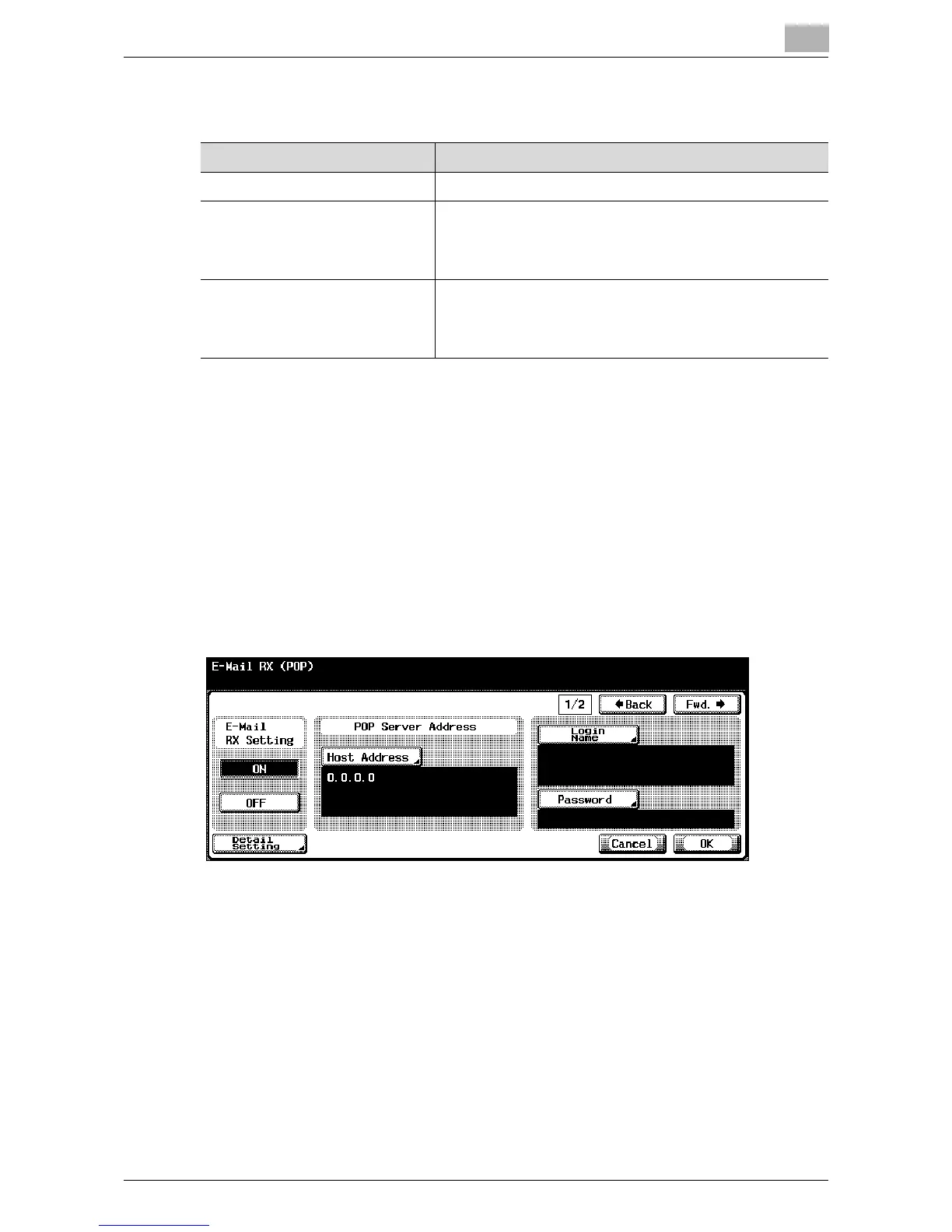
To specify E-Mail RX (POP) settings
1 In the Administrator Setting screen, touch [5 Network Setting]. (Refer to
page 1-17 for more details.)
2 In the Network Setting screen, touch [5 E-Mail Setting].
3 In the E-Mail Setting screen, touch [2 E-Mail RX (POP)].
The E-Mail RX (POP) screen 1/2 appears.
4 Specify the desired settings.
5 In the E-Mail RX (POP) screen, touch [Detail Setting].
The POP Detail screen appears.
Item Description
APOP Authentication Sets whether to turn on authentication.
Port No. Set the port number used to communicate with the POP
server. To change the value, press the [C] (clear) key, and
then use the keypad to type in the value (between 1 and
65535).
Connection Timeout The transmission with the POP server is interrupted if it re-
mains idle for a specified length of time. To change the val-
ue, press the [C] (clear) key, and then use the keypad to
type in a value (between 30 and 300 seconds).













 To Next Page