Scanning Documents
2
IC-402 2-5
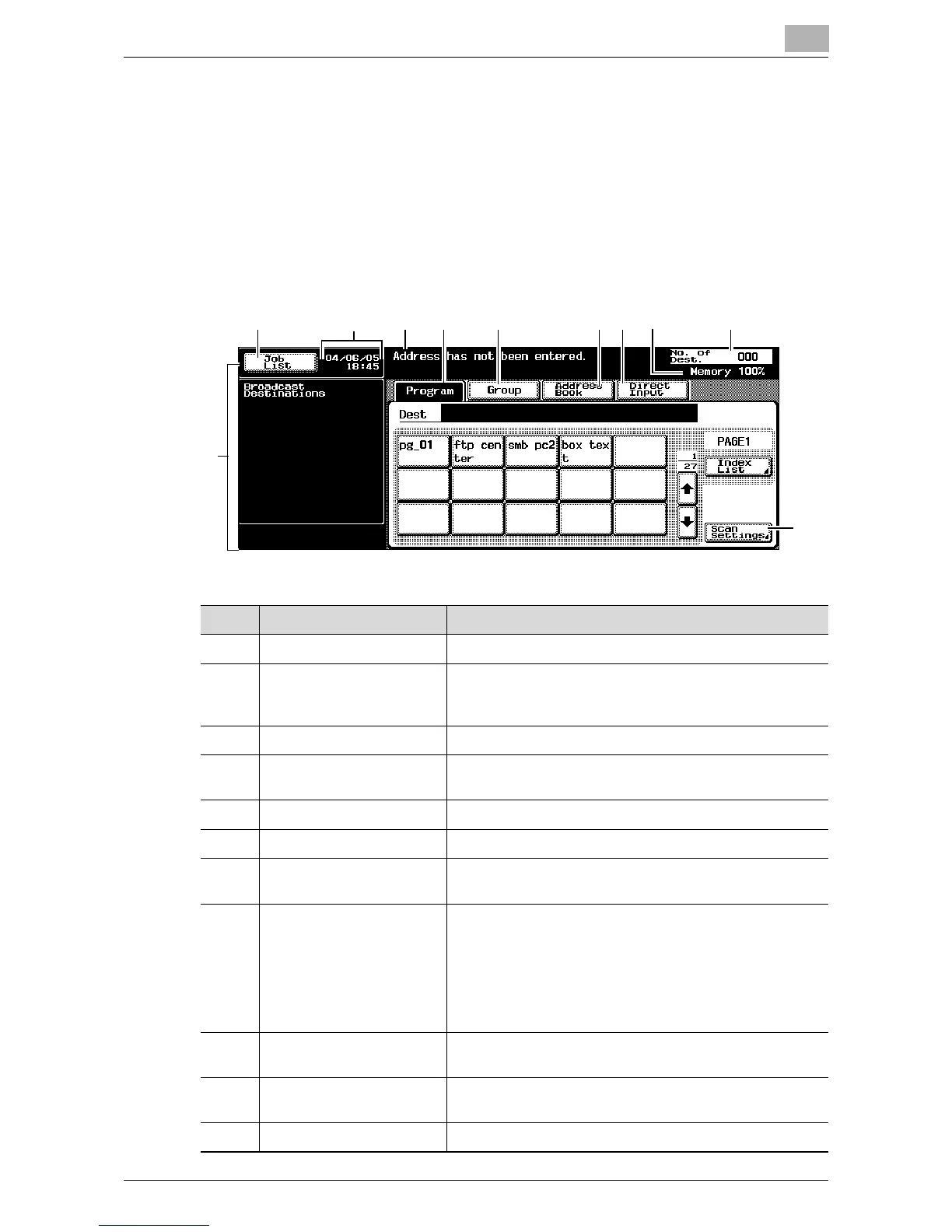
2.2 Displaying the Scan Screen
Display the Scan mode screen in order to perform scanning operations.
Turn the machine on. When the machine is ready to make copies, the Basic
screen appears.
Press the [Scan] key in the control panel to display the Scan mode screen.
The displayed functions and modes can be selected by gently touching the
buttons that are displayed in the screen.
1
2 4 5 6 7 8 1093
11
No Name Description
1 Sub display area This area displays destinations, etc.
2 [Job List] button Displays jobs being performed and jobs being stored.
Various commands for checking and managing jobs are
available.
3 Date/Time display area Displays the current date/time.
4 Message display area Displays the copier status and details on operations that
must be performed.
5 [Program] button Displays destinations that are registered in programs.
6 [Group] button Displays destinations that are registered in groups.
7 [Address Book] button Used to search for abbreviated destinations that are
registered.
8 [Direct Input] button Used to type in the destination when performing Scan to
E-mail, Scan to FTP, or Scan to SMB operations or to se-
lect the mailbox where the job is to be stored.
This button does not appear if the [Manual Destination In-
put] on the Security Details screen (displayed by touching
[9 Security Setting] on the Administrator Setting screen)
is set to “Restrict”.
9 Available memory display Shows the amount of space available on the copier’s
built-in memory.
10 Address number display
area
Shows the number of specified addresses.
11 [Scan Settings] button Used to specify scan settings.













 To Next Page