Using PageScope Web Connection
7
IC-402 7-56
7.25 E-Mail Setting
E-Mail Receive
These settings are specified when performing SMTP authentication.
2
Note
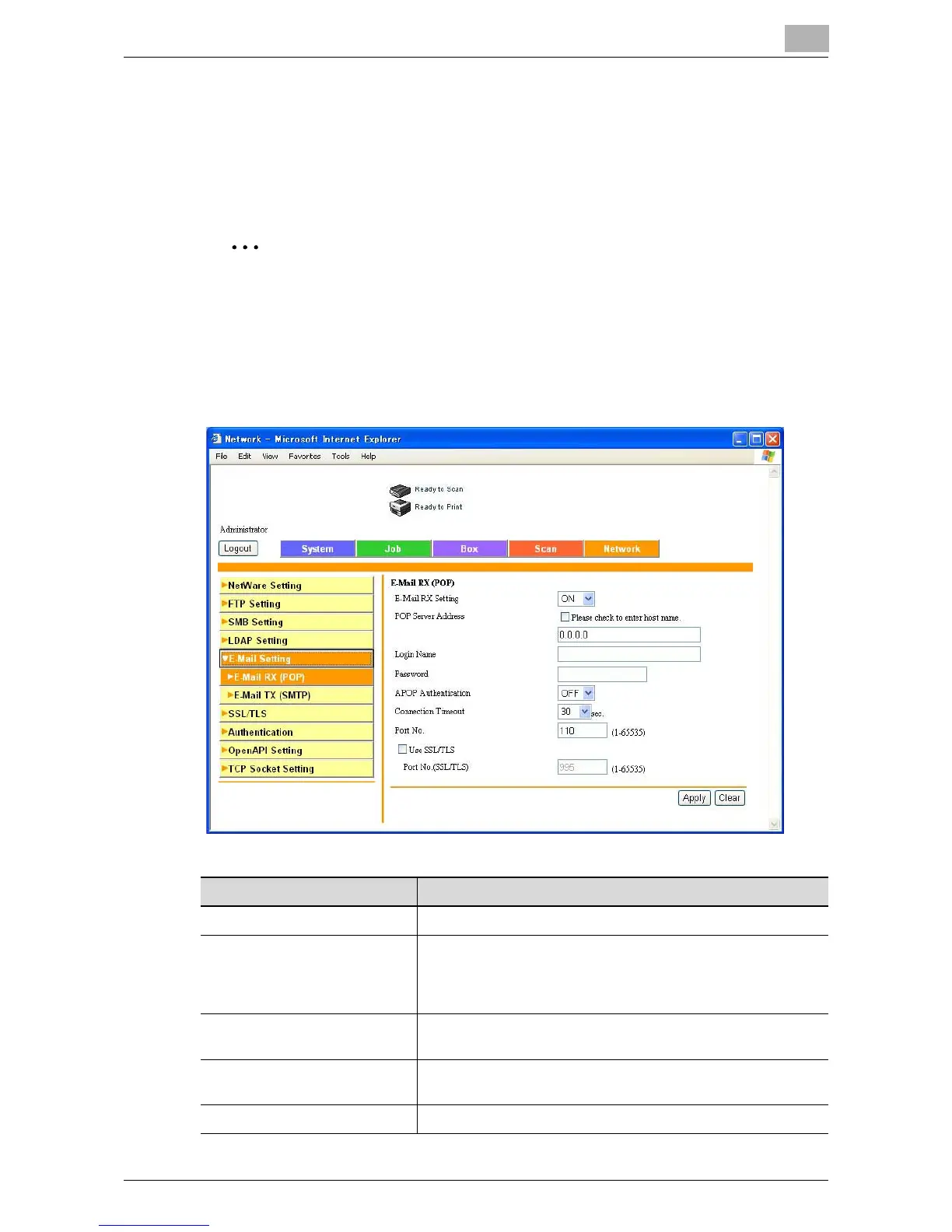
Specify the E-Mail Receive (POP) Configuration settings in order to use
the following copier functions.
When the “POP Before SMTP” setting is required with a transmission for
the notification of the status and total counter
Item Description
E-Mail RX Setting Specify whether to use the e-mail reception setting.
POP Server Address Enter the receiving POP server address (syntax: “***.***.***.***”
or FQDN where the input range of *** is 0 to 255). When
entering the host name, select the “Please check to enter host
name.” check box.
Login Name Enter the user name used to log on to the POP server (up to
63 characters).
Password Enter the password for logging on to the POP server (up to 15
alphanumeric characters).
APOP Authentication Enables/disables APOP authentication.













 To Next Page