Copier Network Functions
6
IC-402 6-26
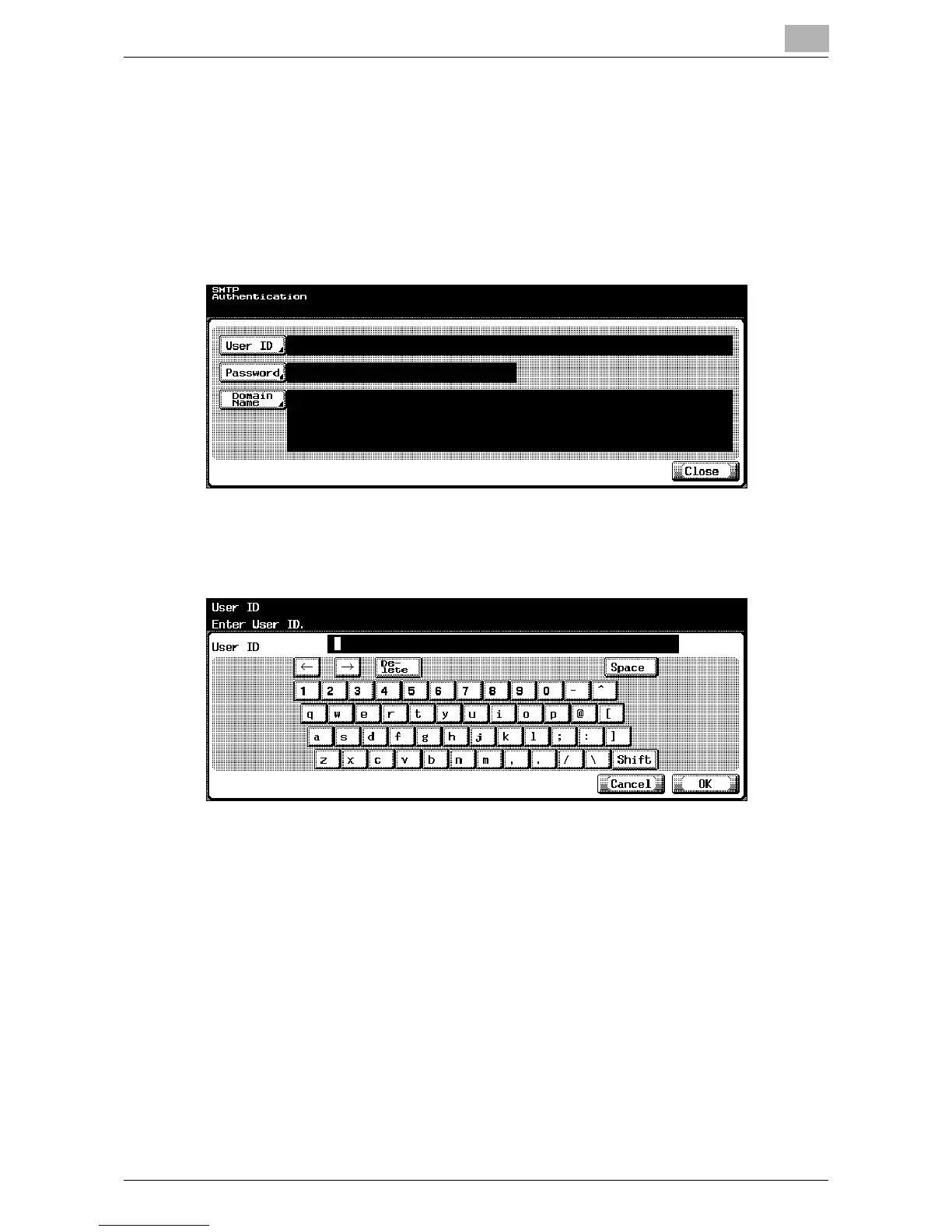
SMTP Authentication
Specify when the authentication method is set to SMTP authentication.
1 In the SMTP Detail screen under SMTP Authentication, touch [ON].
The SMTP Authentication screen appears.
2 In the SMTP Authentication screen, touch [User ID].
The User ID screen appears.
3 Type in the user ID (up to 63 characters).
4 Touch [OK].
– To cancel changes to the setting, touch [Cancel].
The user ID is set, and the SMTP Authentication screen appears again.
5 In the SMTP Authentication screen, touch [Password].
The Password screen appears.













 To Next Page