EasyManua.ls Logo

Konica Minolta Image Controller IC-402 - SSL;TLS Setting - Set Mode Using SSL

Konica Minolta Image Controller IC-402
340 pages
Print Icon
To Next Page IconTo Next Page
To Previous Page IconTo Previous Page
Loading...
Using PageScope Web Connection
7
IC-402 7-68
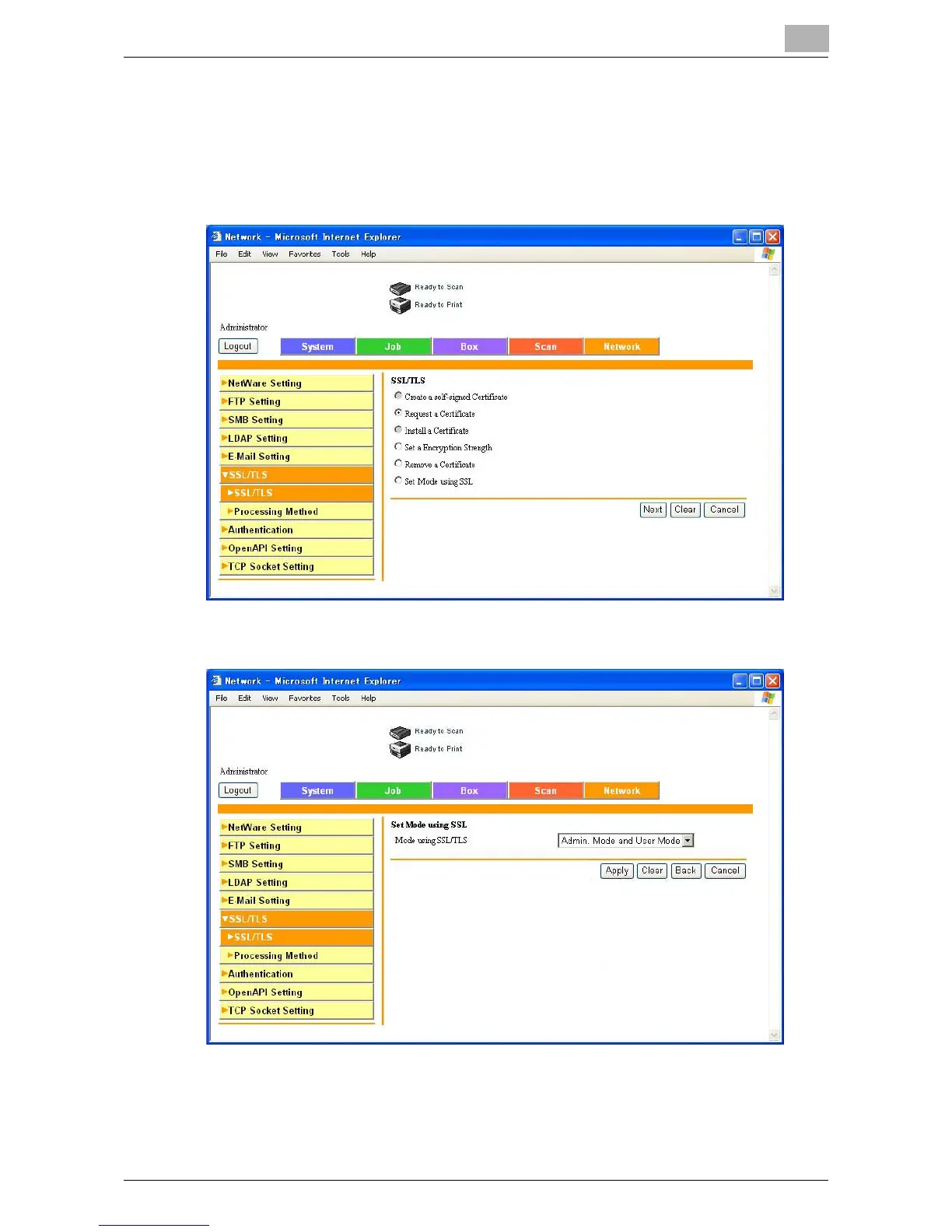
SSL/TLS Setting — Set Mode using SSL
Select the mode using SSL.
1 In the SSL/TLS page, select “Set Mode using SSL”, and then click the
[Next] button.
2 Select the mode using SSL, and then click the [Apply] button.


Table of Contents

Related product manuals