Copier Network Functions
6
IC-402 6-17
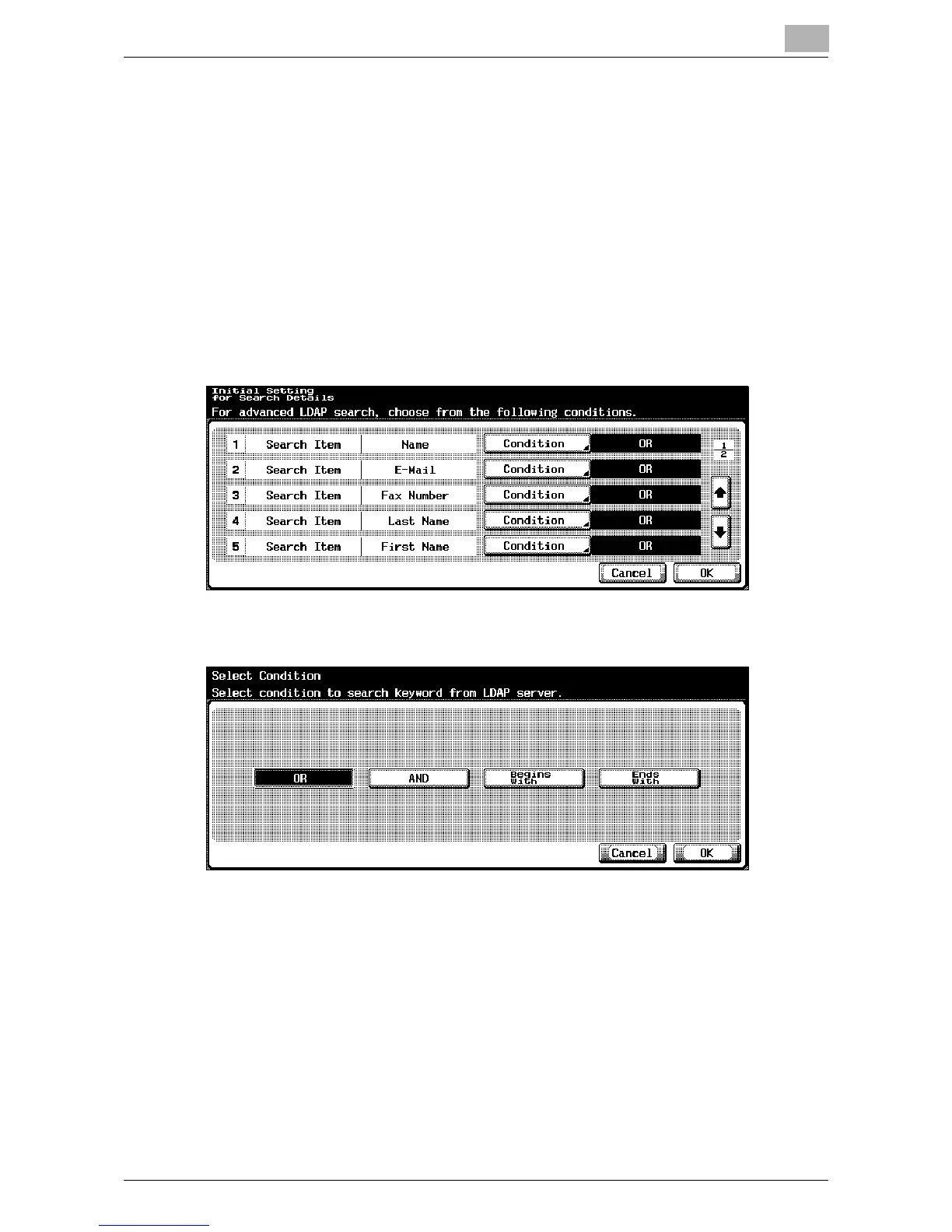
Initial Setting for Search Details
The initial setting of the search conditions when performing a detailed search
can be specified by “Name”, “E-Mail”, “Fax Number”, “Last Name”, “First
Name”, “City”, “Company Name”, and “Department”.
1 On the Setting Up LDAP screen 1/6, touch [Initial Setting for Search
Details].
The Initial Setting for Search Details screen appears.
2 Touch [Condition].
The Select Condition screen appears.
3 Touch [OR], [AND], [Begins With], or [Ends With].
4 Touch [OK].
– The initial setting that is specified in “Initial Setting for Search De-
tails” can be changed when the user uses the LDAP search.
The selected condition is set.
5 Touch [OK].
The Setting Up LDAP screen appears again.













 To Next Page