Using PageScope Web Connection
7
IC-402 7-57
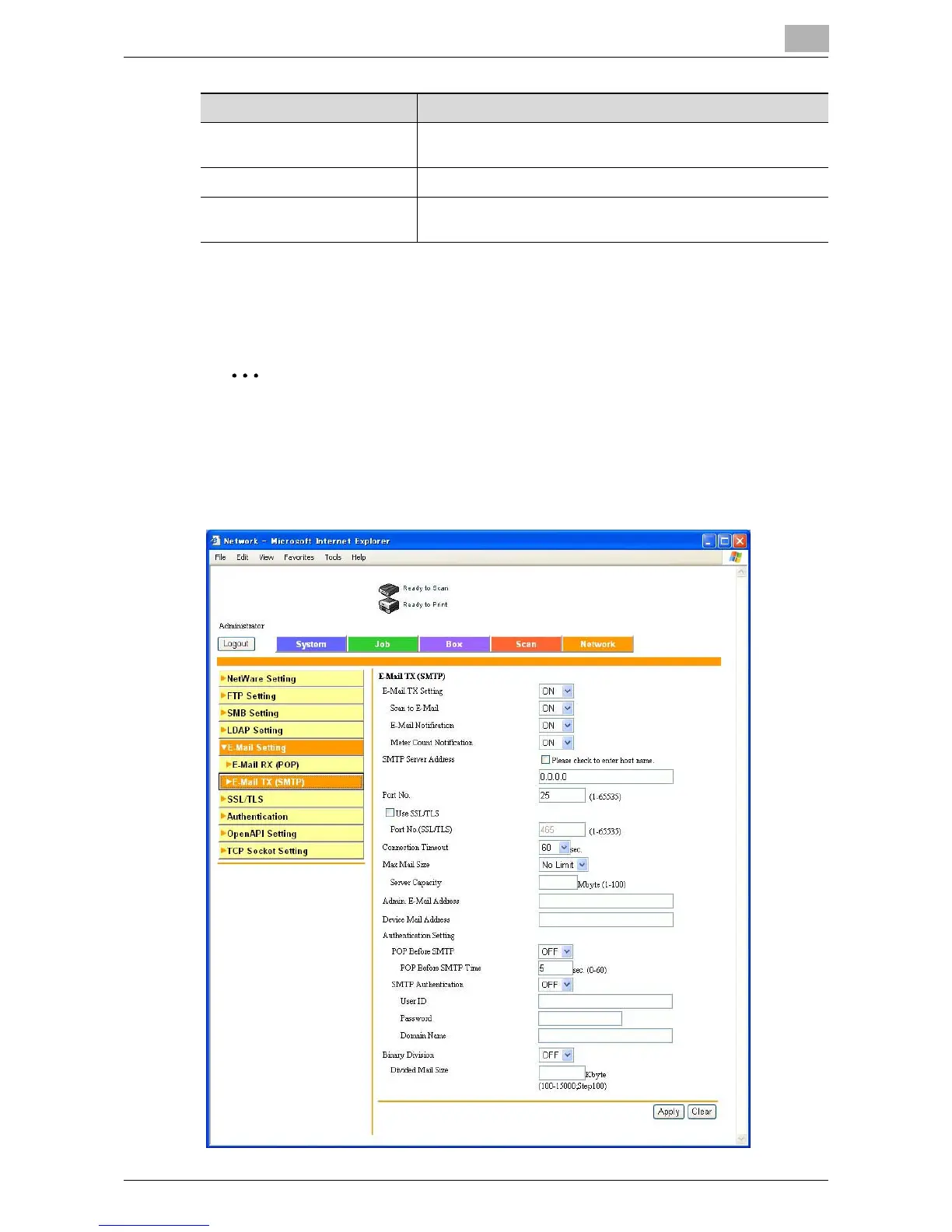
E-Mail Transmission
Specify e-mail send settings.
2
Note
Specify the settings for an SMTP e-mail transmission in order to use the
following copier functions.
Status Notification Setting parameters (p. 6-38)
Total Counter Report Setting (p. 6-40)
Connection Timeout Specify the connection timeout of the server (input range: 30
to 300 seconds).
Port No. Enter the server port number (input range: 1 to 65535).
Use SSL/TLS Port Number
(SSL/TLS)
Select to use SSL/TLS. Also, enter the port number to be used
(input range: 1 to 65535).
Item Description













 To Next Page