Using PageScope Web Connection
7
IC-402 7-4
Page Structure
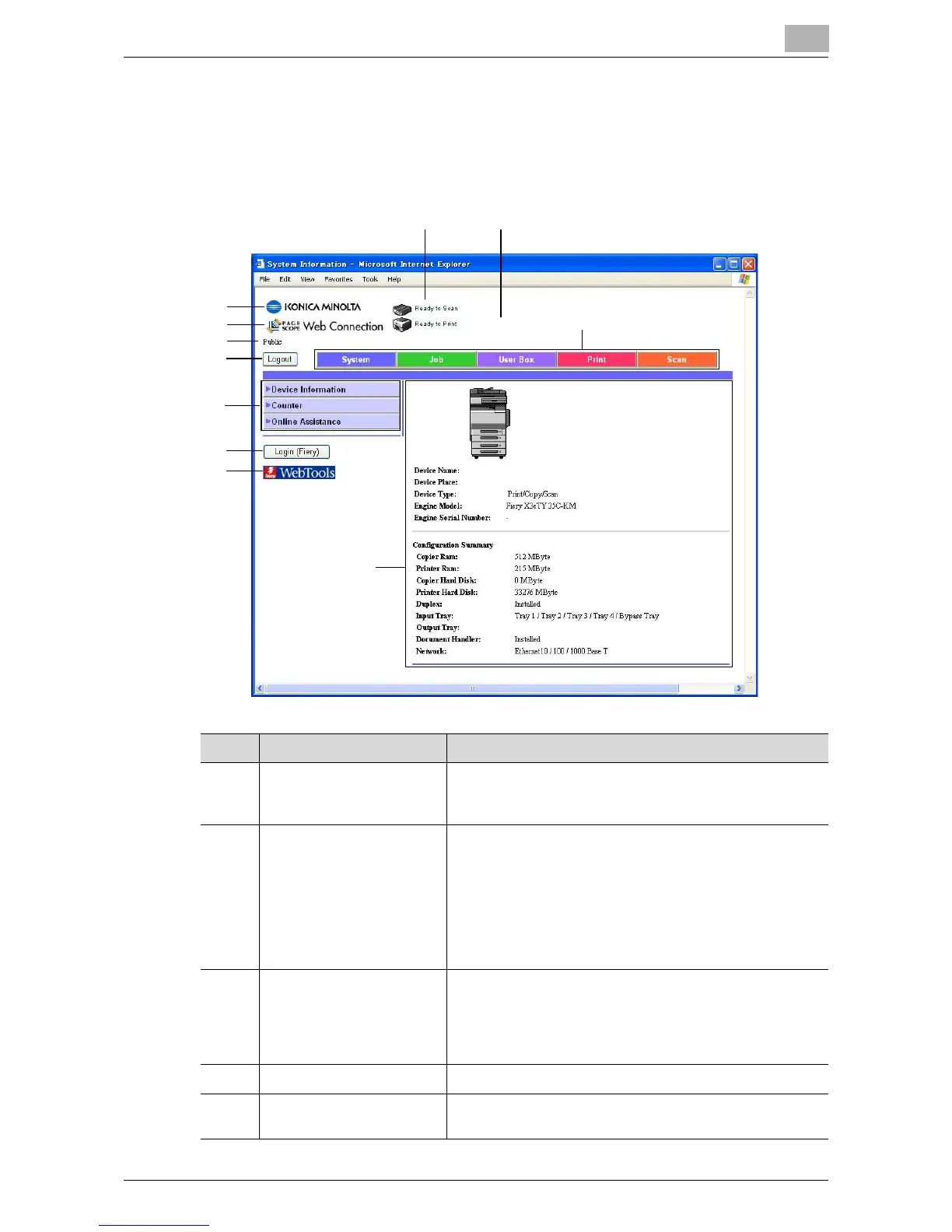
The page that appears immediately after PageScope Web Connection is ac-
cessed is called the User mode page.
The configuration of the PageScope Web Connection page is shown below.
1
2
3
8
56
7
11
9
10
4
No. Item Description
1 KONICA MINOLTA Logo Click the logo to go to the Konica Minolta Web site at the
following URL.
http://konicaminolta.com/
2 PageScope Web
Connection Logo
Click the PageScope Web Connection logo to display the
version information.
Click the KONICA MINOLTA logo to jump to the following
Web site.
http://konicaminolta.com
Click the PageScope Web Connection logo to jump to the
following Web site.
http://www.pagescope.com
3 Login mode Displays the current login mode (public, registered user,
administrator). Displays the current login mode (public,
registered user, Account name, administrator, box ad-
ministrator). Nothing appears if the administrator has
logged onto the image controller’s Administrator mode.
4 [Logout] button Click to log out of the current mode.
5 Status Display The statuses of this copier’s printer section and scanner
section are displayed using icons.













 To Next Page