Copier Network Functions
6
IC-402 6-49
6.14 Job for the disable proof
When this machine is to be connected to an SSL server as a client, you can
specify the operation method when the validation of the SSL server certifi-
cate has expired.
2
Note
The functions that can be specified are described below.
SMTP over SSL
*1
POP over SSL
*1
LDAP over SSL
*1
When used with a transmission for the notification of the status and to-
tal counter
To specify the Job for the disable proof settings
1 In the Administrator Setting screen, touch [5 Network Setting]. (Refer to
page 1-17 for more details.)
2 In the Network Setting screen, touch [6 Detail Setting].
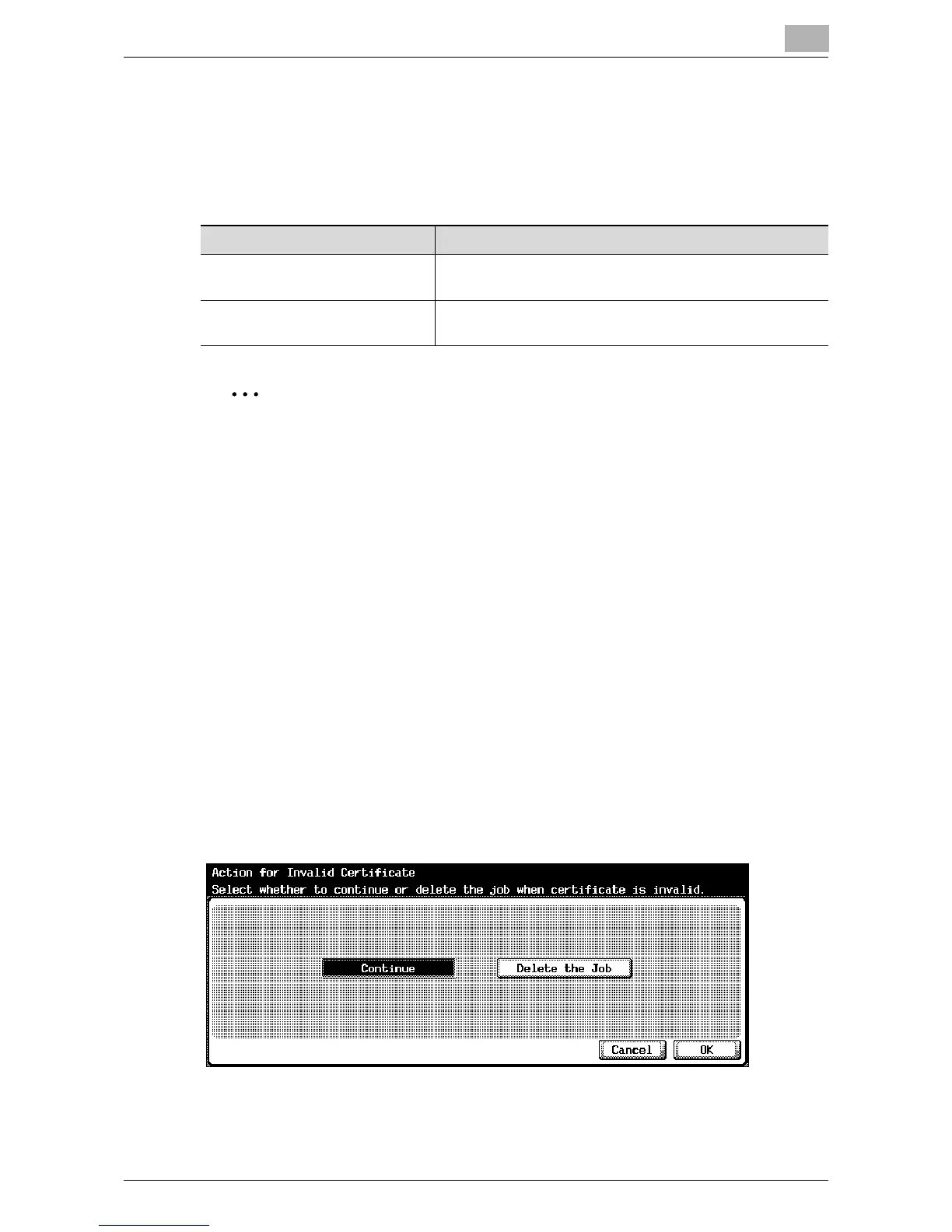
3 In the Detail Setting screen, touch [7 Action for Invalid Certificate].
The Action for Invalid Certificate screen appears.
4 Select the job process method when disabled.
5 Touch [OK].
Item Description
Continue The job continues even when the validation of a server cer-
tification has expired.
Delete the Job The job is deleted when the validation of a server certifica-
tion has expired.













 To Next Page