Print Job Management
8
IC-402 8-6
8.2 HDD Stored
The print document can be saved on the hard disk of the copier.
2
Note
The following procedures are described using dialog boxes from Win-
dows XP and Mac OS X.
Setting procedure (for Windows)
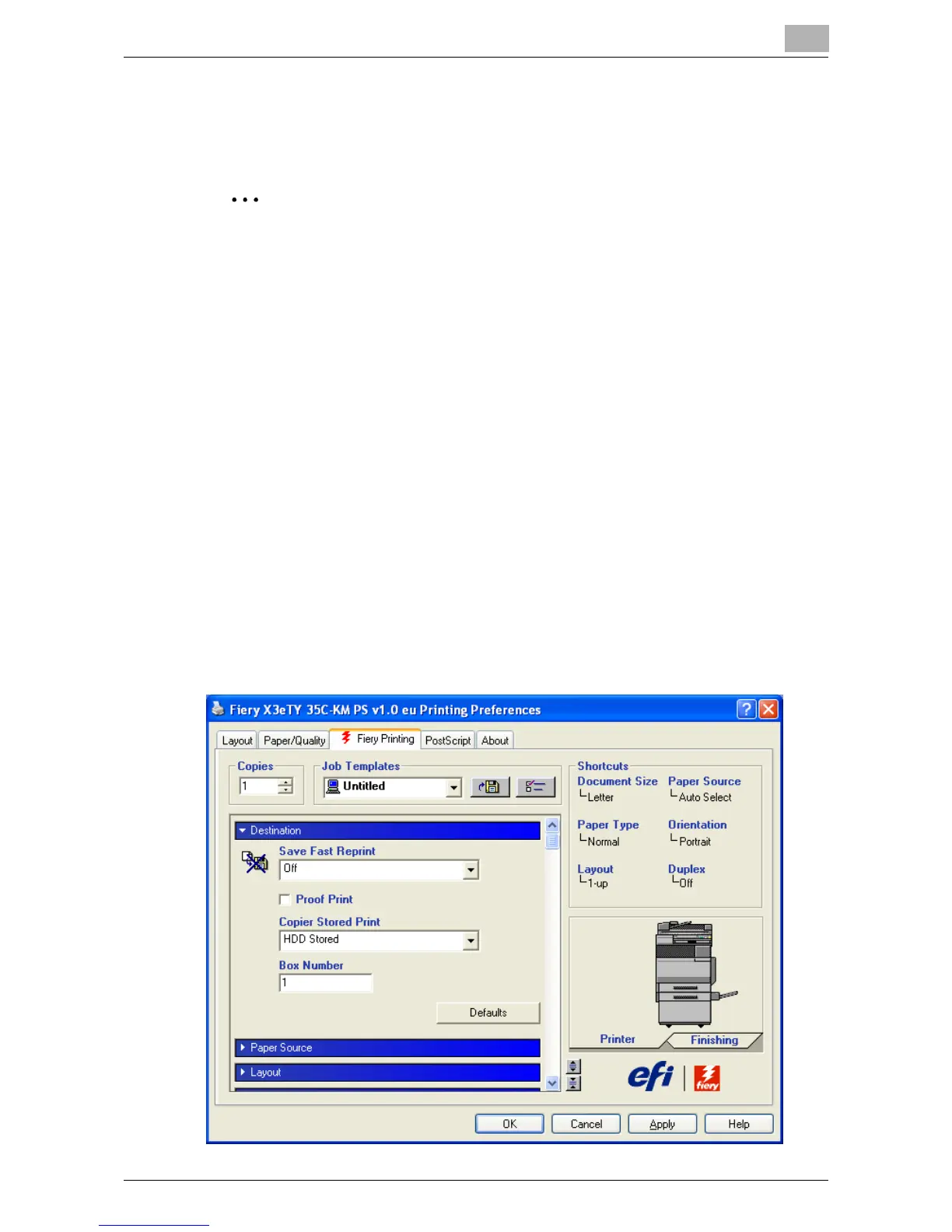
1 Click [Properties] in the Print dialog box to display the printer driver
Printing Preferences dialog box.
2 Click the Fiery Printing tab.
3 From the “Destination” drop-down list, specify the “Copier Stored
Print”.
– HDD Stored: Saves the document to be printed in a box on.
– HDD Stored and Print: Saves the document in a box and prints at
the same time.
4 Type in the box number.
– If “HDD Stored” or “HDD Stored and Print” are selected, be sure to
type the box number in the “Box Number” box.













 To Next Page