Scanning Documents
2
IC-402 2-60
Scan Size
Set the paper size to be scanned.
The available scan sizes are as follows:
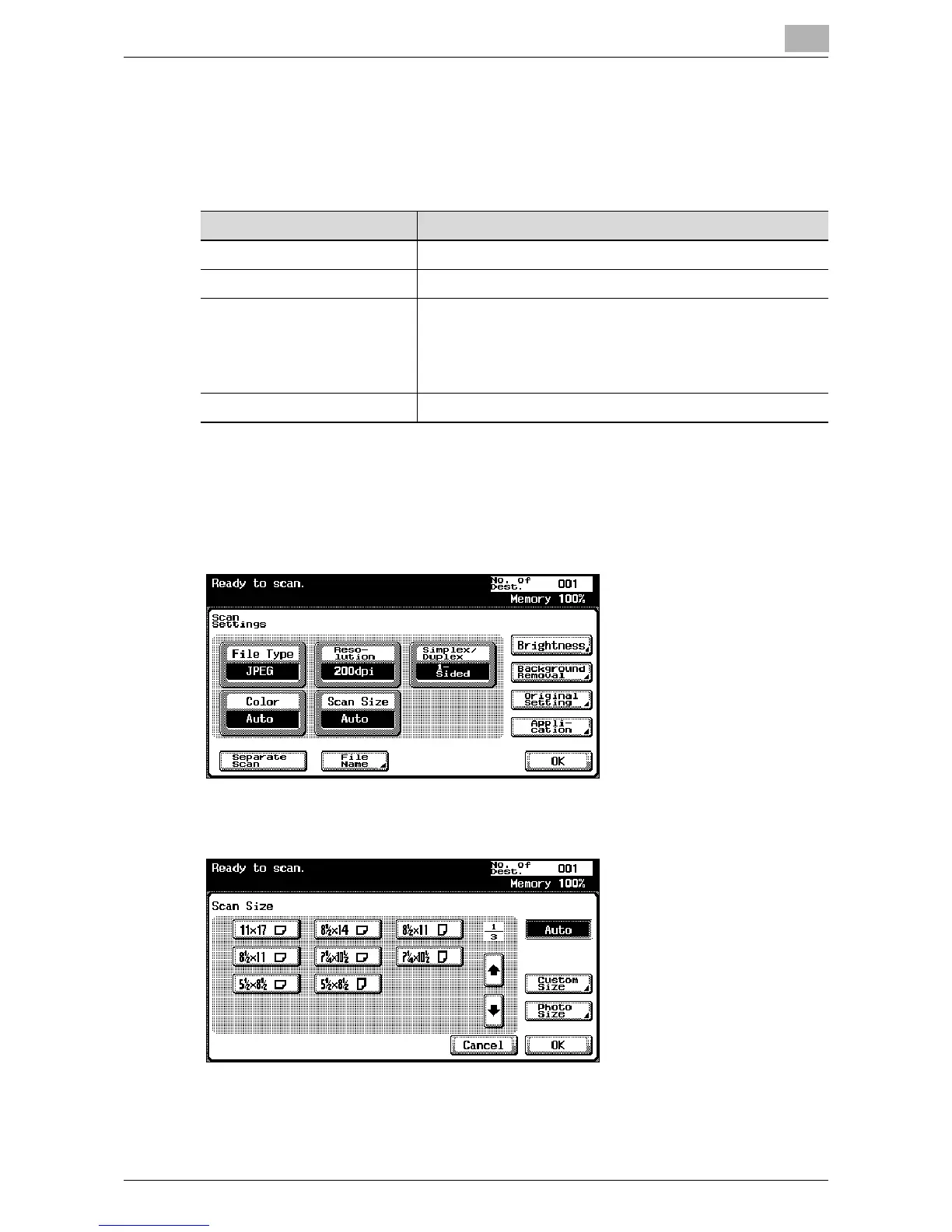
To specify the Scan Size setting
1 Touch [Scan Settings] in the Scan mode screen.
2 Touch [Scan Size].
3 Select the size and direction.
Item Description
Auto Detects the size of the first page of the loaded document.
Standard sizes Select a standard size and direction.
Custom Size Use to enter the dimensions of a custom size not available as
a standard size.
The lengths in the X and Y directions can be set within the
ranges of 2 in. to 17 in. (30 mm - 432 mm) and 2 in. to 11-11/
16 in. (30 mm - 297 mm), respectively.
Photo Size Use to select the photo size.













 To Next Page