Scanning Documents
2
IC-402 2-61
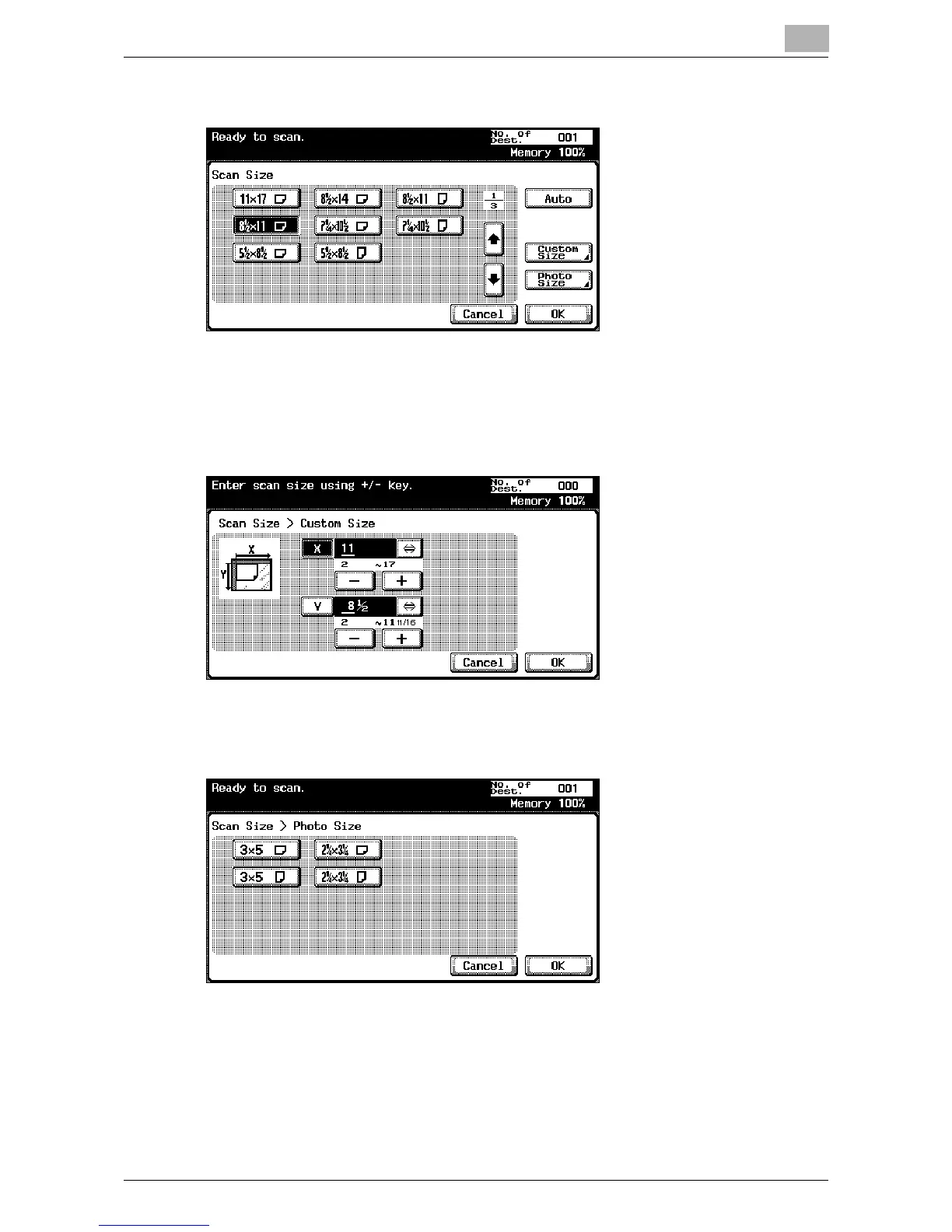
– Select the size and direction of the paper to be scanned.
– Touch [Custom Size] to display a screen for specifying the size.
Use the keypad or touch [-] and [+] to specify the size. Touch [⇔]
to switch between the integer and the fraction. The integer can be
specified in increments of 1 inch, and the fraction can be specified
in increments of 1/16 in. (0.1 mm). Touch [OK].
– Touch [Photo Size] to display a screen for specifying the size. Se-
lect the size and direction of the photo to be Scanned, and then
touch [OK].
4 Touch [OK], and then touch [OK] in the next screen that appears.













 To Next Page