Copier Network Functions
6
IC-402 6-31
POP Server Address
The POP server address can be specified.
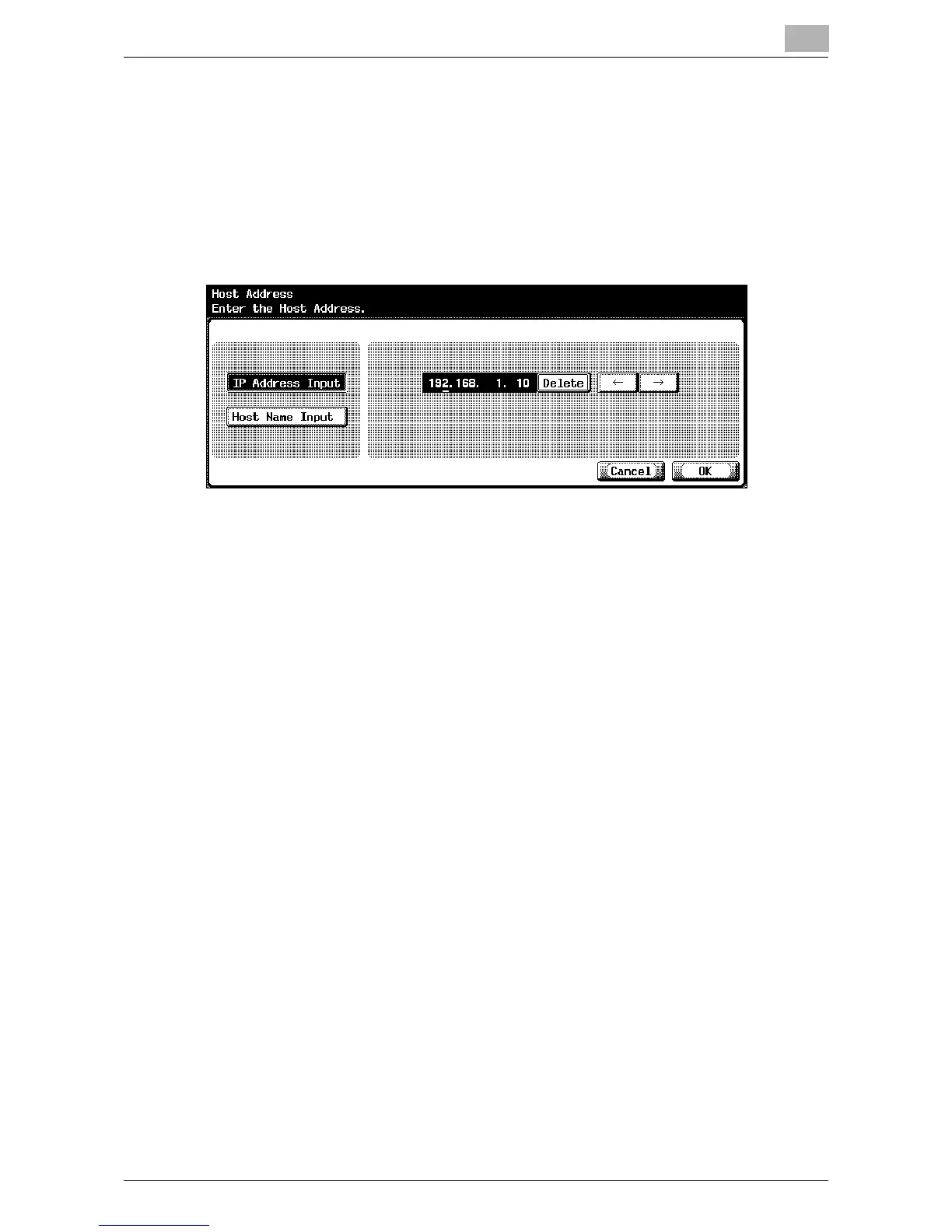
1 In the E-Mail RX (POP) screen 1/2, touch [Host Address].
The Host Address screen appears.
2 Touch [IP Address Input] or [Host Name Input].
– To specify the host address with the IP address, touch [IP Address
Input].
– To specify the host address with the host name, touch [Host Name
Input].
3 Enter the host address or host name (up to 255 characters).
– To edit the values that you entered with “IP Address Input”, touch
[←] or [→] to move the cursor to the desired area, touch [Delete],
and enter the new value.
– To clear all values, press the [C] (clear) key.
4 Touch [OK].
– To cancel changes to the setting, touch [Cancel].
– If the host address exceeds 81 characters, touch [Details] to display
the Host Address Detail screen with the rest of the host addresses.
The POP server address is set.













 To Next Page