Registering Destinations (Recipients) for Network Scanning
3
IC-402 3-3
5 Touch [OK].
6 Touch [E-Mail Address] and type in the e-mail address using the key-
board that appears on the screen.
7 Touch [OK].
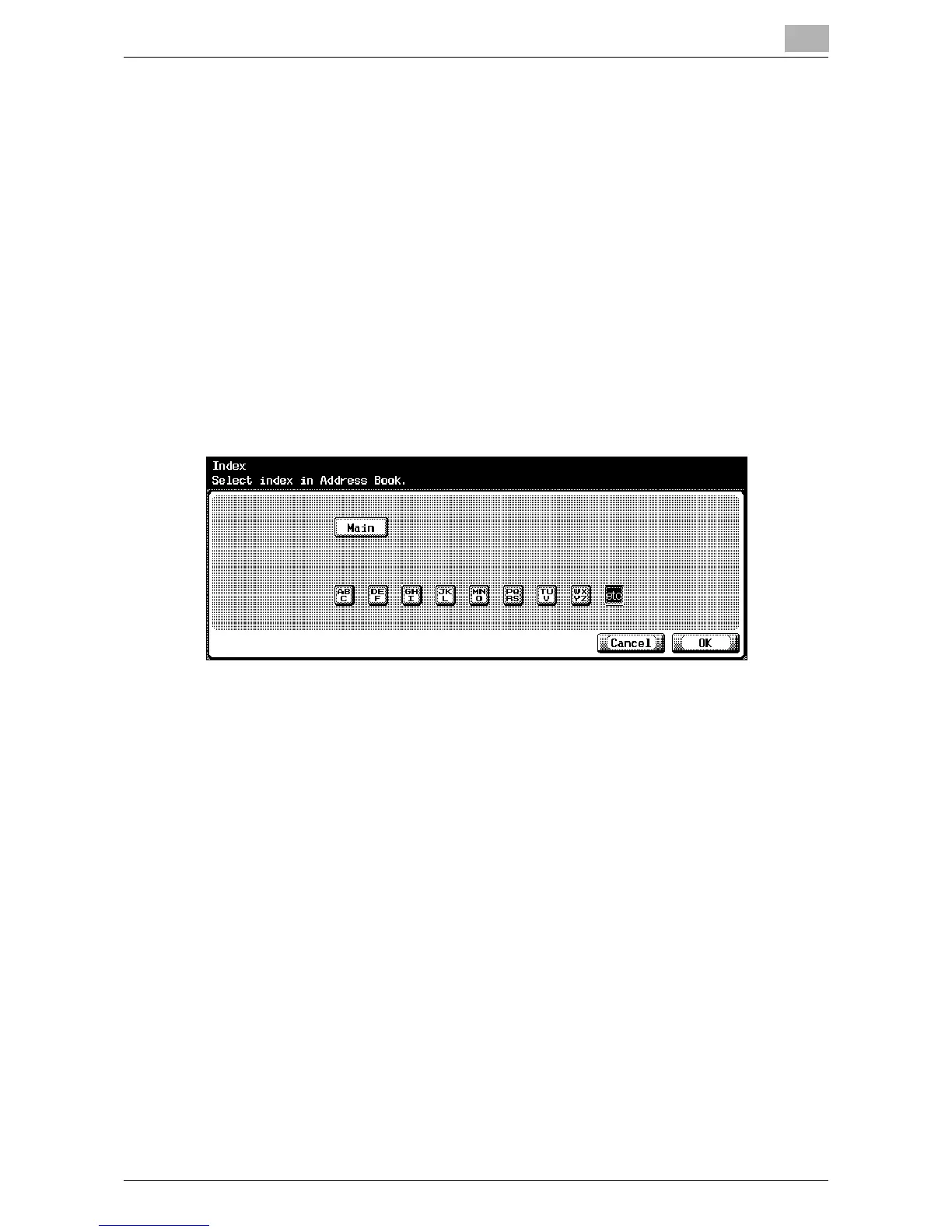
8 Touch [Index] and touch the desired button.
– This specifies the characters used to index the destination.
– For destinations that are often used, specify [Main] at the same
time, and it will be easier to search.
– If the first character of the name is a letter, the first character is au-
tomatically registered as the indexing character.
– The registration cannot be completed unless an address is speci-
fied for “Name” and “E-Mail Address”.
9 Touch [OK], and then touch [OK] in the next screen that appears.
The e-mail destination is registered.
!
Detail
To check the registered destination, touch the button for the destination,
and then touch [Check Setting].
To change the registered destination settings, touch the button for the
desired destination, and then touch [Edit].
To delete the registered destination, touch the button for the desired des-
tination, and then touch [Delete].













 To Next Page