Copier Network Functions
6
IC-402 6-42
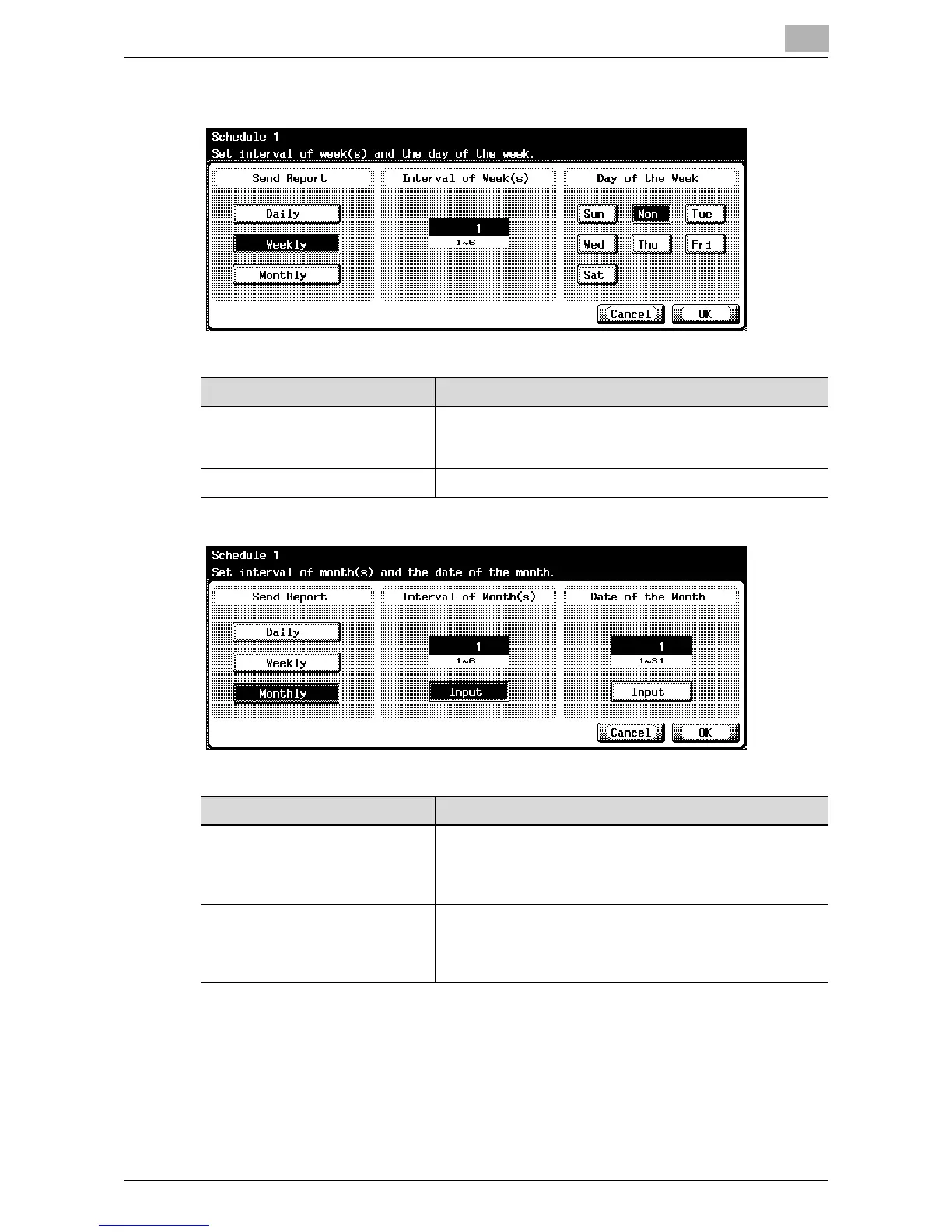
When “Weekly” is specified as the report period
When “Monthly” is specified as the report period
Item Description
Interval of Week(s) Enter the interval of weeks for sending the schedule. To
change the value, press the [C] (clear) key, and then use the
keypad to type in the value (between 1 and 6).
Day of the Week Select the day of the week for sending the schedule.
Item Description
Interval of Month(s) Enter the interval of months for sending the schedule. To
change the value, touch [Input], press the [C] (clear) key,
and then use the keypad to type in the value (between 1
and 6).
Date of the Month Enter the date of the month for sending the schedule. To
change the value, touch [Input], press the [C] (clear) key,
and then use the keypad to type in the value (between 1
and 31).













 To Next Page