Scanning Documents
2
IC-402 2-39
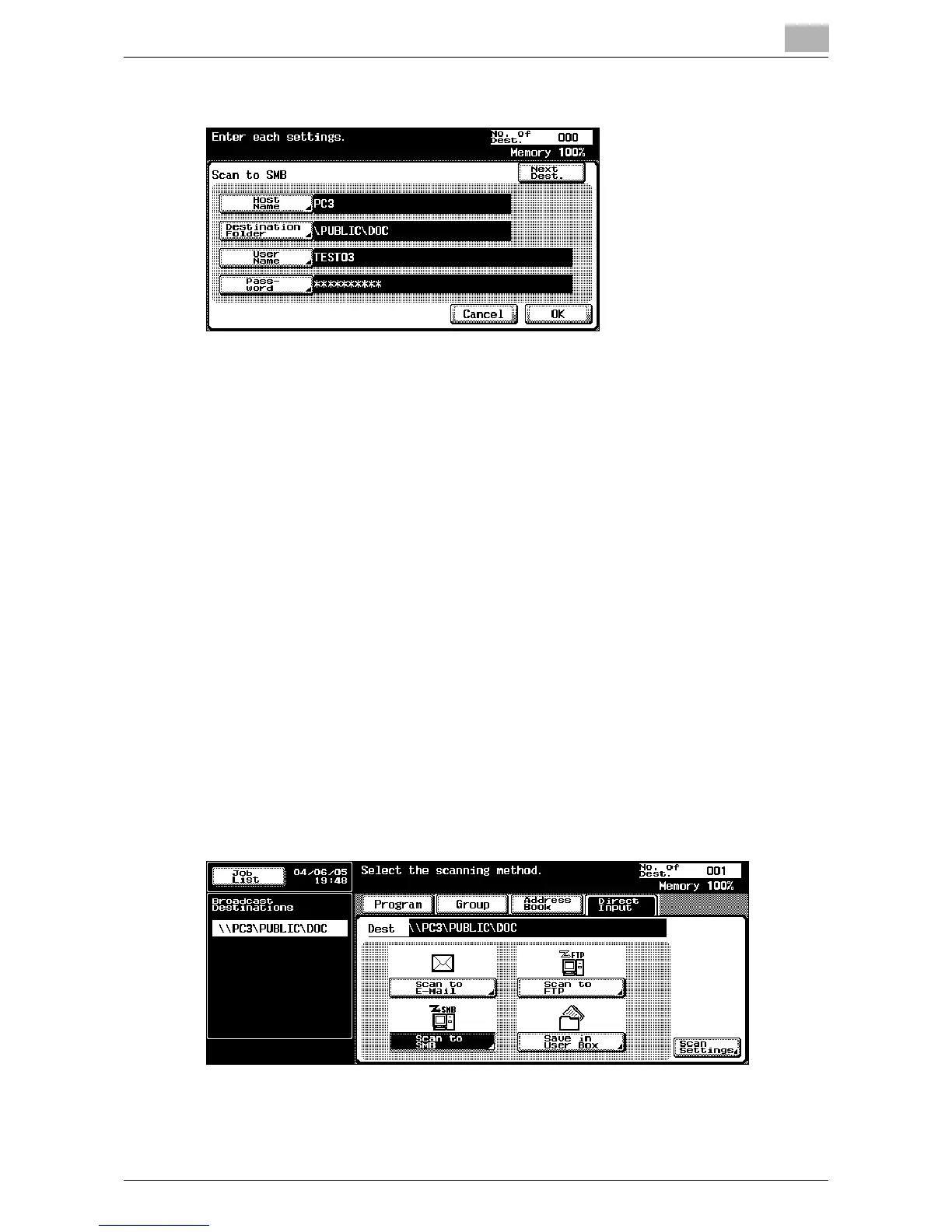
3 Enter the destination information.
– Host Name: Specify the destination host name (enter using capital
letters) or the IP address. Type in the destination name using the
keyboard, and then touch [OK].
– Destination Folder: Enter the path to the destination folder using
capital letters.
– User Name: Use the keyboard that appears in the touch panel to
specify the login user name, and then touch [OK].
– Password: Use the keyboard that appears in the touch panel to
specify the password, and then touch [OK].
– In order to send scan data to a folder that can only be accessed by
user accounts belonging to the domain, the user ID must be en-
tered in either of the following formats.
1 user_ID>@<domain_name>
2 <domain_name>\<user_ID>
(Note: In format 2, use the backslash (\). If the slash (/) is used, the
data will not be sent correctly.)
– To specify an additional address, touch [Next Dest.], and then
specify the address.
4 Touch [OK].
The specified addresses are listed under “Broadcast Destinations”.













 To Next Page