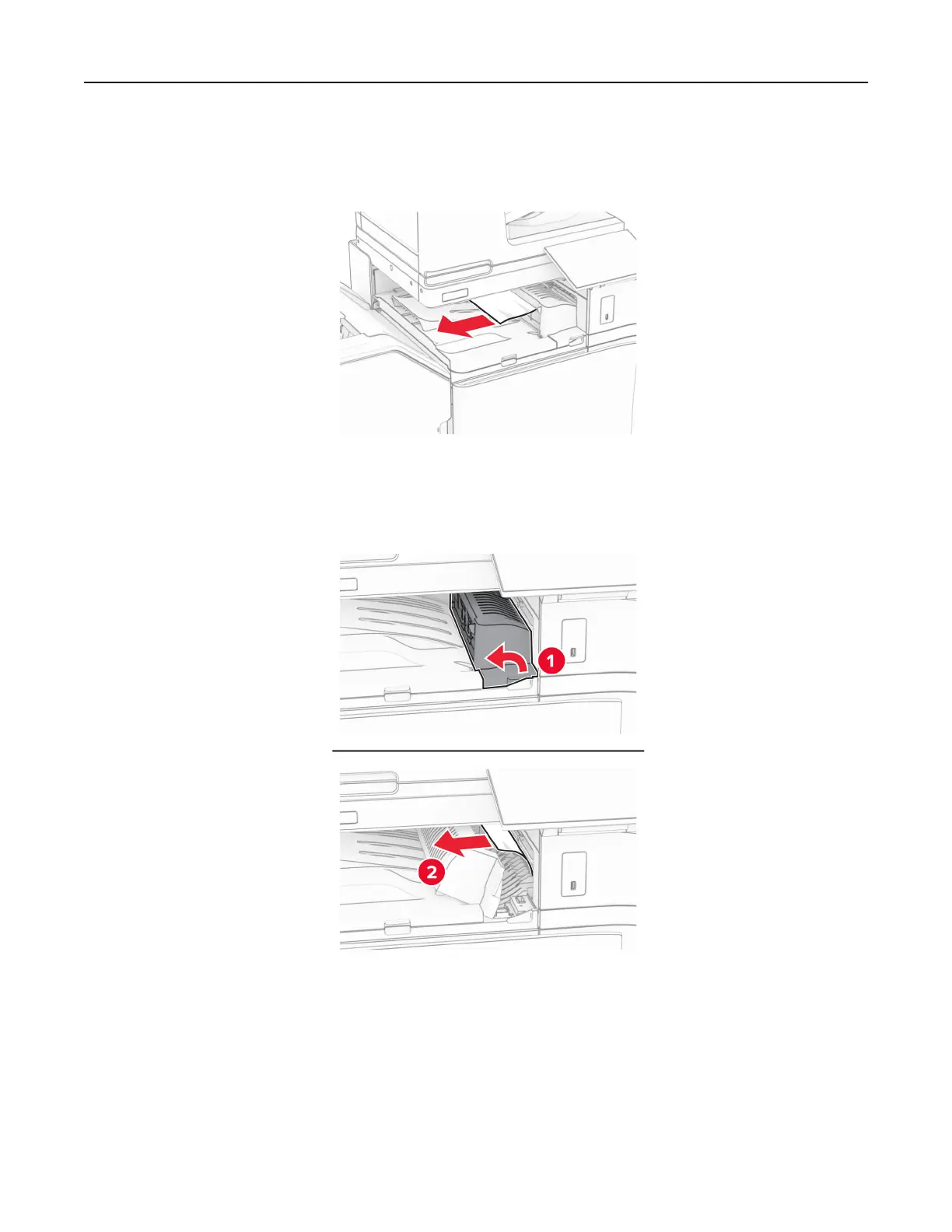
4 Remove the jammed paper in bin 3.
Note: Make sure that all paper fragments are removed.
5 Open paper transport cover G, and then remove the jammed paper.
Note: Make sure that all paper fragments are removed.
6 Close paper transport cover G.
Troubleshoot a problem 504



 To Next Page