MAINTENANCE AN D SERVICING
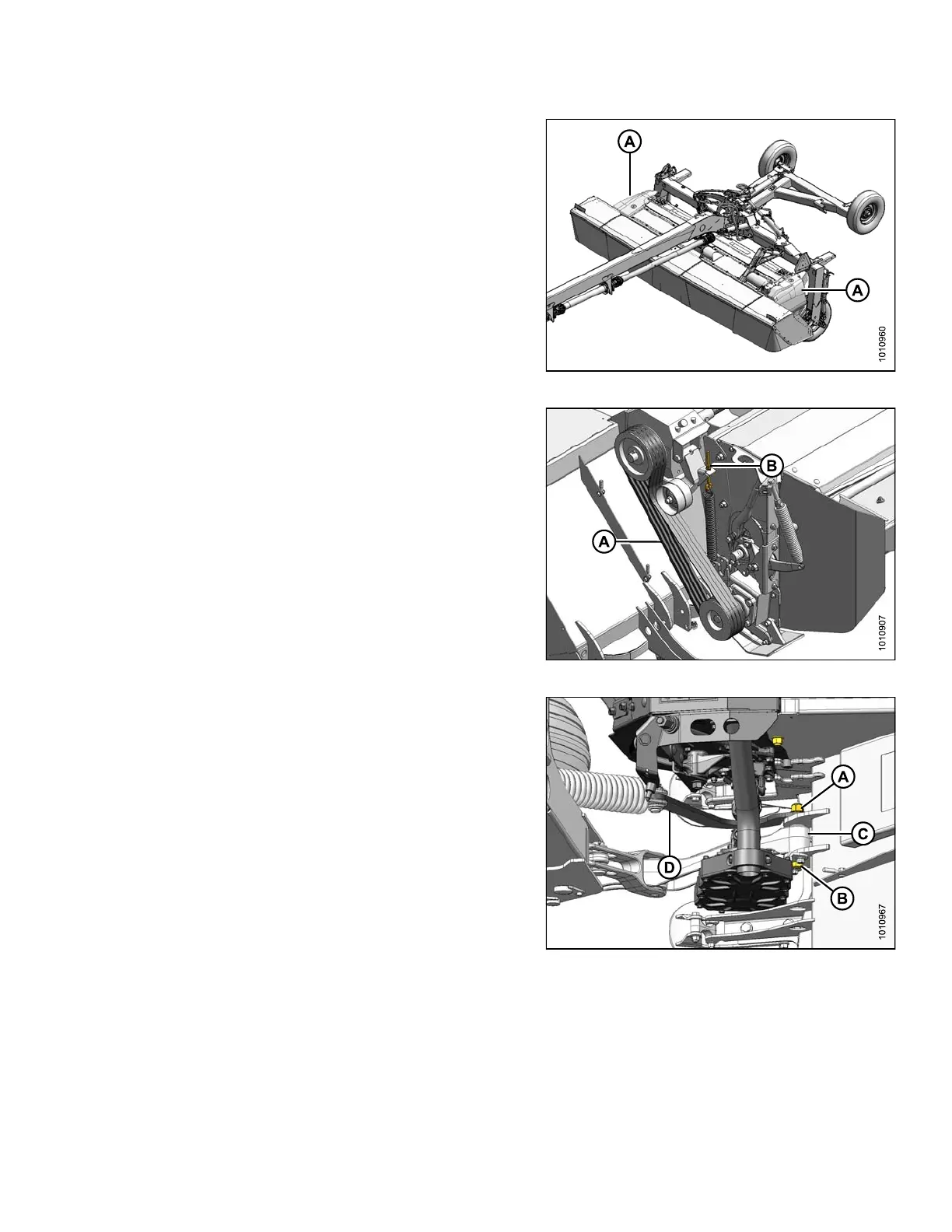
12. Remove left and right driveshields (A). Refer to 3.2.1
Opening Driveshields, page 33.
Figure 4.260: Driveshields
13. On the left-hand side of the mower conditioner, remove
the conditioner drive belt as follows:
a. Back off jam nut and tensioner nut (B) on belt idler
until belts (A) are loose and can be removed.
b. Remov e the f ou r belts.
Figure 4.261: Conditioner Drive
14. On the right-hand side of the mower conditioner,
remove the M20 nut (A), washers, and hex head
bolt (B) securing the carrier leg (C) and float spring
arm (D) to the mower conditioner.
15. Move float spring arm (D) clear of conditioner.
Figure 4.262: Right Side of Carrier
147910 233 Revision A





 To Next Page