ON-BOARD DIAGNOSTIC
F177
F
End Of Sie
DTC P2503
A6E397001083W09
Diagnostic procedure
6 VERIFY TROUBLESHOOTING OF DTC P2502
COMPLETED
• Make sure to reconnect all connectors.
• Clear DTC from memory using WDS or
equivalent.
• Perform KOER self-test.
(See F66 KOEO/KOER SELF-TEST.)
• Is same DTC present?
Yes Replace PCM, then go to next step.
(See F43 PCM REMOVAL/INSTALLATION.)
No Go to next step.
7 VERIFY AFTER REPAIR PROCEDURE
• Perform After Repair Procedure.
(See F66 AFTER REPAIR PROCEDURE.)
• Is there any DTC present?
Yes Go to applicable DTC troubleshooting.
(See F67 DTC TABLE.)
No Troubleshooting completed.
STEP INSPECTION ACTION
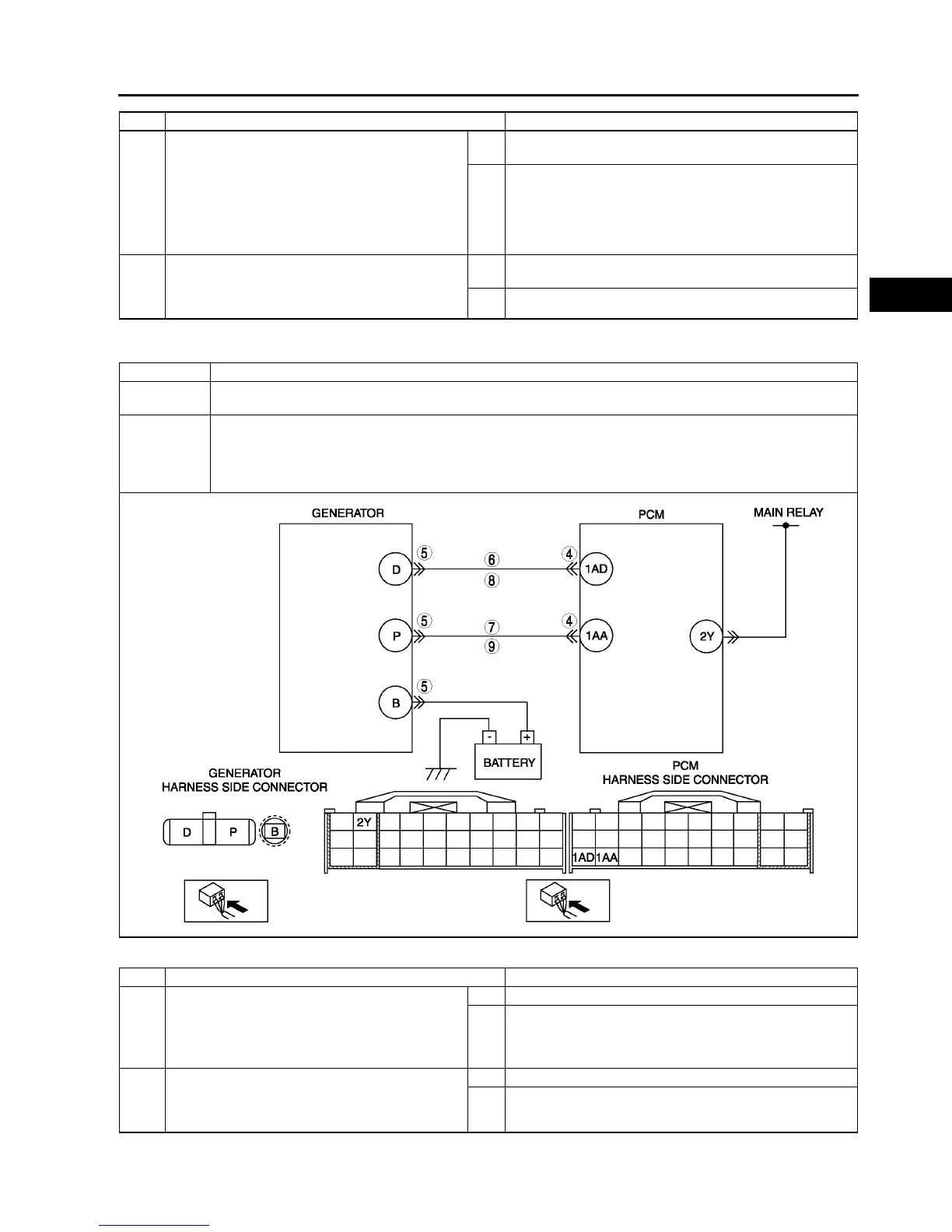
DTC P2503 Generator output voltage signal no electricity
DETECTION
CONDITION
• PCM needs more than 20 A from generator, and judges generator output voltage to be below 8.5 V during
engine running.
POSSIBLE
CAUSE
• Generator malfunction
• PCM and/or generator are poorly connected.
• Open and/or short to GND in wiring from between generator terminal P and PCM terminal 1AA
• Open and/or short to GND in wiring from between generator terminal D and PCM terminal 1AD
• Drive belt misadjustment
STEP INSPECTION ACTION
1 PERFORM DTC CONFIRMATION PROCEDURE
• Perform DTC CONFIRMATION PROCEDURE.
(See F66 DTC CONFIRMATION
PROCEDURE.)
• Is same DTC present?
Yes Go to next step.
No Intermittent concern exists. Go to INTERMITTENT
CONCERN TROUBLESHOOTING procedure.
(See F227 INTERMITTENT CONCERN
TROUBLESHOOTING.)
2 INSPECT DRIVE BELT CONDITION
• Verify that drive belt auto tensioner indicator
mark does not exceed limit.
• Is front drive belt okay?
Yes Go to next step.
No Replace and/or adjust drive belt, then go to Step 9.



 To Next Page