EasyManua.ls Logo

Medoc PATHWAY - User Manual

Default Icon
190 pages
Print Icon
To Next Page IconTo Next Page
Loading...
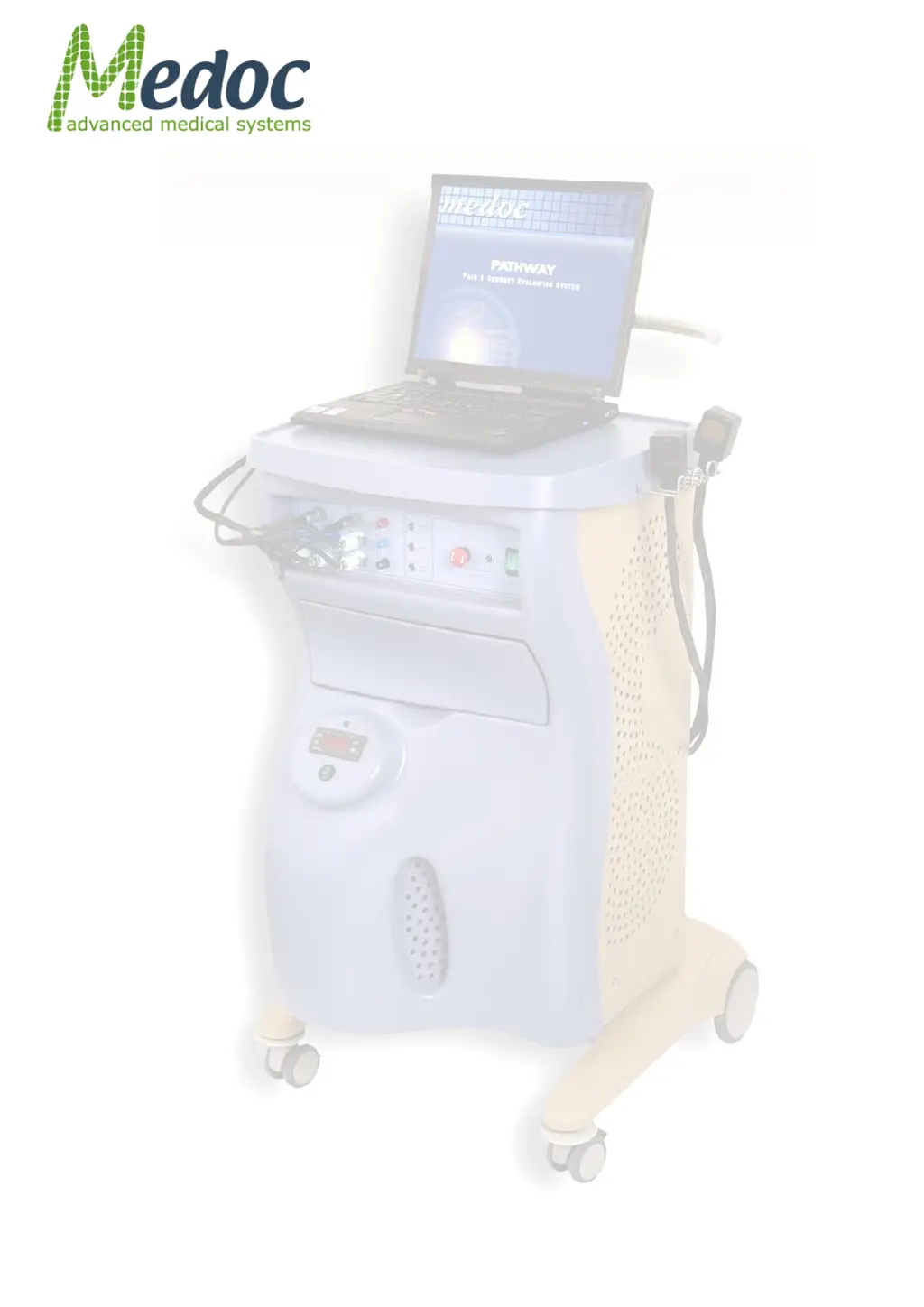
PATHWAY
Pain & Sensory Evaluation
System
Technical Reference
Manual

Table of Contents

Questions and Answers

  • E
    emily92Sep 1, 2025
    What to do if Medoc PATHWAY Medical Equipment shows a static sensor mismatch?
    • M
      mjacobsSep 1, 2025
      If the system has detected a mismatch between the Thermode sensors: 1. Check that the Thermodes are intact and undamaged. 2. Run the system Self-Test. 3. Re-calibrate the Thermode. If the problem persists, there is no other solution.
  • B
    Brent BarryAug 31, 2025
    What to do if Medoc Medical Equipment asks to retry PATHWAY recovery?
    • D
      Darlene KochAug 31, 2025
      If the Self-Test may have failed, select YES to rerun the Self-Test or NO to continue working in Safe Mode.
  • J
    Jake WagnerAug 30, 2025
    What does it mean if Medoc Medical Equipment application is about to start PATHWAY recovery and Self-Test?
    • R
      Robin GarnerAug 30, 2025
      System self-test is required after viewing or editing any of the Hardware Settings and if system is in Safe Mode for any reason. Make sure the Thermode is not attached to the patient and press OK.
  • J
    Joshua PatelAug 29, 2025
    What to do if Medoc Medical Equipment TEC sensor is shorted or disconnected?
    • B
      Bryan ReedAug 29, 2025
      If the Thermode temperature sensors seem to be either shorted or disconnected: 1. Check that the Thermode is intact and undamaged. 2. Check that the Thermode connectors are properly attached to the system. 3. Run the system Self-Test again. If the problem persists, there is no other solution.
  • R
    Robert BrownAug 28, 2025
    What to do if Medoc Medical Equipment CHEPS Heater sensor is shorted or disconnected?
    • M
      montoyakathrynAug 28, 2025
      If the CHEPS Thermode temperature sensors seem to be either shorted or disconnected: 1. Check that the Thermode is intact and undamaged. 2. Check that the Thermode connectors are properly attached to the system. 3. Run the system Self-Test again. If the problem persists, there is no other solution.
  • D
    David CollinsAug 27, 2025
    What to do if the Thermode cannot be saved on Medoc Medical Equipment?
    • M
      Mark WrightAug 27, 2025
      If calibration data cannot be saved because the verification process failed, check that the calibration setup is correct and the thermometer is connected to the computer. Recalibrate the Thermode.
  • K
    kevin41Aug 27, 2025
    What to do if Medoc PATHWAY Medical Equipment says water temperature is too high?
    • C
      Clifford GonzalezAug 27, 2025
      If the water temperature is too high: 1. Check that the PATHWAY is turned ON and communication is established. 2. Check that the Thermodes are properly connected. 3. Check the water level and fill the Cooling Unit reservoir if necessary. 4. Make sure the coolant temperature in the Cooling Unit is below 15°C. Press in the Emergency button and allow the temperature to cool if needed.
  • W
    William MataAug 25, 2025
    What to do if Medoc Medical Equipment Pathway is in Safe Mode?
    • B
      Brandi JamesAug 26, 2025
      If the system is in Safe Mode, a Self-Test is required before the system can be restored for normal operation. Click YES to perform Self-Test and resume work, or click NO to continue in Safe Mode.
  • M
    melissawillisAug 25, 2025
    What does it mean if the emergency button was pressed on Medoc PATHWAY Medical Equipment?
    • C
      Christopher BryantAug 25, 2025
      If the system detected that the emergency button has been pressed, or the hardware safety mechanism has been triggered: 1. Release the emergency button and/or the Emergency button on the extended cable. 2. Run a system Self-Test. * If the Self-Test completes without any further errors the system can return to normal operation. * If the Self-Test cannot be complete, restart the system and retry. If the Self-Test continues to fail, there is no other solution.

Summary

Safety Guidelines and Regulations

Safety Requirements

Details general safety requirements for operating the PATHWAY system.

Warnings

Lists critical warnings to prevent serious injury, death, or equipment damage during operation.

Cautions

Provides precautions to prevent equipment damage or inaccurate system functioning.

Temperature Safety Mechanisms

Explains the safeguards implemented to protect against extreme temperatures.

Setup and Installation

Computer Requirements

Lists the minimum computer specifications required for Medoc Main Station software.

Software Installation

Details the procedure for installing the Medoc Main Station software.

Powering up the PATHWAY System

Provides step-by-step instructions for safely powering on the PATHWAY system.

Operation

Safety Procedures and System Self-Test

Details essential safety checks and the system self-test before starting operation.

Starting PATHWAY

Provides the sequence of steps to power on and initiate the PATHWAY system.

Test Procedure and Management

Running the Test

Detailed steps for initiating and conducting an actual test session.

Program Management

Creating a New Program

Step-by-step instructions for creating a new test program.

Results Management

Generate Test Reports

Steps for creating, previewing, and printing test reports.

System Configuration

Communication

Configuration settings for establishing communication between system and software.

Hardware Settings

Configuration options for hardware components like TTL, Thermodes, and CoVAS.

Appendix O - Troubleshooting

Frequent Warning Messages

Lists common warning messages and provides troubleshooting guidance.

Frequent Error Messages

Lists common error messages and provides troubleshooting guidance.

Faulty System Responses

Describes common system malfunctions and their corresponding solutions.

Medoc PATHWAY Specifications

General IconGeneral
CategoryMedical Equipment
Cooling RateUp to 8°C/sec
Heating RateUp to 8°C/sec
Power Supply100-240V AC, 50/60Hz
Stimulus TypesThermal
Temperature Range0°C to 55°C
InterfaceTouchscreen
ConnectivityUSB
ModalityQuantitative Sensory Testing

Related product manuals