4
Scan to E-Mail
4-44 VarioLink 2221/2821/3621
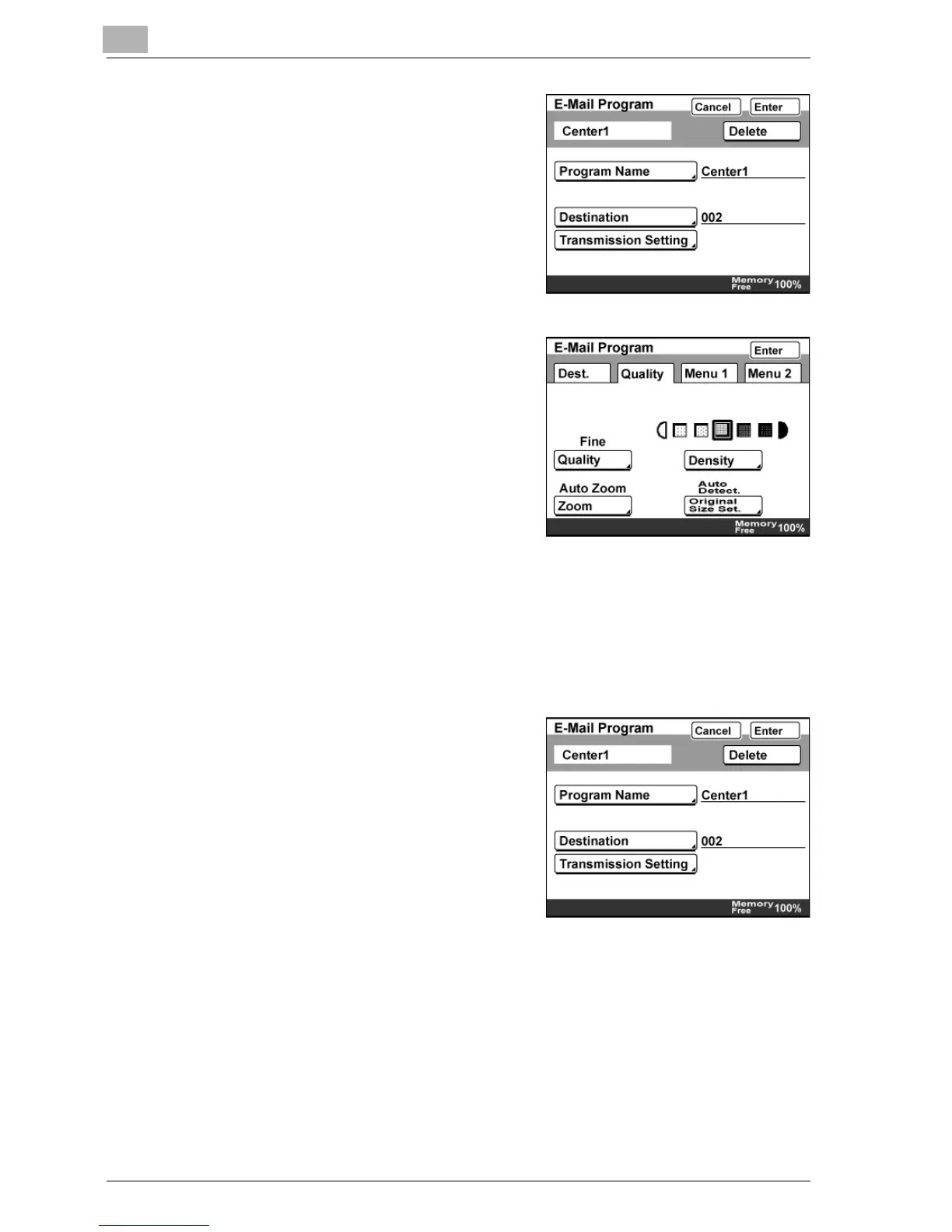
10 Touch [Transmission Setting].
11 Specify the settings to be registered.
– Touch [Quality] to specify
settings for "Quality", "Density",
"Zoom", and "Original Size Set.".
– Touch [Menu 1] to specify
settings for "TSI","TX Report",
"Priority TX", "Timer TX Setting",
"2in1", "2-Sided TX", "Rotation
TX", and "Stamp".
– Touch [Menu 2] to specify the settings for "Subject Selection",
"Reply Address", "File Name", and "Email Notification".
– In order to use the "Stamp" function, the optional stamp unit must
be installed.
12 Touch [Enter].
13 Check the information to be
registered, and then touch [Enter].
14 Touch [Enter] until the initial screen appears.



 To Next Page