Internet faxing
7
VarioLink 2221/2821/3621 7-35
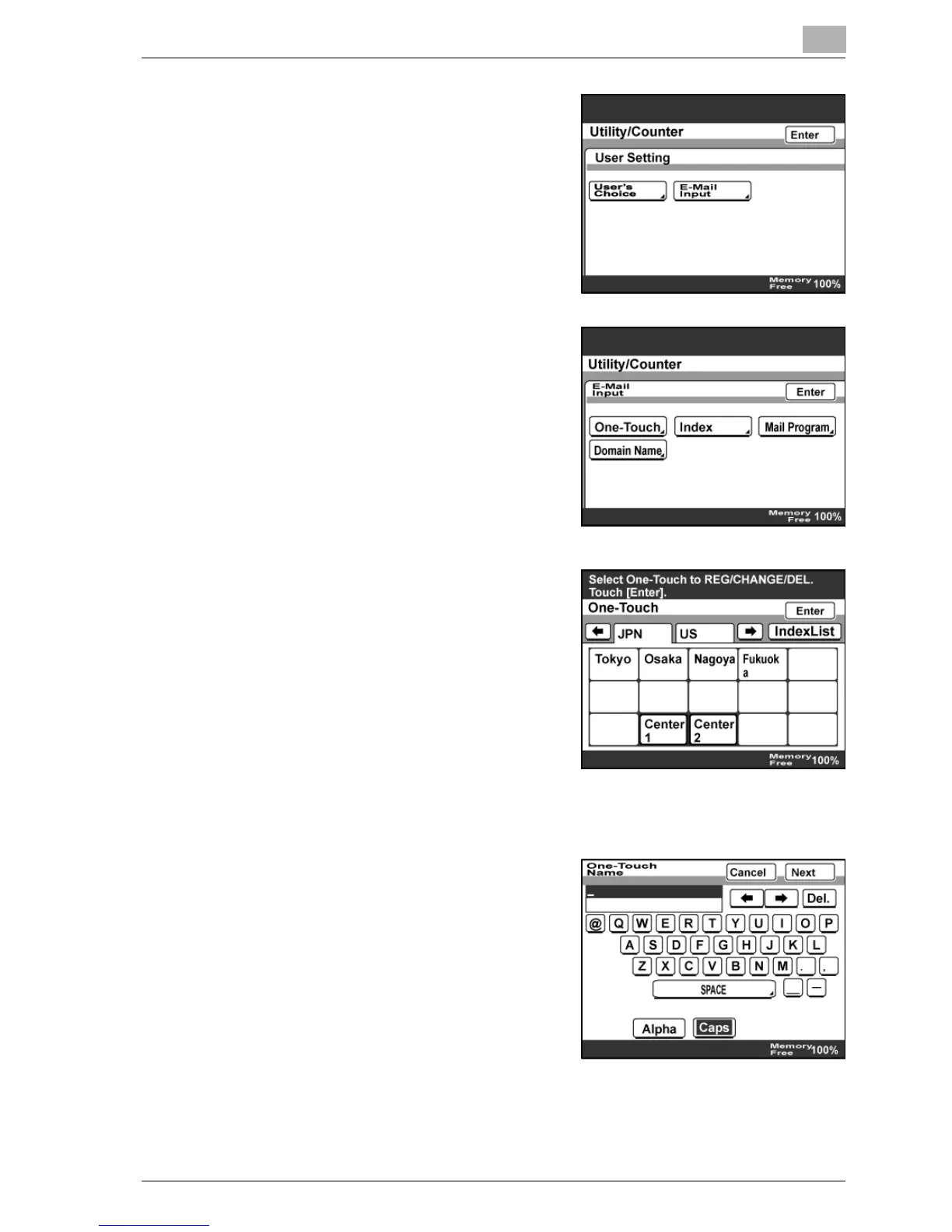
3 Touch [E-Mail Input].
– If the optional fax kit has been
installed, touch [FAX].
4 Touch [One-Touch].
5 Touch the one-touch dial button to
be programmed.
– Touch an index tab or [Index List],
then the desired one-touch dial
button.
– If the machine is set to allow
LDAP searches, a screen
appears, allowing you to permit
or prohibit the address registered
with the one-touch dial button to be found with an LDAP search. If
LDAP searches are not to be allowed, select "No".
6 Type in the destination name that will
appear on the one-touch dial button,
and then touch [Next].



 To Next Page