7
Internet faxing
7-36 VarioLink 2221/2821/3621
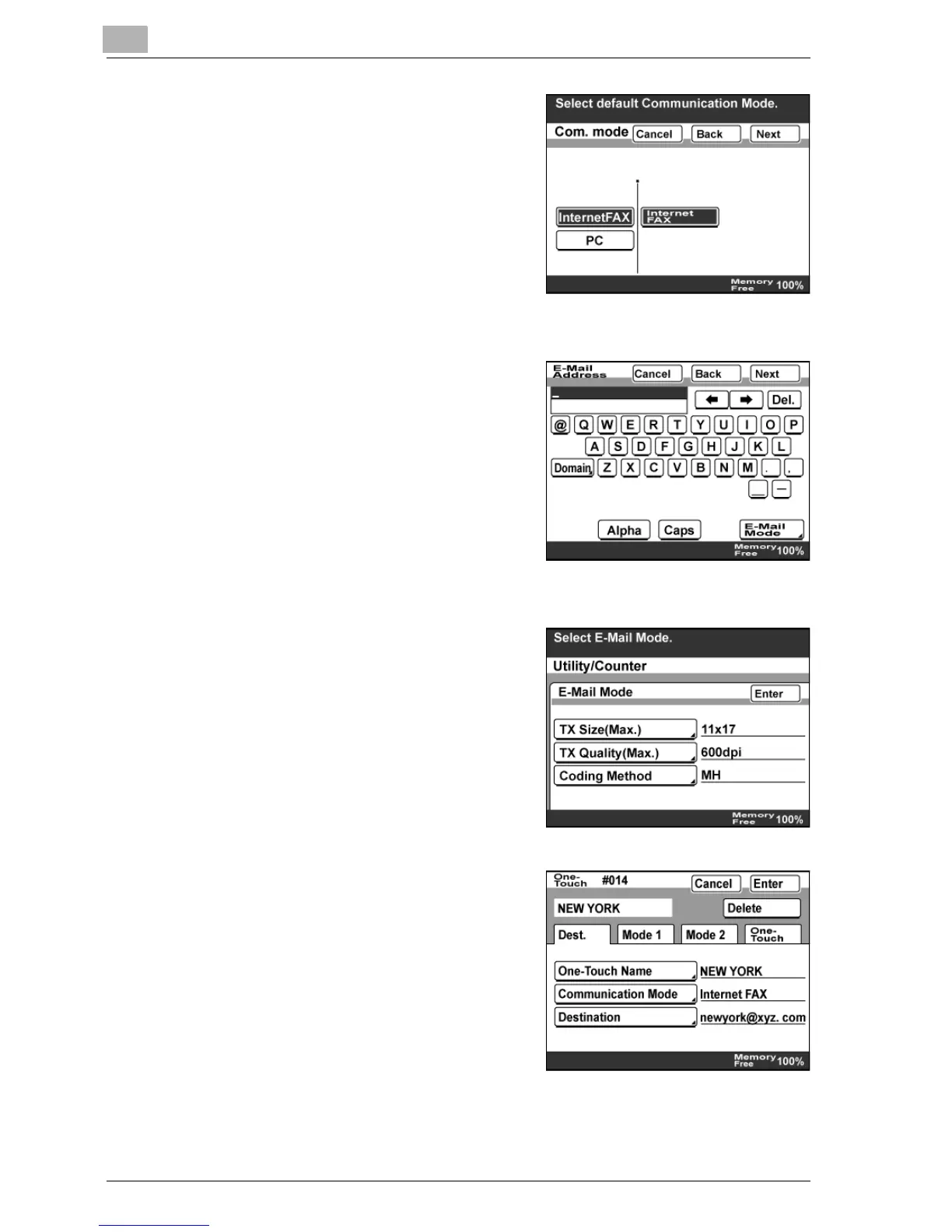
7 Select the communication mode.
Touch [InternetFAX], [Internet FAX],
then [Next].
– If mode 476 of the software
switch settings was changed,
only communication modes that
can be selected appear. For
details, refer to "Specifying
software switch settings
(machine functions)" on page 10-28.
8 Enter the destination e-mail address,
and then touch [Next].
– If parts of frequently used
addresses are registered, they
can be quickly entered by
touching [Domain]. For details,
refer to "Registering a domain
name" on page 3-52.
– To change an entered address,
press the [C] (clear) key, and then enter a new address.
9 To change "TX Size (Max.)", "TX
Quality (Max.)", or "Coding Method",
which have been specified in
advance by the administrator, touch
[E-Mail Mode], specify the settings,
and then touch [Enter].
10 Check the information to be
registered, and then touch [Enter].
11 Touch [Enter] until the initial screen appears.



 To Next Page