284
24 Automated Mode Alarms
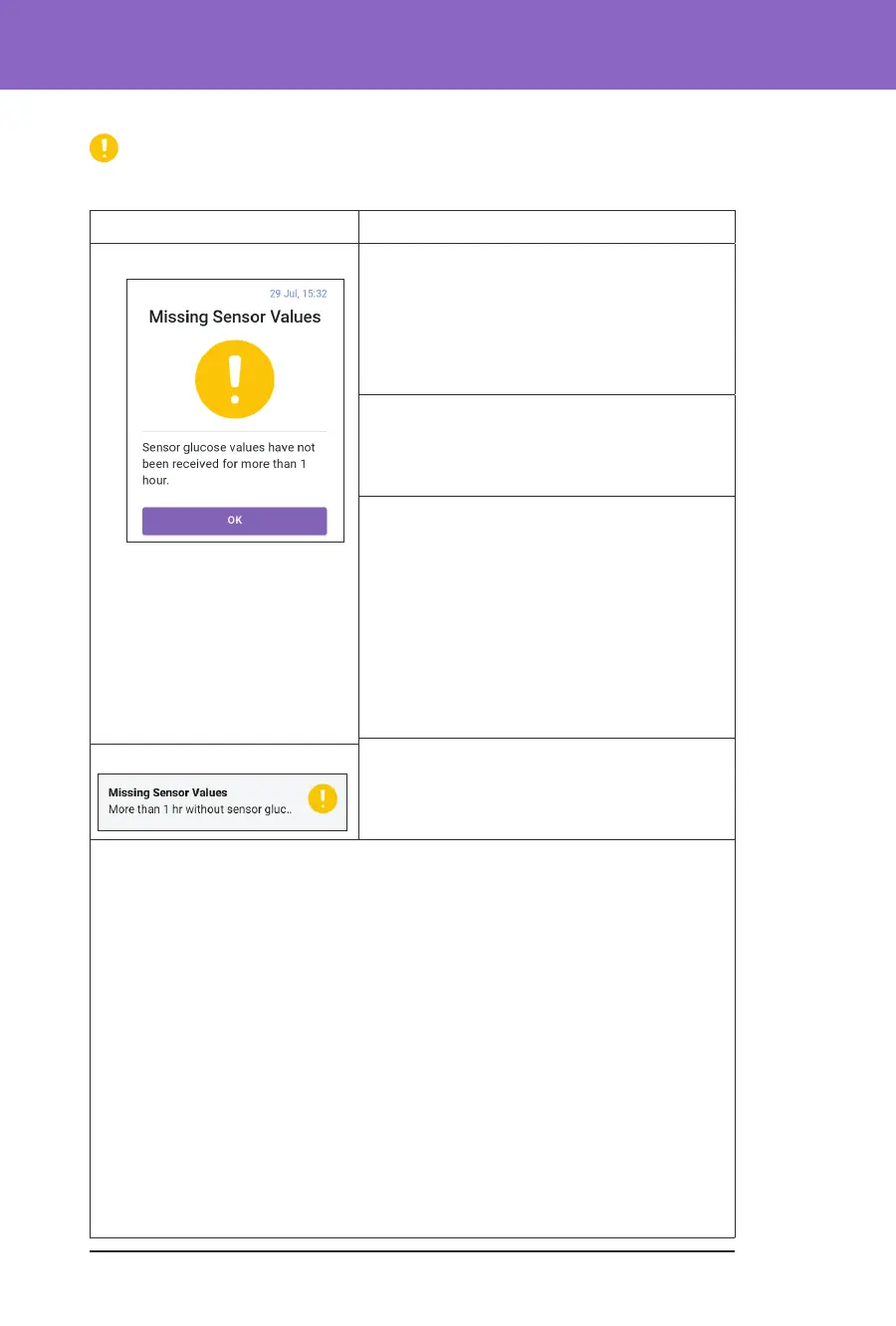
Missing Sensor Glucose Values
Only occurs in Automated Mode.
Screen Alert Description
Omnipod 5 App:
Why it occurs: e Pod has not received
sensor glucose values for more than one
hour. e system will continue to operate in
Automated Mode: Limited state until sensor
glucose values are received or until you switch
to Manual Mode.
Pod sound:
• 3-beep tone
• Repeats every 60 minutes
Controller sound and vibration:
• 3-second tone
• 3-second vibration
• Vibration and tone repeat every
15 minutes until acknowledged
• If sensor glucose values have still not
been received aer 60 minutes, a new
notication will be generated.
What to do:
¾ Tap OK to acknowledge the alert.
Lock Screen:
For more information about Automated Mode: Limited state, see “21.5. About
Automated Mode: Limited” on page 269.
Check your
Dexcom G6 app to see if there are sensor glucose values present or if
the cause of the loss of communication is related to the Sensor. Examples to look
for within the
Dexcom G6 app include Sensor error/expiry, Transmitter
error/expiry, Sensor warm-up, or signal loss alert.
If the
Dexcom G6 app is receiving sensor glucose values, there may be a
temporary communication issue between your Pod and the
Dexcom G6. You
may decide to switch to Manual Mode or wait for a sensor glucose value to be
received while in Automated Mode: Limited state. If this is frequently occurring,
check to see if the Pod and Sensor are located on your body at least 8 cm (3 inches)
apart and within the line of sight. If not, when you remove one, position the new
one so that your Pod and Sensor are within the line of sight of one another.
Note: For information about your DexcomG6 app, refer to your Dexcom G6
CGM System Instructions for Use.



 To Next Page