R&S
®
ZVA / R&S
®
ZVB / R&S
®
ZVT GUI Reference
Trace Menu
Operating Manual 1145.1084.12 – 30 138
power meter differs from the frequency of the source port. It is recommended to define the modified
frequency range for the power meter in the Port Configuration dialog and select From Power Meter Entry
in Port Configuration.
This setting overwrites the analogous setting in the Power Meter Correction dialog for source power
calibration.
[SENSe<Ch>:]PMMO ON | OFF
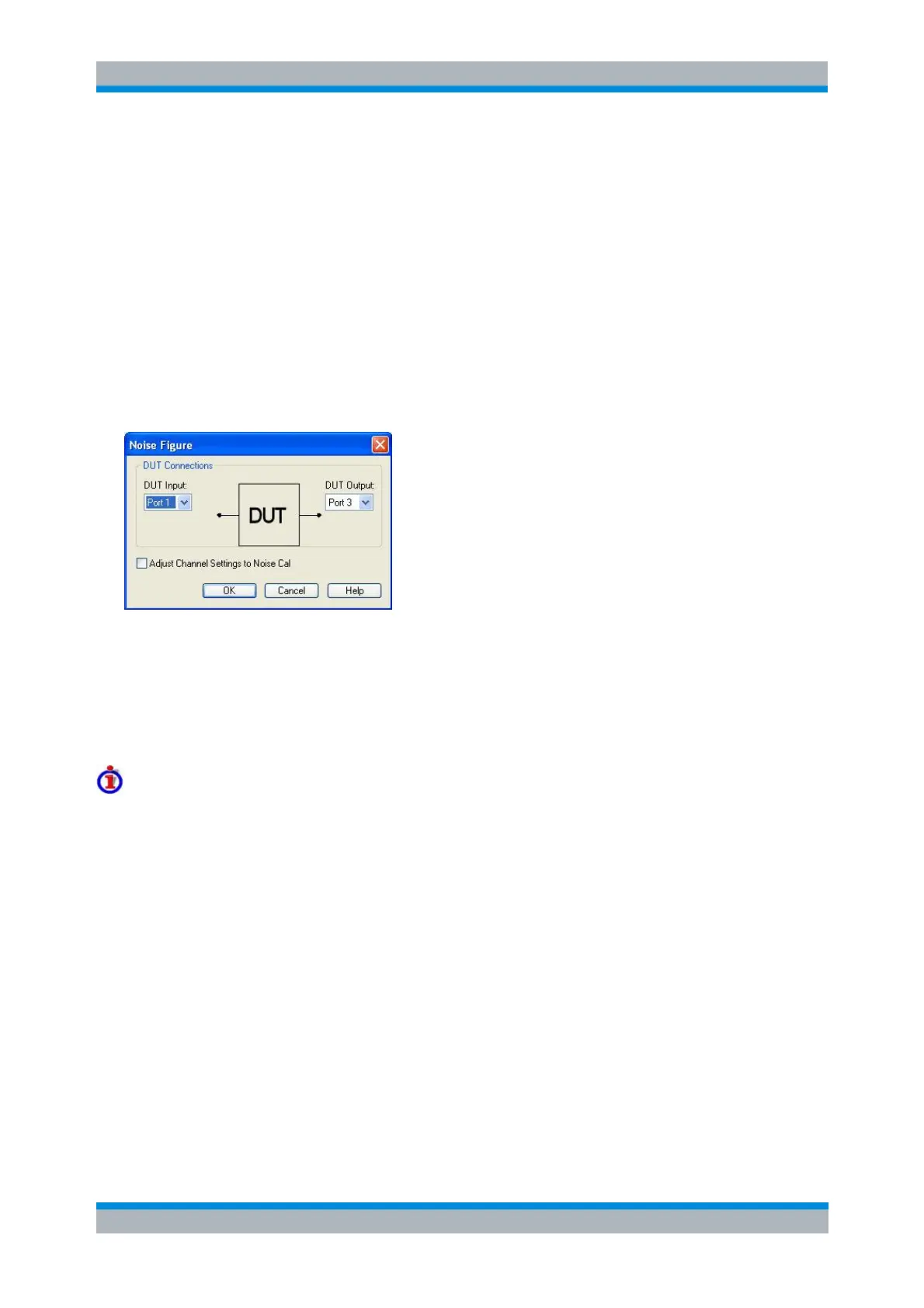
Noise Figure... (for R&S ZVA and R&S ZVT)
The Noise Figure dialog selects the noise figure of a DUT as measured quantity (with option R&S ZVAB-
K30).
The dialog provides the following settings:
DUT Connections selects the test port number of the analyzer to be connected to the input (DUT
Input) and the output of the DUT (DUT Output). The noise figure may be measured in reflection or
in transmission, so that arbitrary combinations of port numbers are allowed.
Adjust Channel Settings to Noise Cal overwrites the current channel settings with the ones that
were used during the active Noise Figure Calibration; see background information below.
Adjust Channel Settings to Noise Cal
The purpose of the Adjust Channel Settings to Noise Cal function is to avoid inconsistencies between the
noise figure results and a previous noise figure calibration. The function is available if a Noise Figure
Calibration has been performed and applied to the active channel. An overview of the channel settings
and the calibration characteristics appears in the Calibration Manager dialog.
The analyzer adjusts the channel settings which are specific to the noise figure measurement. These
settings are essentially accessible from the Define Noise Figure Measurement and Noise Figure
Calibration dialog. General channel settings (such as the Start and Stop values of the sweep range) are
not adjusted.
CALCulate<Ch>:PARameter:MEASure "<Trace_Name>", "NF11" | "NF12" |
... | "NF0101" | ...
Create new trace and select name and measurement parameter:
CALCulate<Ch>:PARameter:SDEFine "<Trace_Name>", "NF11" | "NF12" |
... | "NF0101" | ...
CALCulate<Ch>:PARameter:NFIGure:CSETtings



 To Next Page