R&S
®
ZVA / R&S
®
ZVB / R&S
®
ZVT GUI Reference
Trace Menu
Operating Manual 1145.1084.12 – 30 229
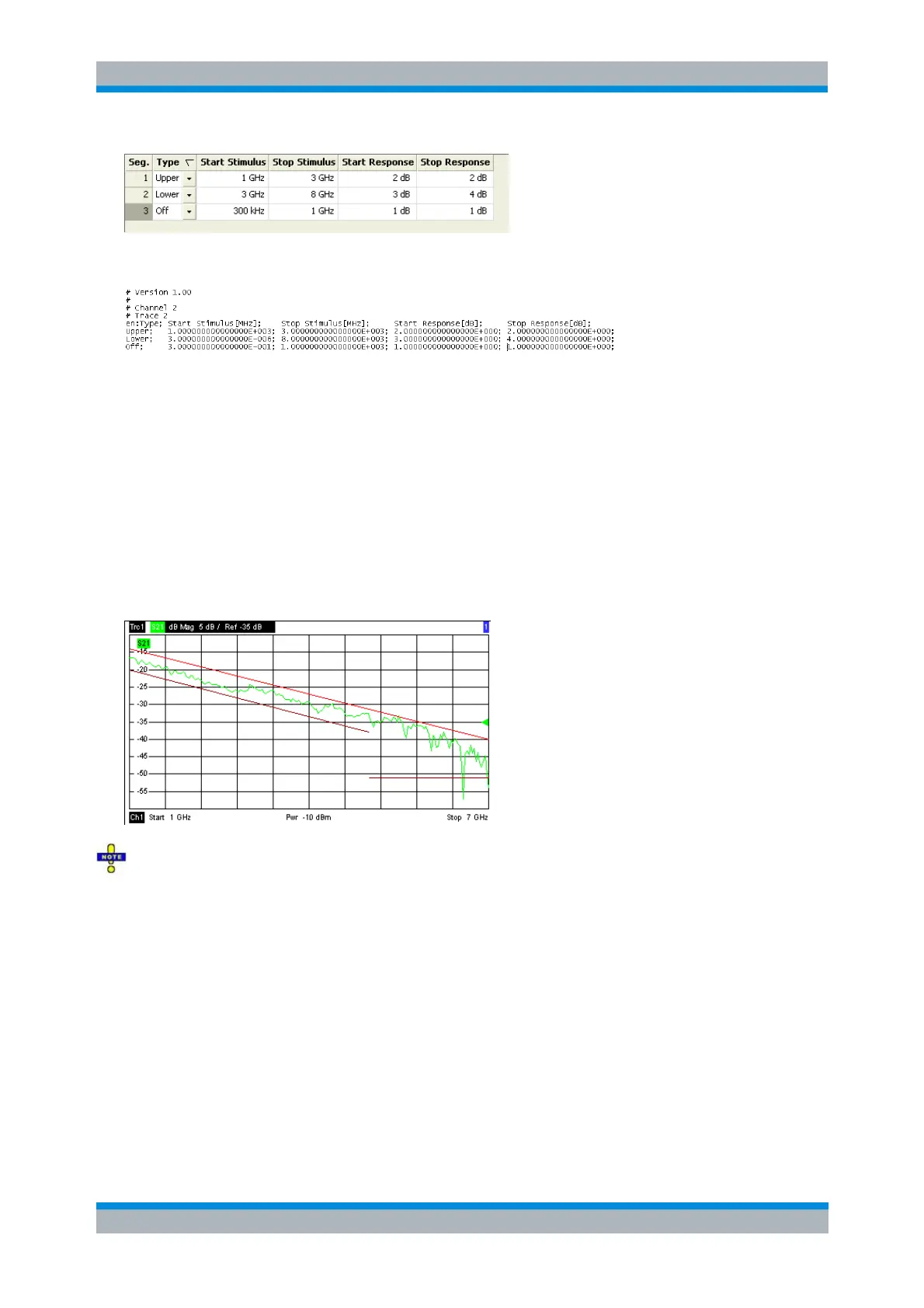
is described by the limit line file:
MMEMory:LOAD:LIMit "Trc_name","file_name"
MMEMory:STORe:LIMit "Trc_name","file_name"
Show Limit Line
Shows or hides the limit line associated with the active trace in a Cartesian diagram area. A checkmark
appears next to the menu item when the limit line is shown.
In the diagram, upper and lower limit lines can be displayed with different colors. Limit line segments with
disabled limit check (see Define Limit Line) can also be colored differently. The limit line colors are defined
in the Define User Color Scheme dialog (Display – Display Config. – Color Scheme...).
Display of the limit line and limit check are independent of each other: Hiding the limit line does not
switch off the limit check.
CALCulate<Chn>:LIMit:DISPlay[:STATe] ON | OFF
Limit Check
Switches the limit check of the active trace on or off. A checkmark appears next to the menu item when
the limit check is enabled.
When the limit check is switched on, a PASS or FAIL message is displayed in the center of the diagram. If
the limit check fails at a measurement point, the two trace segments to the left and right of the point can
change their color. The Limit Fail Trace color is defined in the Define User Color Scheme dialog (Display –
Display Config. – Color Scheme...). An acoustic signal (Global Beep) and a TTL signal indicating pass or



 To Next Page