R&S
®
ZVA / R&S
®
ZVB / R&S
®
ZVT GUI Reference
Channel Menu
Operating Manual 1145.1084.12 – 30 276
Off disables the chopped pulse profile mode. All other settings are left unchanged.
In remote control it is possible to skip measurement intervals (and thus accelerate the measurement,
at the expense of the number of sweep points) by increasing the Delay Increment parameter.
[SENSe<Ch>:]PULSe:GENerator2:WIDTh
[SENSe<Ch>:]PULSe:GENerator<gen_no>:CPPRofile
[SENSe<Ch>:]PULSe:GENerator<gen_no>:DINCrement
File Format for Pulse Train Definitions
The analyzer uses a simple ASCII format to export pulse train definitions. By default, the pulse train file
has the extension *.train and is stored in the directory shown in the Save Pulse Train and Recall Pulse
Train dialogs. The file starts with a preamble containing the channel, the Pulse Train Period, and the Pulse
Delay (to Sync) value. The following lines contain the entries of all editable columns of the list.
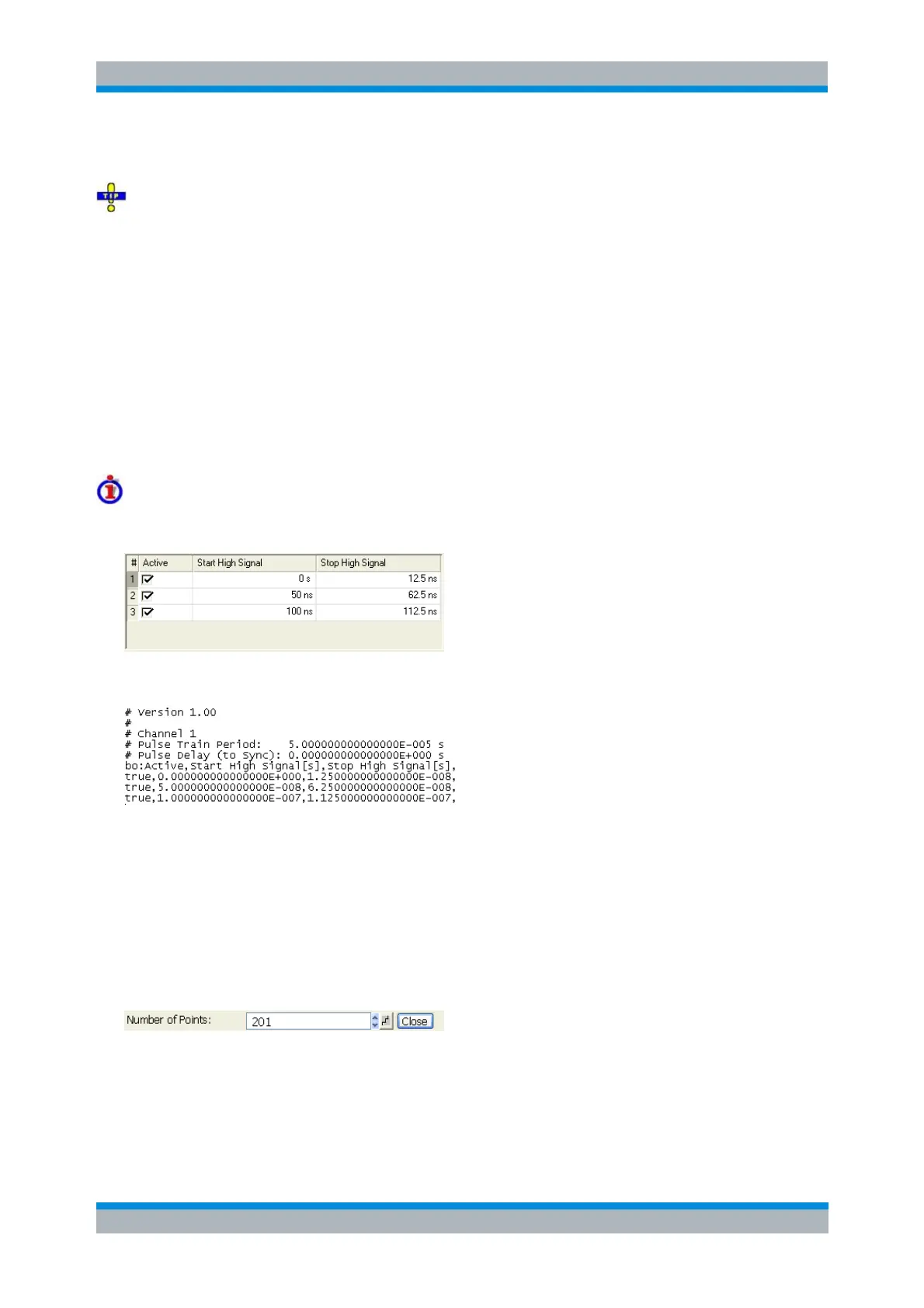
Example of a pulse train definition file
The pulse train definition:
is described by the pulse train file:
MMEMory:LOAD:PTRain
MMEMory:STORe:PTRain
Number of Points
Sets the total number of measurement points per sweep. The minimum number of points is 1
(measurement at a single frequenc/power/time value).
Together with the sweep range defined with the Stimulus settings, this parameter defines the grid of
sweep points. The sweep points are equidistantly distributed over the entire sweep range: The step width
between two consecutive sweep points is constant on a linear scale (sweep types Lin. Frequency, Time
and CW Mode) or on a logarithmic scale (sweep types Log. Frequency and Power).
In Segmented Frequency sweeps, the number of points can be set independently for each segment; see



 To Next Page