R&S
®
ZVA / R&S
®
ZVB / R&S
®
ZVT GUI Reference
Channel Menu
Operating Manual 1145.1084.12 – 30 302
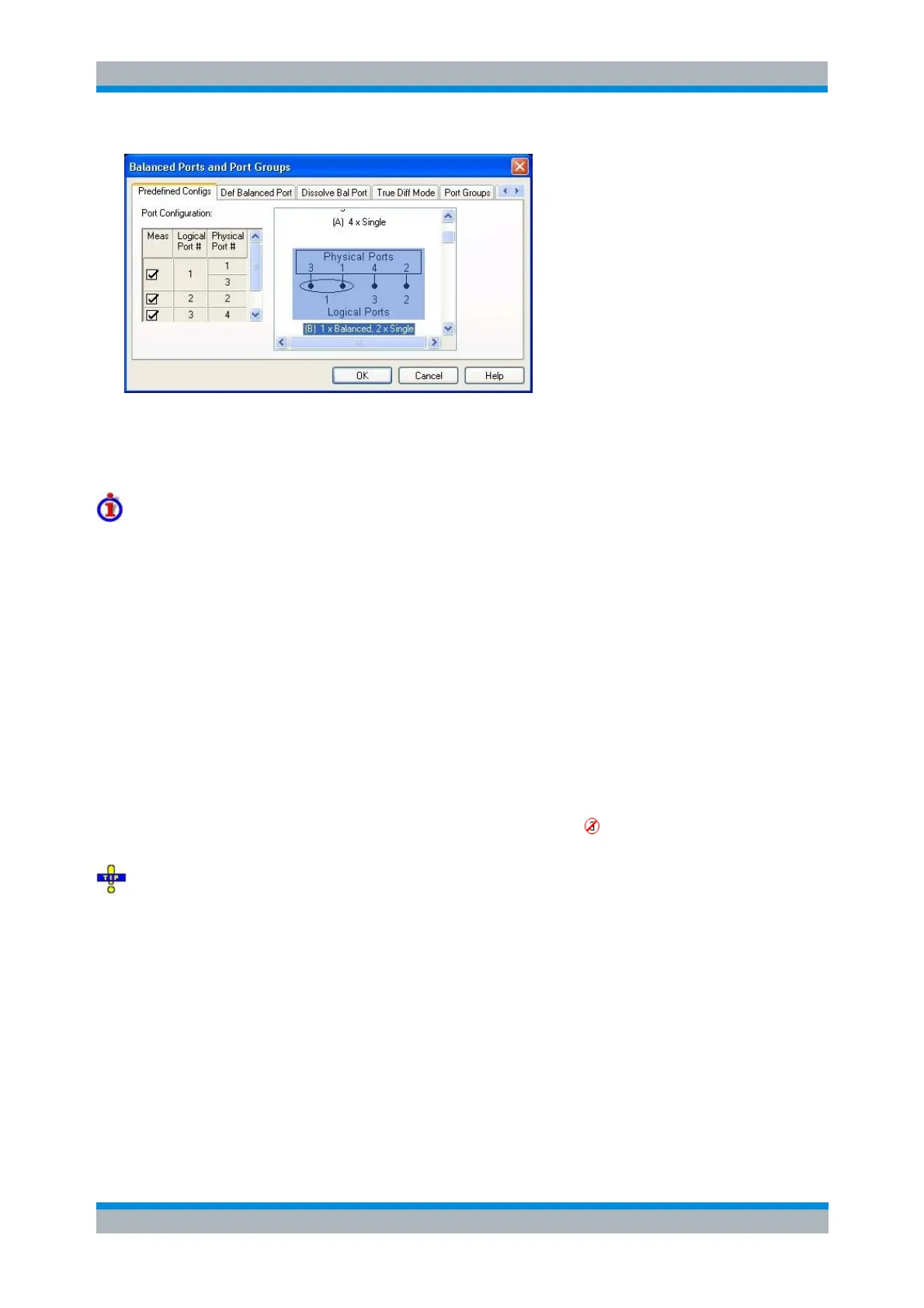
The port configurations are arranged in a scrollable list and selected with a mouse click. The resulting port
number assignment is shown on the left-hand side of the Balanced Ports and Port Groups dialog and in
the Port Configuration dialog. When a predefined port configuration is selected, all user-defined port
groups are removed.
Predefined Configurations
The number of type of predefined configurations depends on the port number of the analyzer.
The predefined configurations comprise the fully single-ended (unbalanced) case, where the logical ports
correspond to the physical ports, and all balanced configurations where two adjacent physical ports are
connected to a logical port. In addition configurations where one or more ports are excluded from the
measurement are provided (see Measured Ports).
Example: 4-port analyzer
Fully unbalanced: Physical ports no. 3, 1, 4, 2 connected to logical ports (DUT ports) 3, 1, 4, 2.
One balanced port:
a) Physical ports no. 3 and 1 connected to logical port 1, remaining ports unbalanced.
b) Physical ports no. 4 and 2 connected to logical port 2, remaining ports unbalanced.
Two balanced ports: Physical ports no. 3 and 1 connected to logical port 1, physical ports no. 4
and 2 connected to logical port 2.
In additional configurations one, two or three ports (marked as ) are excluded from the
measurement.
To define a non standard configuration or use different port impedances, select the Def. Balanced
Port tab.
SOURce<Ch>:LPORt<log_port> <phys_port1>,<phys_port2>
(no extra command for predefined configurations)
SOURce<Ch>:TDIF[:STATe] ON | OFF
Def. Balanced Port
The Def. Balanced Port tab of the Balanced Ports and Port Groups dialog defines new balanced port
configurations with their reference impedances.



 To Next Page