R&S
®
ZVA / R&S
®
ZVB / R&S
®
ZVT GUI Reference
Channel Menu
Operating Manual 1145.1084.12 – 30 435
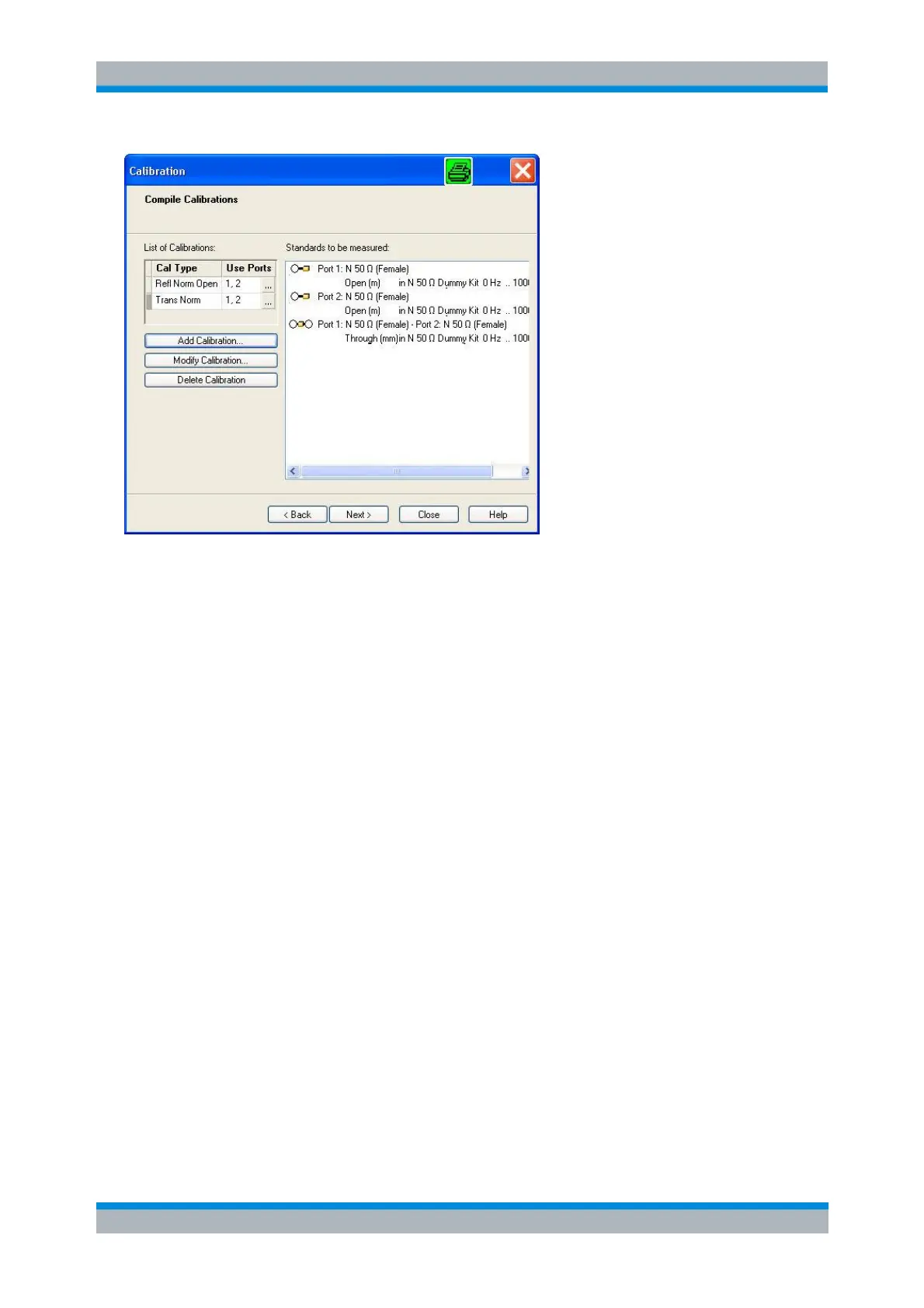
The selected calibrations and ports appear in the List of Calibrations. An (N) behind the ports number
denotes a node port (see Add Calibration dialog). The list of Standards to be Measured is automatically
generated according to the List of Calibrations. A red line in the list indicates that the sweep range
exceeds the frequency range of the standard.
The dialog provides three buttons to extend or modify the List of Calibrations:
Add Calibration... opens the Add Calibration dialog to add a new calibration to the list.
Modify Calibration... opens the Add Calibration dialog to modify the selected calibration.
Delete Calibration removes the selected calibration from the list.
Two buttons at the bottom of the dialog move back and forward in the calibration wizard:
< Back opens the Select Physical Port Connectors dialog.
> Next opens the Measure Standards dialog.
If one of the calibration kits is described by ideal kit parameters or typical values, the analyzer displays a
notice box.
[SENSe<Ch>:]CORRection:COLLect:METHod:DEFine
"<cal_name>", REFLshort | FOPort | FRTRans | OPTPort | TOSM | TOM |
TRM | TRL | NMTRl | TNA | UOSM,
<port_no>[,<port_no>][,<port_no>][,<port_no>]
Add Calibration
The Add Calibration dialog adds a new calibration to the list in the Compile Calibrations dialog or modifies
an existing calibration.



 To Next Page