R&S
®
ZVA / R&S
®
ZVB / R&S
®
ZVT GUI Reference
Channel Menu
Operating Manual 1145.1084.12 – 30 465
Calibration Kit or View / Modify Calibration Kit). The functionality of both dialog versions is the same.
If Add Calibration Kit is used for a predefined calibration kit, the View / Modify Standard... button can
be used to open the View / Modify Standard in <kit_name> dialog check the standard parameters. All
other controls are inactive.
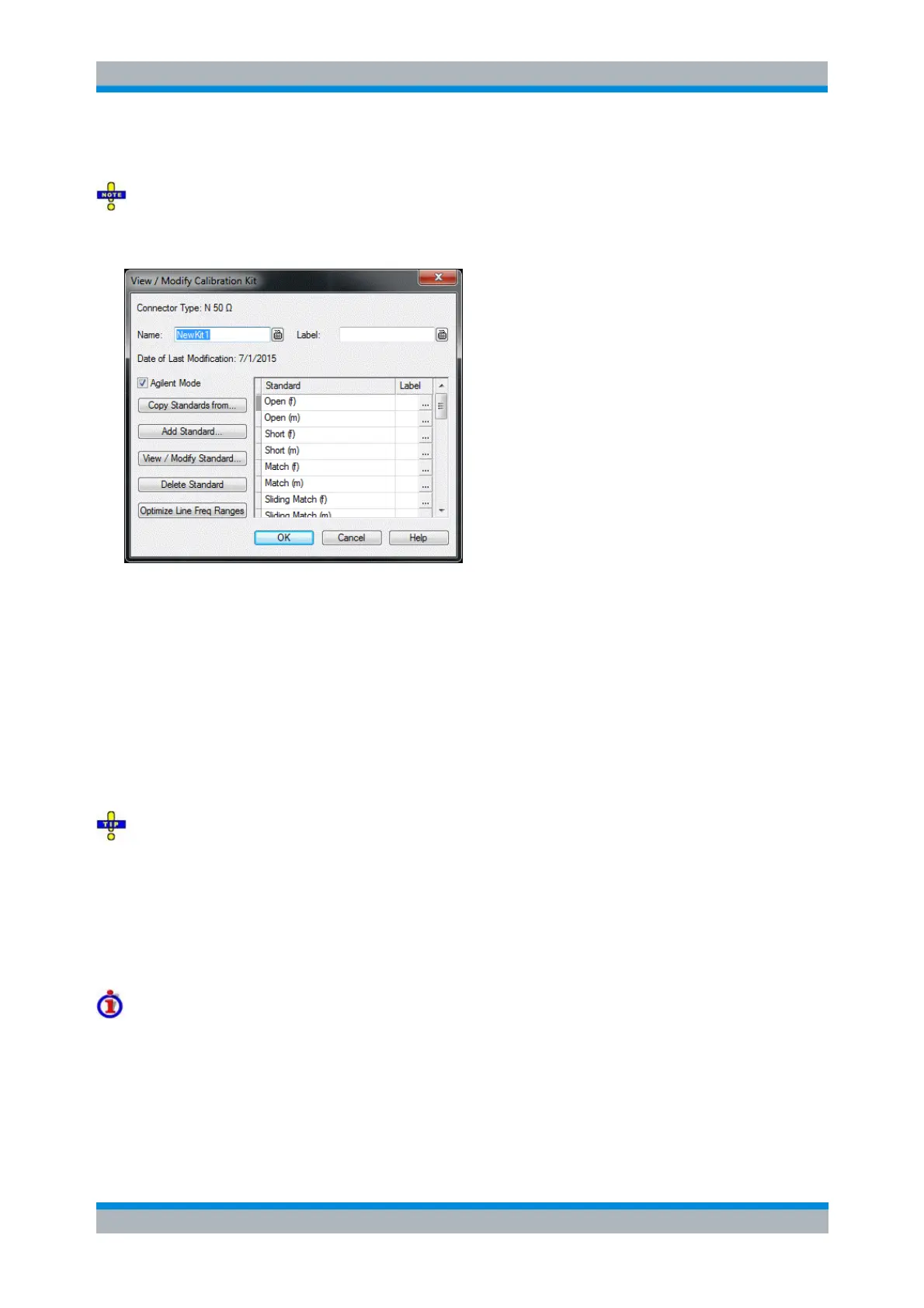
In its upper part the Add Calibration Kit dialog contains several controls that serve the following purposes:
Select a predefined or user-defined Connector Type.
Insert the (unique) Name of the new kit and assign a Label.
Qualify whether or not the Offset and Load parameters for the standards are defined and
displayed in Agilent Mode.
If a user-defined calibration kit was selected, a label below the Name field shows the cal kit's Date of Last
Modification.
During cal kit import, the last modified date of the related cal kit file is taken as the kit's Date of Last
Modification; during export the last modified date of the generated *.calkit file is set to the kit's Date of
Last Modification.
Assigning a label to user-defined calibration kits is optional. However, the label is displayed in many
dialogs and can provide useful information about the kit, e.g. its serial number. It is even possible to
assign several calibration kits with the same name, distinguished by their label, to a common connector
type. See also [SENSe<Ch>:]CORRection:CKIT... with Labels.
The table in the center of the dialog lists all standards in the new kit together with either their gender or
their port assignment (see Restrict Port Assignment) and the label (if defined). Clicking a standard opens
the View / Modify Standard in <kit_name> dialog where it is possible to change the parameters. Several
buttons can be used to change the entries in the list.
Using the dialog buttons
Copy Standards from... opens a dialog to copy standards from another calibration kit to the new
kit.
Add Standard... selects, defines and adds a new standard to the kit. A calibration kit may only
contain a single standard of each type.
View / Modify Standard... displays or changes the properties of the selected standard.



 To Next Page